Install Amiga Sound Driver
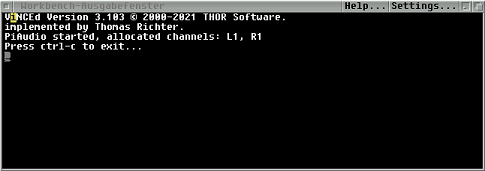
piaudio started from Amiga command
# install the needed audio plugins:
sudo apt-get install alsa-base alsa-utils libasound2-plugins
# create a new file 'asound.conf':
sudo nano /etc/alsa/conf.d/asound.conf
# Copy and paste all text below to the empty file:
pcm.!amiga {\
        type plug\
        slave {\
            pcm pipe\
            format s8\
            rate 18000\
            channels 2\
        }\
        hint {\
            description "Play audio to Amiga using A314"\
        }\
    }\
    pcm.pipe {\
        type file\
        format raw\
        file "/tmp/piaudio_pipe"\
        slave.pcm null\
    }
# Save and exit by pressing <ctrl+x>, then press <y>, and hit <enter>
# Create a empty .asoundrc to prevent asound.conf to be overwritten by other instances:
sudo touch /home/pi/.asoundrc
# make it readable only
sudo chmod a-w /home/pi/.asoundrc
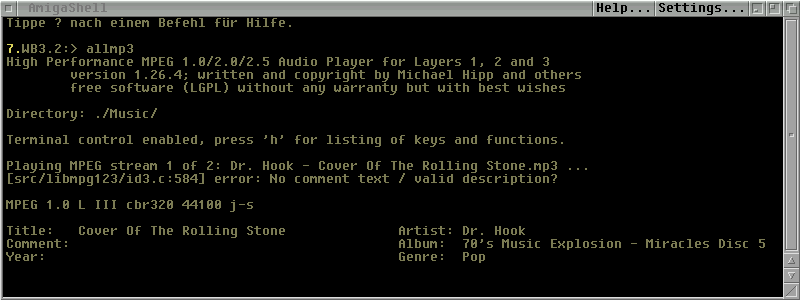
mpg123 started from Amiga Shell
# make an Update
sudo apt update
# Install mpg123 for mp3 playback:
sudo apt install mpg123
# To make it easier to “play all” with mpg123, you have to create an executable bash file.
sudo su
# Copy and paste all text below, and hit <enter>:
echo '#\!/bin/sh' > /usr/local/bin/playmusic

echo 'mpg123 -a amiga ./Music/*.mp3' >> /usr/local/bin/playmusic
# Make this file executable for all users:
chmod a+x /usr/local/bin/playmusic
Press <ctrl+d> to exit su (super user) promt.
# After starting "PiAudio" command from CLI now you can play mp3 Music from Pi Music folder on your Amiga.