Install raspotify
To learn more about this project, have a look here: https://github.com/dtcooper/raspotify
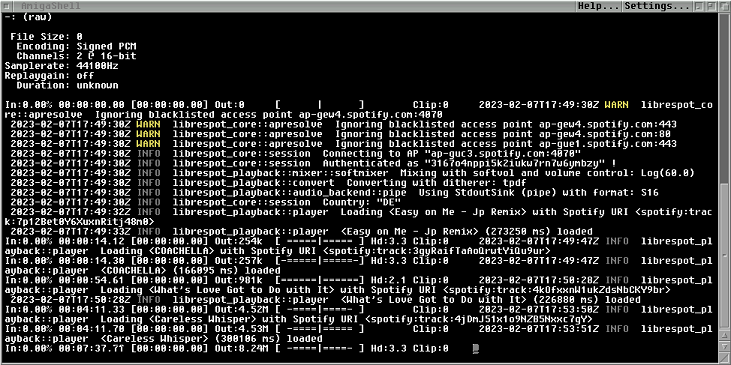
Spotify started and running from Amiga Shell. You need to start 'piaudio' first.
"You can install and run that version on an ARMv6 device, but you will never get updates and doing so is completely unsupported."
# Install version for Zero2 and up
curl -sL https://dtcooper.github.io/raspotify/install.sh | sh
# install libsox
sudo apt install sox libsox-fmt-all
# install libasound
sudo apt install libasound2-plugins libasound2
# start sudo
sudo su
# Copy and paste all text below, and hit <enter> :
echo '#\!/bin/sh' > /usr/local/bin/Spotify\
echo 'librespot --name raspotify --device-type computer --initial-volume 95 --backend pipe |\
\sox -t raw -b 16 -e signed -c 2 -r 44.1k - \-b 16 -e signed -c 2 -r 44.1k -t alsa amiga' >> /usr/local/bin/Spotify
# make it executable
chmod a+x /usr/local/bin/Spotify
# Press <ctrl+d> to exit su (super user) promt.
# Edit raspotify conf file
sudo nano /etc/raspotify/conf
# scroll down in the conf until you find 'Device Name'
# add this line:
LIBRESPOT_NAME="raspotify"
# Save and exit by pressing <ctrl+x>, then press <y>, and hit <enter>
Your Amiga now can be accessed as 'raspotify' from your Spotify player