Install Sysmon
SysMon
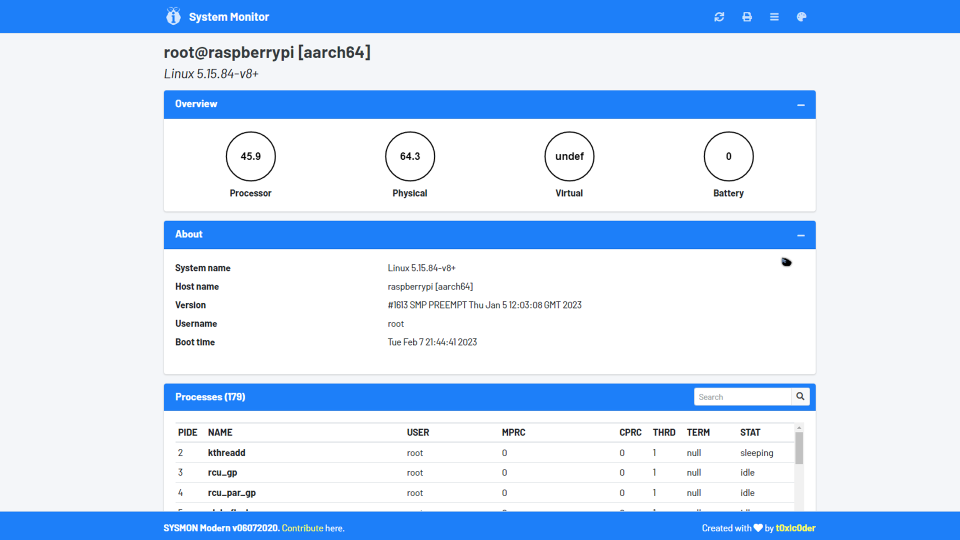
An intuitive remotely-accessible system performance monitoring and task management tool for servers and headless Raspberry Pi setups
Get it here: https://github.com/t0xic0der/sysmon
# Open a terminal...
# Get dependencies
type: sudo apt install python3 python3-pip python3-dev
type: cd /tmp
type: sudo rm -rf /opt/sysmon
type: sudo rm -rf /tmp/sysmon
type: git clone https://github.com/t0xic0der/sysmon
type: sudo mv -f /tmp/sysmon /opt
type: cd /opt/sysmon
type: pip3 install -r requirements.txt
type: sudo nano /etc/systemd/system/WebStationSYSMON.service
# Enter the following lines:
[Unit]
After=network.target
[Service]
ExecStart=sudo python3 /opt/sysmon/main.py -p 6969 -6
[Install]
WantedBy=default.target
# Save and exit by pressing <ctrl+o>, then press <y>, and hit <enter>
# Start the service
type: sudo systemctl daemon-reload
type: sudo systemctl enable WebStationSYSMON.service
type: sudo systemctl start WebStationSYSMON.service
# Visit http://<Your-Raspi's-IP>:6969/primary from other devices (or http://localhost:6969/primary locally).