Install raspotify
A Spotify Premium Account is required for this.
To learn more about this project, have a look here: https://github.com/dtcooper/raspotify
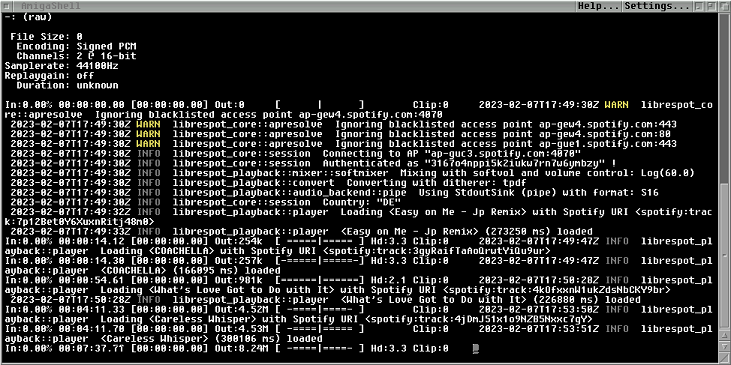
Spotify started and running from Amiga Shell. You need to start 'piaudio' first.
type: curl -sL https://dtcooper.github.io/raspotify/install.sh | sh
type: sudo apt install sox libsox-fmt-all
type: sudo apt install libasound2-plugins libasound2
type: sudo su
# Copy and paste all text below, and hit <enter> :
echo '#!/bin/sh' > /usr/local/bin/Spotify
echo 'librespot --name raspotify --device-type computer --initial-volume 95 --backend pipe |
\sox -t raw -b 16 -e signed -c 2 -r 44.1k - -b 16 -e signed -c 2 -r 44.1k -t alsa amiga' >> /usr/local/bin/Spotify
type: chmod a+x /usr/local/bin/Spotify
# Press <ctrl+d> to exit su (super user) promt.
# Edit raspotify conf file
type: sudo nano /etc/raspotify/conf
# scroll down in the conf until you find 'Device Name'
# add this line:
LIBRESPOT_NAME="Amiga"
# Save and exit by pressing <ctrl+x>, then press <y>, and hit <enter>