Repository navigation
Troubleshooting
Tala keeps your sign-in in your desktop keyring through the Secret Service, which GNOME Keyring and KDE Wallet can provide. Unlock the keyring if it asks, then choose Try again. If you log in automatically without a password, your desktop may ask you to unlock the keyring each time Tala starts.
Your server no longer accepts Tala's app password, perhaps because it was revoked in your security settings. Sign in again from that screen.
That's a conversation hosted on another server, and those calls need it. See Calls.
On a server without the High Performance Backend, you connect directly to each other, and some networks block that. Your server's administrator can add a TURN server to get around it. See Calls.
Check Message sound in the menu and your desktop's Do Not Disturb and notification settings. Not every notification system plays sounds this way.
The window has to be unfocused and Tala's icon has to be on the dock, so pin it if you run Tala in the tray. Docks without support for the count won't show one.
Your desktop needs a tray host. On GNOME, that's an AppIndicator extension.
Choose Report a problem… from the menu, or the link on the sign-in screen. You don't have to write anything: Tala's recent log and what it can check about your setup go with the report. No GitHub account is needed.
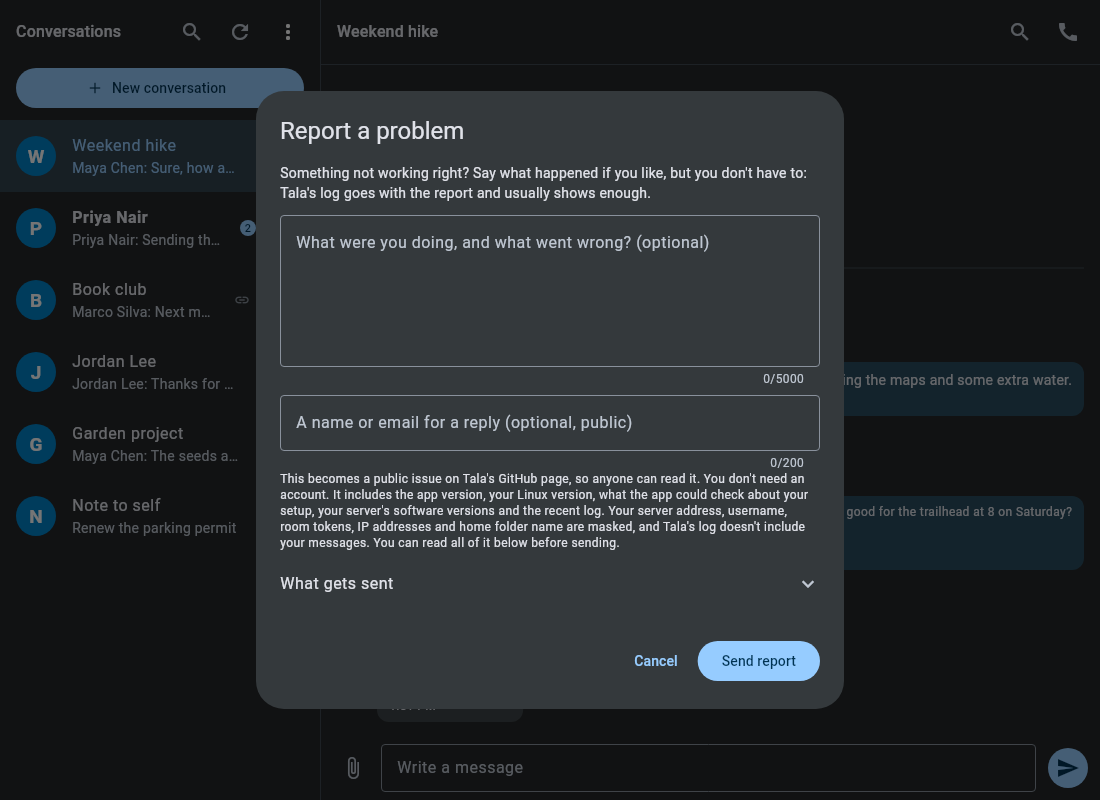
Reports become public issues on Tala's GitHub page. Your server address, username, room tokens, IP addresses and home folder name are masked first, and Tala's log doesn't include your messages. What gets sent shows all of it before you send. If you add contact details, they're public too.
After a crash, Tala offers to report it. A report that can't be sent is saved and tried again the next time Tala starts.
You can also open an issue directly. The logs are in Tala's config folder, ~/snap/tala/current/.config/tala/ for the snap and ~/.config/tala/ for a local build:
-
log.txtfor this run -
log.previous.txtfor the run before
Logs leave out passwords and message text, but they can include your server's address and conversation tokens, so look before you post one.