Repository navigation
Help table_widgets_b07
The original Storyboard and Renders cells expand into snapshot galleries.
Storyboard keeps the storyboard process; Renders keeps publish. Each gallery
also keeps its episode, project and any configured context filter. A tile shows
the snapshot preview, context and version. Click, tap or focus it and press Space
to open the existing Check out file dialog. An empty gallery says No
snapshots found. Results load in pages of 50; page buttons appear when another
page is available. Only visible tile rows are rendered.
This supports the original read-only ViewPanelWdg snapshot/tile declarations.
Their legacy decoration flags use the shared native styling. Dragging, legacy
context-menu scripts and other tile widget families are not enabled. The project
XML is preserved; installing the application does not rewrite Episode columns.
TextInputWdg now opens the ordinary native text editor in Handler and Stream.
The VFX Art Reference and Layer forms retain their values, required/read-only
flags, defaults and native EditCmd saving. This checkpoint covers their plain
text configuration; custom DOM validation and callbacks remain unsupported.
WikiElementWdg displays plain text with line breaks in both clients. Its original
WikiUtil escaped tags and converted newlines; neither client executes markup from
the value. The cell keeps the configured inline editor. A historical catalogue
label incorrectly excluded this working original because of its old docstring;
that exclusion is removed.
VFX Review accepts HiddenRow's width=100%; its child table still uses its own
query/selection scope. Other explicit widths remain unsupported. Shot/Sequence
Planner accepts the original DropElementAction when its instance type and path
match the display configuration. Add/remove uses the existing revision-guarded
instance-link command, including conflict rejection and rollback. It does not
execute arbitrary legacy actions. Shot Sheet task notes accept the old
show_note_expand=false and context_hidden declarations and retain their task
parent/process target through the shared inspector.
The prepared VFX example corrects Camera's shot selector to vfx/shot and retains
its file upload. Existing project XML is not rewritten automatically; the new
camera edit configuration must be applied explicitly to an existing project.
This is a standard-widget checkpoint, not complete VFX-template acceptance.
Planner, Shot Sheet and Review use the native composition described below. The old
Submit chain through pyasm.prod.web.SubmissionWdg, production detail panels,
Maya and applet execution remain excluded; unavailable columns are not proof
that those subsystems were restored.
| Wiki, MD3 dark, identical text and 360x58 cell | Handler | Stream |
|---|---|---|
| Escaped markup and two lines |  |
 |
<element name="parent" title="Parent">
  <display class="tactic.ui.table.ParentGroupTableElementWdg"/>
  <action class="tactic.ui.table.ParentGroupAction"/>
</element>
Choose Group by this column in its header menu. The parent header shows its
preview, code/name, type, description and row count. Collapse/reopen keeps the
group. Add Another Item opens the usual configured creation form with this parent.
Different object types with equal codes remain separate groups. Missing parent
references stay explicit. disable=true turns off the rich grouping projection.
The historical label option has no extra behavior in the original implementation.
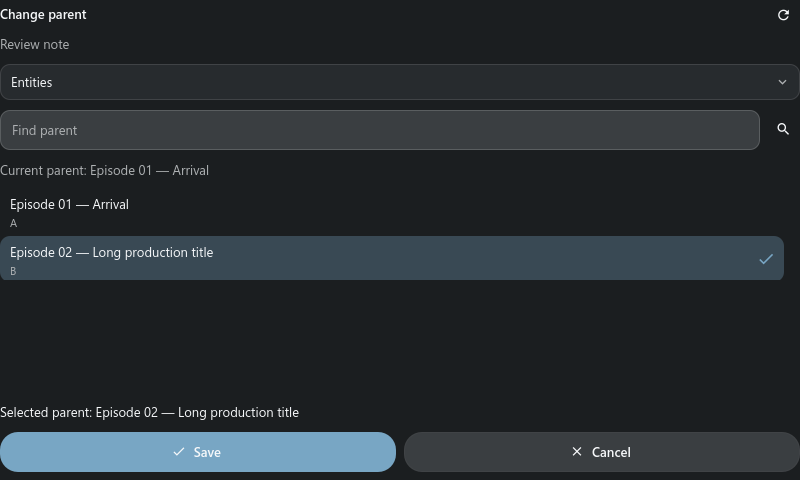
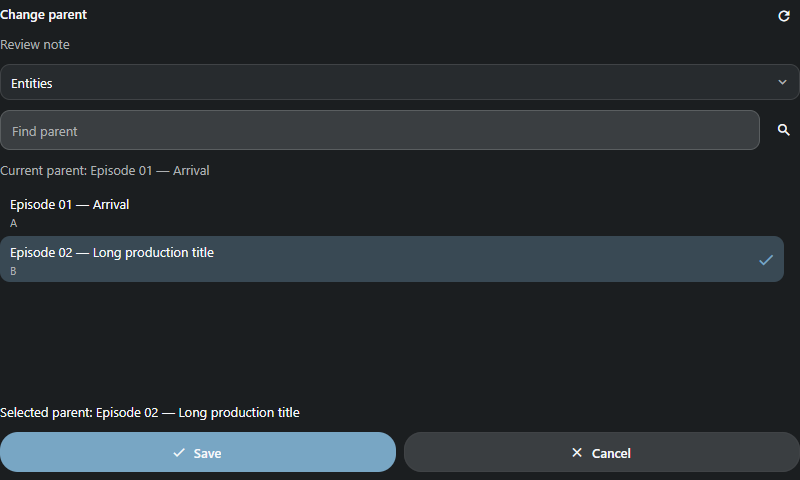
Change parent opens a panel beside the cell, with a Search Type choice and literal code/name/title search (50 results per page). Choose a current object and Save. Cancel/Refresh asks before discarding a changed selection. If the response is lost, use Check saved changes before retrying. Conflicts require explicit refresh; retired targets, cycles and foreign projects are rejected. An Expression cell with the same action keeps its calculated display text. Dropping one object opens this same picker preselected; it never silently writes the relationship.
This checkpoint covers administrator operations. Ordinary-user table ACL and all legacy group summaries/options remain pending; no arbitrary HTML/Mako editor is added. Only safe parent display fields are sent to the interface.
B07 is still in progress. The catalogue contains 72 server classes and 174 named aliases. This article documents the added value adapters; it does not certify every historical option. Unsupported options remain explicit errors. Keep existing view definitions and replace only the intended element.
Shared picker body and parent header on the same data/theme/size; native font rasterization may differ from the browser. These images do not certify every legacy group option.


Add the dependency action to an object or snapshot table:
<element name="dependency" width="64">
  <display class="pyasm.widget.DependencyLink"/>
</element>
The modeless Dependencies window shows files and upstream, input, downstream and file-local references. The arrow shows branch loading; collapse/reopen reuses the loaded branch. Retired/missing objects and cyclic references remain explicit. An object resolves its latest snapshot once; an exact snapshot keeps that version. Refresh starts a new root session. A changed revision requires Refresh before loading more. Closing the window or changing project discards late replies. Snapshots selected from a global administrative table open in their own project.
Expand a file sequence to read its member names, 50 at a time with Show more. This does not download the sequence. A normal file opens through the existing file preview/desktop file action. Sequence/UDIM transfers remain in progress. Sequence thumbnails use the first frame. An older document's delayed response cannot replace the newer window or reopen it after Close. The current viewer requires administrator access.
| Dependencies, MD3 dark | Handler | Stream |
|---|---|---|
| Expanded tree | 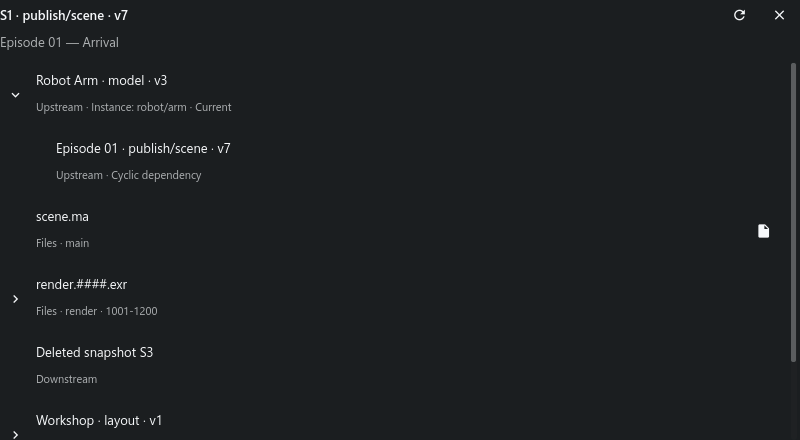 |
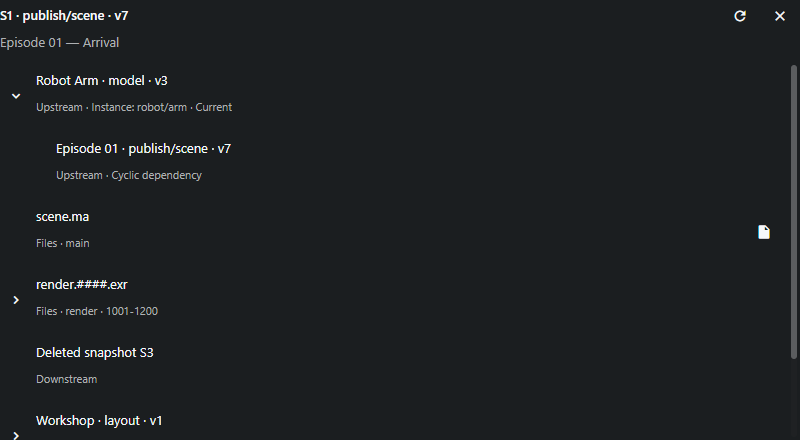 |
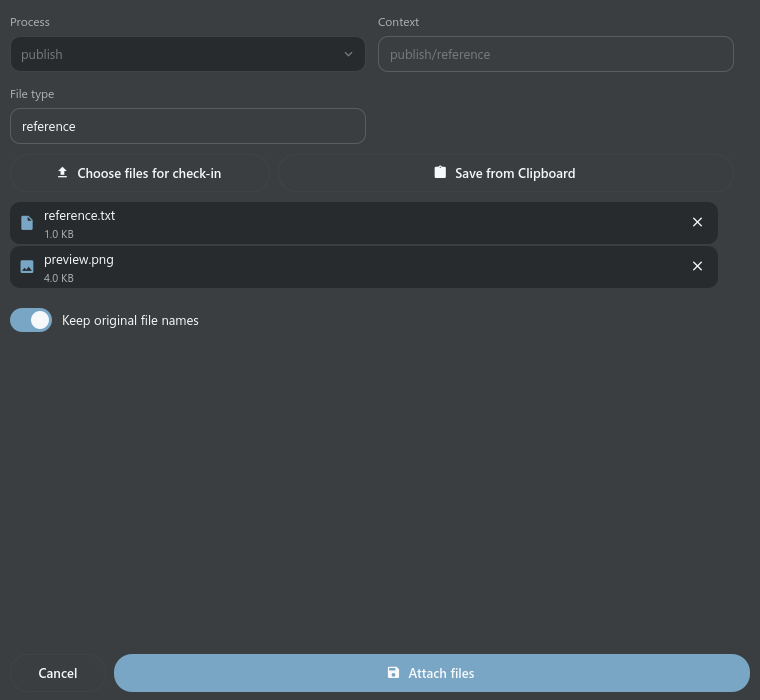
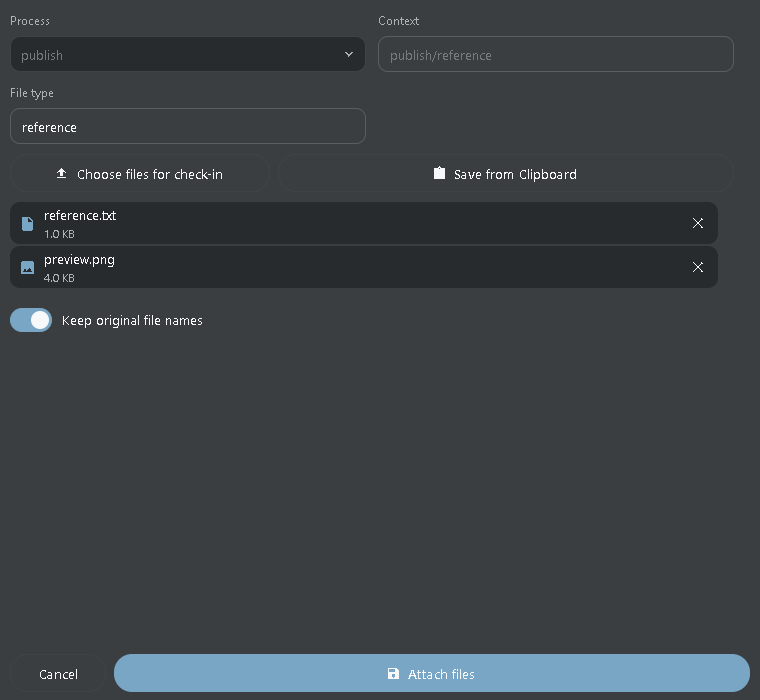
FileAppendLinkTableElement opens Attach files for the selected snapshot version. Choose local files or paste an image, enter File type, optionally keep original names, then attach. This adds files to that version; it does not create a new snapshot. A versionless alias first resolves to a concrete version.
<element name="append" width="64">
  <display class="pyasm.widget.FileAppendLinkTableElement"/>
</element>
The original client files remain untouched. Duplicate/existing names and changes by another client are rejected before writing. Cancel asks to discard selected files. If the server result is unknown, repeat is disabled: close the window and refresh the snapshot before retrying. A late server error uses FileUndo to restore registered files and data; disposable server uploads are not local originals.
Ctrl+V attaches an image; ordinary text paste keeps editing the focused field. Choose files rather than directories, up to 50 per operation. Each open draft has its own temporary upload directory. Saving refreshes both the concrete version and its original current/latest row.
Handler opens an ordinary native modal window; Stream uses the corresponding browser dialog. The form body shares one Frame description, including type/name controls, loading/errors and discard. Native uploads and filesystem work run off the GUI thread. This checkpoint accepts administrator table scope; ordinary-user ACL, PostgreSQL/original-server execution and physical phone/DPI testing remain open.
| Tactic Handler | TACTIC Stream |
|---|---|
 |
 |
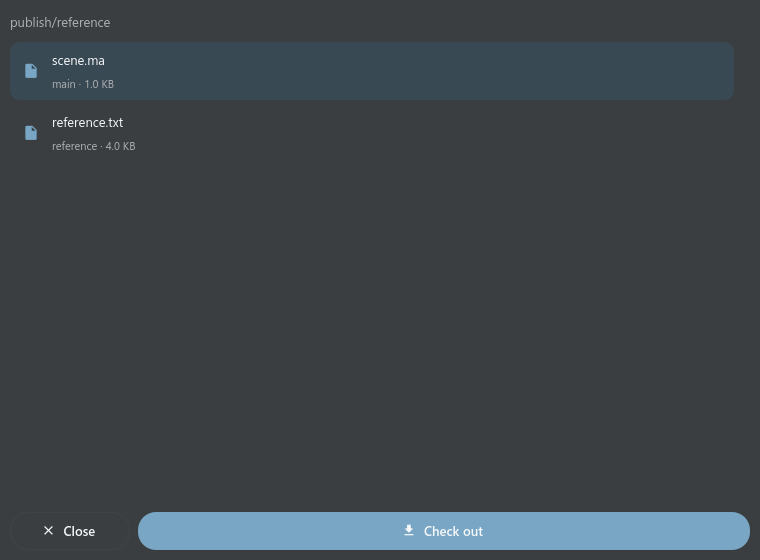
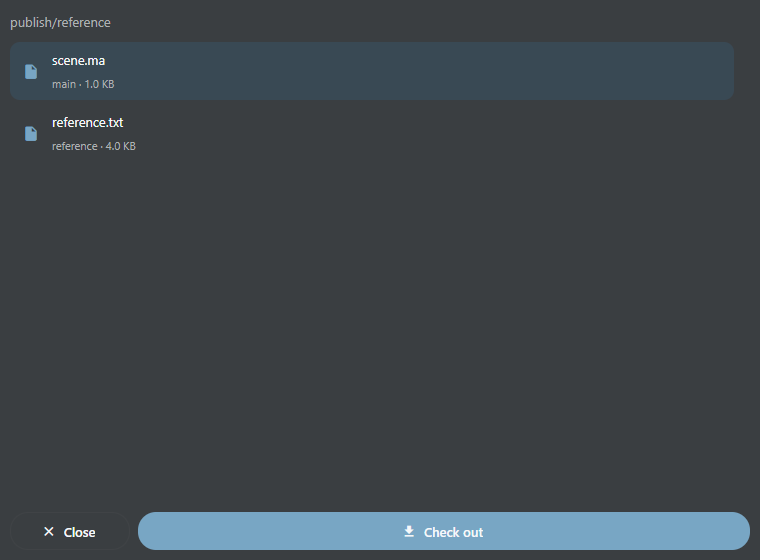
CheckoutButtonElementWdg opens Check out for a concrete snapshot. A current/latest alias resolves to its concrete version before the file list is shown. Choose the required file and press Check out. The project and version remain captured even when the main table belongs to another workspace project.
<element name="checkout" width="64">
  <display class="tactic.ui.table.CheckoutButtonElementWdg">
    <transfer_mode>browser</transfer_mode>
  </display>
</element>
Handler uses the file's configured native repository path and the existing transfer queue. If a local file differs from the server, choose Overwrite explicitly or cancel to preserve it. Files that appear during transfer are preserved by the default policy. Stream downloads the selected file through the browser; the browser owns its destination and overwrite prompts. copy and client_repo modes require the desktop client; the browser reports this limitation.
Cancel transfer stops the current download. Close also cancels it and ignores any late response; neither action creates a snapshot or changes its version. Private message attachments keep the privacy-aware Messages download flow.
This checkpoint supports ordinary individual files in administrator table scope. Sequence/UDIM expansion, other historical display options, ordinary-user ACL and original-server/PostgreSQL acceptance remain open. Unsupported groups report an error rather than downloading only one member. The shared file list uses the same Frame body in both products, with scrolling at narrow widths.
| Tactic Handler | TACTIC Stream |
|---|---|
 |
 |
These four adapters reuse the existing notes/Task Inspector, task drafts and table controls; they do not create another Messages or Task Manager window.
<element name="notes">
  <display class="pyasm.widget.DiscussionWdg">
    <include_submission>false</include_submission>
  </display>
</element>
<element name="tasks">
  <display class="pyasm.widget.SObjectTaskTableElement">
    <width>280</width><supe>true</supe><bid_edit>true</bid_edit>
    <simple_date>true</simple_date>
  </display>
</element>
<!-- Use this column in sthpw/task. -->
<element name="context"><display class="pyasm.widget.TaskParentSpacingTableElement"/></element>
<!-- Use this column in sthpw/message or sthpw/message_log. -->
<element name="message"><display class="tactic.ui.app.MessageTableElementWdg"/></element>
Discussion reads existing notes and offers setting/append_setting process
choices, including empty branches. Clicking a branch opens the existing owner;
saving/editing/deleting a note uses its ordinary permission/revision checks.
Task cells show the existing compact cards; status, assignee and dates use the
existing editors and explicit Save/Discard. supe enables inline assignment,
bid_edit enables inline dates; these display options do not grant server rights.
simple_date uses short month-day dates instead of full ISO dates when the row
has room for dates. The old HTML CalendarBar is not embedded. Explicit column
width overrides the 250px default. TaskParentSpacing displays the context before
its first slash, retaining the complete context as a tooltip.
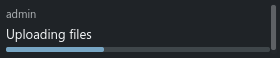
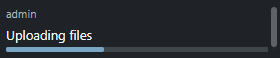
Formatted messages show plain/chat text and note/task/snapshot changes, the author and progress. Message markup is displayed as text. The old HTML preview is not recreated. Invalid JSON/non-finite progress is an explicit cell error.
include_submission=true remains unsupported: old Submission is part of the
agreed excluded pyasm.prod subsystem. Slash subcontexts in old setting choices
and CGI filter state are not implemented; modern Discussion supports an explicit
context option. scroll=false is an old HTML layout hint; the modern owner keeps
its shared scrollbar. Unknown options stay explicit rather than being ignored.
That earlier checkpoint had 54 adapted / 20 pending referenced classes. See the active checklist for the current census; B07 is open.
Fresh production Qt/Vue captures use the same data, MD3 dark theme, language and 280px column width. These examples cover the four cell adapters, not every historical HTML option.
| Cell | Tactic Handler | TACTIC Stream |
|---|---|---|
DiscussionWdg |
 |
 |
SObjectTaskTableElement |
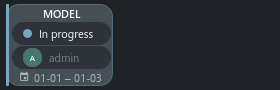 |
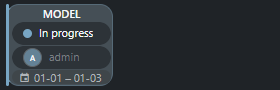 |
TaskParentSpacingTableElement |
 |
 |
MessageTableElementWdg |
 |
 |
Snapshot context lock; read only.
<element name="locked" width="180">
  <display class="tactic.ui.table.SnapshotLockedElementWdg"></display>
</element>Original filename, sequence range and safe repository link.
<element name="file" width="180">
  <display class="tactic.ui.table.SnapshotFileElementWdg"></display>
</element>Use on sthpw/milestone; task visibility still applies.
<element name="completion" width="180">
  <display class="tactic.ui.table.MilestoneCompletionWdg"></display>
</element>Average of the tasks matching each context group.
<element name="completion" width="180">
  <display class="tactic.ui.table.TaskGroupCompletionWdg"><options>[{"label":"MODEL","context":["model"]}]</options></display>
</element>Use on tasks. Labels and urgency follow the original thresholds.
<element name="due" width="180">
  <display class="tactic.ui.table.TaskDaysDueElementWdg"><due_date_col>bid_end_date</due_date_col></display>
</element>Preserves all text after the first slash in context.
<element name="subcontext" width="180">
  <display class="tactic.ui.table.SubContextElementWdg"></display>
</element>A second view of the same row selection; not a database checkbox.
<element name="select" width="180">
  <display class="CheckboxColWdg"></display>
</element>Displays the native title for the row search_type value.
<element name="search_type" width="180">
  <display class="SearchTypeElementWdg"></display>
</element>Click the process to inspect that exact task; default mode uses full task cards.
<element name="tasks" width="180">
  <display class="tactic.ui.table.TaskSummaryElementWdg"><mode>minimal</mode></display>
</element>Integer result and obsolete-process filtering differ from the modern widget.
<element name="completion" width="180">
  <display class="pyasm.widget.TaskCompletionWdg"></display>
</element>Uses the existing process note counts and inspector. This is not pyasm.widget.DiscussionWdg.
<element name="notes" width="180">
  <display class="tactic.ui.widget.DiscussionWdg"></display>
</element>Use on sthpw/project. Reads database existence and version without creating a database.
<element name="database" width="180">
  <display class="tactic.ui.table.ProjectWdg"></display>
</element>Use on sthpw/search_object. Checks the physical table.
<element name="table" width="180">
  <display class="tactic.ui.app.SearchTypeHasTableElementWdg"></display>
</element>Use on sthpw/pref_list; includes the original contextual hints.
<element name="description" width="180">
  <display class="tactic.ui.table.PreferenceDescriptionWdg"></display>
</element>Use on sthpw/notification_log. Reads linked notification_login rows. Sending email and public recipient insertion remain unfinished.
<element name="recipients" width="180">
  <display class="tactic.ui.table.RecipientElementWdg"></display>
</element>Replace the relationship path/column with your schema. Native joins select the related record.
<element name="category" width="180">
  <display class="tactic.ui.table.RelatedElementWdg"><template>cg/assets.cg/assets_category</template><column>name</column></display>
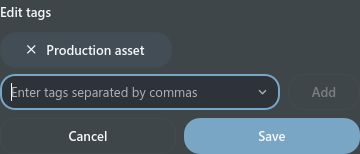
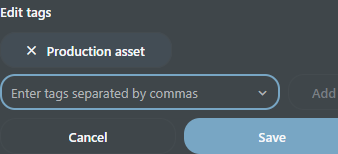
</element>The same Frame scene defines text, multiline, choice/user, switch, date/datetime, color and multi-value editor composition. Enter commits a single line; multiline Enter adds a newline and Save commits. Escape cancels. Existing revision/ACL/rollback and uncertain-write checks stay active. Native tags retain their specialized editor. Thirty-six referenced widget classes still require complete workflows: nested tables, schedules, work hours, loader/publish and configurable action forms.
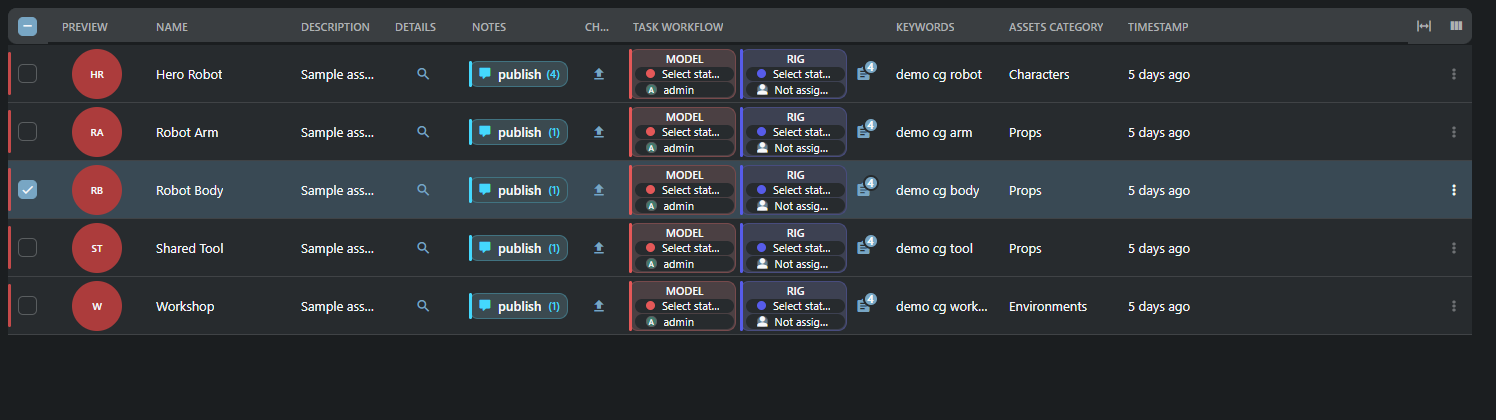
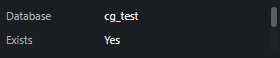
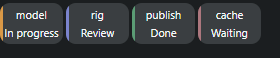

Stream 0.112.174 / Handler 0.6.0.121 add 16 table adapters and the shared inline tags editor. Both products retain independent resources. B07 and stage 1 remain open where an original layout requires nested tables or file ingest.
Double-click Keywords to edit tokens and suggestions. Enter adds a token; Save also includes pending text. Cancel/Escape discard the draft. An outside click never commits it. Preferences likewise require explicit Save/Cancel; a conflicting revision requires reload, and an unknown write outcome can be checked without resending the mutation.
<!-- Use these elements in their corresponding system Search Types. -->
<element name="update"><display class="pyasm.widget.UpdateWdg">
  <insert_view>insert</insert_view><edit_view>edit</edit_view>
  <retire>true</retire><delete>false</delete>
</display></element>
<element name="login"><display class="tactic.ui.input.LoginTableElementWdg"/></element>
<element name="security"><display class="tactic.ui.panel.SecurityManagerButtonWdg"/></element>
<element name="value"><display class="tactic.ui.table.PreferenceEditWdg"/></element>
<element name="template"><display class="tactic.ui.table.ProjectTemplateUpdateWdg"/></element>
<element name="summary"><display class="pyasm.widget.MyTacticSummaryWdg"/></element>
<element name="test"><display class="tactic.ui.table.NotificationTriggerElementWdg"/></element>
Update uses the configured insert/edit views and the existing object editor. Retire/reactivate compare the full record revision; Delete uses the existing object-deletion owner. Login and Security open the existing administration editors using the user/group identity. Preferences are scoped to the current login. Template export calls the existing template command. Summary counts the current user's activity for the last hour, today and week, plus assigned-task statuses. The notification test invokes the original forced-trigger path with an unsaved test record; the cell is not proof that SMTP/Telegram delivery is configured or certified.
<element name="action"><display class="tactic.ui.table.ButtonElementWdg">
  <script_path>assets/my_action</script_path>
  <icon>EDIT</icon><hint>Open configured action</hint>
</display></element>
Use an existing JavaScript custom script at that path, or the original
script_code, cbjs_action or javascript options. The original SDK is retained.
The bridge supplies the clicked record, view, column and captured selection;
bvr.kwargs.search_key, spt.table.get_search_key() and SDK methods use that
context. Configured Edit, Notes, Tasks, user/group/schema/workflow/script-editor
ports open their existing owners. A confirmation must precede the first API
call. It does not replay completed writes. Session/project changes cancel the
run and suppress stale UI commands. Calls time out after 120 seconds.
Browser scripts run in a Worker under the application CSP; Handler runs them in an isolated QJSEngine process so script loops do not block QML. This preserves client scripting, not arbitrary browser DOM/MooTools compatibility. Unsupported DOM, Promise callbacks and unknown popup classes produce explicit errors. Scripts keep the logged-in user's server permissions. Fixtures execute the three supplied CG JavaScript actions with a fake SDK, not against user data.
<element name="script"><display class="tactic.ui.table.CustomLayoutElementWdg">
  <view>episodes/columns/script</view>
</display></element>
Slash references resolve to dotted saved views. The actual CG script layout renders text, document links and its configured edit action in both clients. Supported layout nodes are labels, safe links, Thumb previews, nested portable CustomLayouts and click actions. External documents open through a link; no HTML/WebEngine view is inserted into QML. Data-only Mako reads the supplied record and formats text; imports, server calls, writes and file/network I/O are rejected. This bounded formatting subset is not general Python/Mako compatibility.
Security Summary opens a modeless window with group selection and one readonly source editor showing that group's stored rules. It is not a computed effective permission report. Its Help button opens the common help article.
CG definitions are preserved. columns/tasks_parent embeds FastTable and remains
a dependency of L01. episodes.columns.assets contains only No html and is not
accepted as a working feature. Complex development layouts remain unaccepted.
<!-- Use in cg/assets: the CG template defines this texture relationship. -->
<element name="links"><display class="tactic.ui.table.DropElementWdg">
  <instance_type>cg/texture_in_assets</instance_type>
  <accepted_drop_type>cg/texture</accepted_drop_type>
</display></element>
<element name="parallel"><display class="pyasm.widget.ParallelStatusWdg">
  <bar_height>3</bar_height><label_format>abbr</label_format>
</display></element>
<element name="new_task"><display class="pyasm.widget.ParallelStatusEditWdg"/></element>
<element name="tasks"><display class="tactic.ui.table.SObjectTaskStatusElementWdg"/></element>
<!-- These three columns belong to a task table. -->
<element name="process"><display class="tactic.ui.table.ProcessElementWdg"/></element>
<element name="status"><display class="tactic.ui.widget.TaskStatusElementWdg">
  <edit_scope>assigned</edit_scope>
</display></element>
<element name="work"><display class="tactic.ui.table.WorkElementWdg">
  <transfer_mode>upload</transfer_mode>
</display></element>
Drop accepts configured object keys, not arbitrary files. Link Objects gives a
keyboard/click alternative: select, Save or Cancel in the existing link editor.
The complete instance revision and every target are validated before any removal;
a failed replacement rolls back. path selects the configured schema relation.
The legacy folder_drop JavaScript/FileIngest callback remains L04 work; it is
not silently treated as an instance relationship.
Parallel bars retain the original 33/66/100 steps, overdue color and exact task identity. Click a bar or its process target to open the existing task owner. Task status uses that task's configured status pipeline; assigned scope is checked before mutation. Work retains process/context/task identity and opens existing check-in. Browser upload is supported; local copy/move/inplace remains a desktop capability. Calendar remains a separate dock. Bottom/group totals belong to L07b.
Reproducible examples live in tests/test_table_stage_one.py,
tests/test_table_services.py, tests/test_table_drop_links.py and
frontend/tests/table_script_runtime.mjs. Native input/lifecycle scenarios are
tests.test_frame_table, tests.test_table_scripts and
tests.test_table_service_workflows in the independent Handler checkout.
tools/frame_table/capture.py and frontend/tests/frame_table.mjs compare current
Qt/Vue geometry, paint and input across three themes, EN/RU and light/dark.
No production business script, real notification delivery, PostgreSQL server, physical touch device or frozen Windows build was exercised for this checkpoint. Nested FastTable/HiddenRow, file-ingest DOM actions, unrestricted Mako and complete bottom reports remain explicitly open in L01/L04/L07b/L11.
Same fixture, width, MD3 dark theme and language; these cell crops do not certify a complete legacy workflow.
| Cell | Tactic Handler | TACTIC Stream |
|---|---|---|
tags |
 |
 |
service_actions |
 |
 |
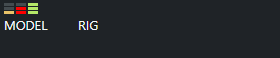
parallel_status |
 |
 |
drop_links |
 |
 |
custom_layout |
 |
 |
The old HTML Custom Layout Editor is excluded. Create new portable layouts with Frame and the existing layout editor. Saved supported CustomLayout definitions remain available; an unsupported DOM widget reports its limitation explicitly.
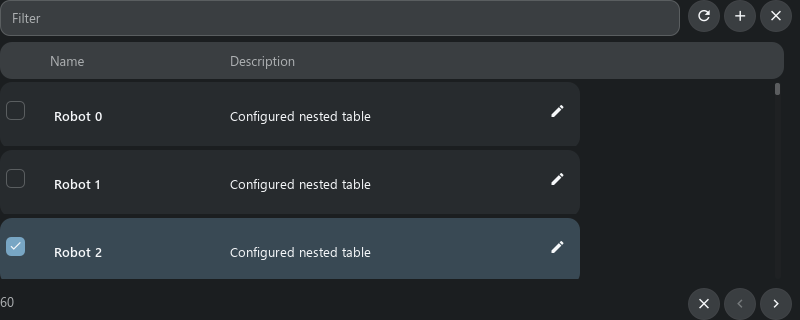
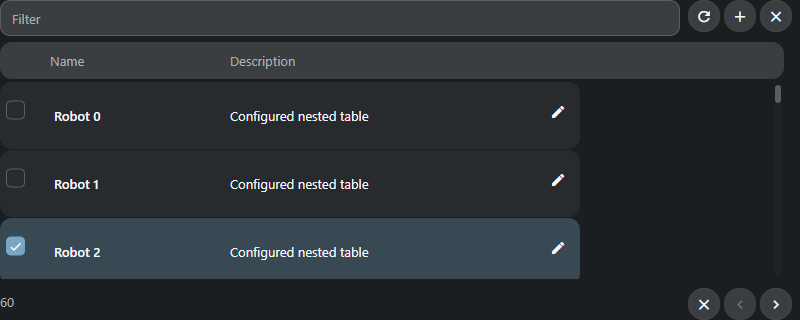
An expanded table owns its selection, filter and page. Selecting a child does not change the search selection. Refresh applies the child filter; Close collapses the branch. Reopening a loaded branch retains its rows and selection for the current context. The disclosure shows loading in its icon. Create/Edit reuse the existing object form and server permissions. Only one expanded surface per parent row is currently shown; recursive child surfaces and remaining relation/group widgets are not yet accepted.
<element name="tasks" title="Tasks">
  <display class="tactic.ui.table.HiddenRowElementWdg">
    <dynamic_class>tactic.ui.panel.FastTableLayoutWdg</dynamic_class>
    <search_type>sthpw/task</search_type>
    <view>table</view>
    <show_insert>false</show_insert>
  </display>
</element>
The original CG columns/tasks_parent opens the task's parent table. Its saved
definition is retained; transferring it does not restore the old HTML editor.
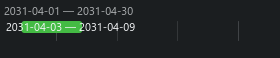
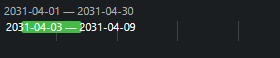
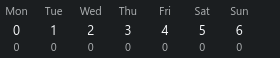
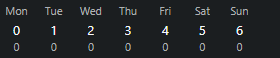
Table schedule bars open the existing Task Manager Gantt. Daily hours open the
existing Timesheet for that task/week; all-user hours stay read-only. The common
presentation does not certify legacy inline/cascade Gantt writes, all timecard
operations, bottom totals or file actions. The combined second stage remains open.
The current expanded surface uses a fixed 50-record page and 320-pixel viewport.
Shelf/search/paging and selection flags now hide their controls. init_load_num is a rendering hint replaced by viewport virtualization; it never changes the 50-record page. Explicit show_gear=true remains an error until nested Columns authoring is ready.
Paired examples from this checkpoint (identical data, MD3 dark):
| Surface | Handler | Stream |
|---|---|---|
nested |
 |
 |
schedule |
 |
 |
hours |
 |
 |
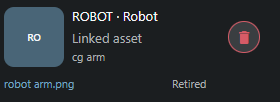
The connection cell shows incoming (dst) or outgoing (src) targets, previews,
filenames and retired/missing records. Remove connection asks for confirmation,
checks the latest revision and preserves both objects. An uncertain response
refreshes the list before another operation.
<element name="connections" width="400">
  <display class="pyasm.widget.SObjectConnectionElement">
    <direction>dst</direction><icon_size>60</icon_size>
  </display>
</element>
<element name="summary" width="200">
  <display class="tactic.ui.table.SObjectSummaryElementWdg"/>
</element>
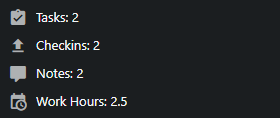
The summary shows tasks, check-ins, notes and straight-time hours. Task/check-in buttons expand their own configured tables. Project summaries use the selected project, including its table/editor/script context. Nested tables may expand more nested tables; a repeated ancestor scope is rejected. Each level keeps its own selection and loaded rows, so reopening it does not wait for another server read. These workflows currently accept administrator scope. Stage 2/B07 remains open.
Current matching examples (MD3, dark, test data):
| Cell | Handler | Stream |
|---|---|---|
| Summary | 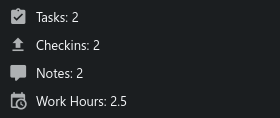 |
 |
| Connections | 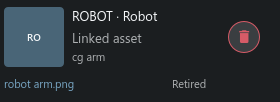 |
 |
PublishTableElement opens the existing record's publish form. GeneralPublishElementWdg also accepts a configured view and optional preview=false. The same Frame cell, bounded preview, title and Publish action ship independently in Handler and Stream. Unsaved, busy, batch and uncertain forms cannot be overwritten by a second row; a clean form can switch records.
<element name="publish" width="100">
  <display class="tactic.ui.table.GeneralPublishElementWdg">
    <view>review_publish</view><preview>true</preview>
  </display>
</element>
Define the actual input actions in review_publish, for example:
<review_publish>
  <element name="attachment">
    <display class="tactic.ui.widget.SimpleUploadWdg"><context>publish/reference</context></display>
    <action class="pyasm.command.UploadAction"/>
  </element>
</review_publish>
The optional multi_publish=true header on PublishTableElement opens the explicitly configured multi_publish view. It does not enable generic batch creation. UploadAction creates the configured snapshot; NullAction remains a nonworking upload configuration and is reported explicitly. The excluded production Publish Browser and arbitrary DOM callbacks are not provided. Full ordinary-user ACL and legacy option acceptance remain stage 2 work.
| Cell | Handler | Stream |
|---|---|---|
| Publish | 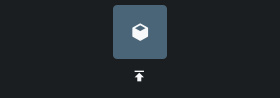 |
 |
Native configured publication accepts text, multiline, select, checkbox, thumbnail (ThumbInputWdg) and multi-file upload (UploadWdg, SimpleUploadWdg / UploadAction) inputs. Unported input/action combinations block the form explicitly. It uses the configured EditCmd instead of the ordinary native editor’s direct database update. The file selector is a reusable base control in each client, with one shared Frame description. Other native forms retain their existing persistence.
-
Group and bottom summaries:
FormatElementWdg(total_summary=count|total|average),ExpressionElementWdg(bottom/group_bottom),WorkHoursElementWdg, andWeekTableElementproject group summary rows and bottom totals in both engines. -
Nested column authoring (
show_gear):HiddenRowElementWdg/CustomLayoutElementWdgnested tables expose the scoped Columns button (nestedColumns) for administrators whenshow_gearis not disabled. -
Ordinary-user ACL vs administrator tools: Table reads, inline cell edits, forms, and self-contained table procedures (
read_nested_scope,read_dependency_node,read_connection_cells,remove_connection,edit_parent_group,read_parent_cells,append_snapshot_files,read_snapshot_files,edit_drop_links,read_summary_cell) enforce project,search_type, andelementaccess rules for authenticated users while keepingread_group_summary,read_custom_layout, andColumnsEditorstrictly admin-only. -
Form revisions, retired guard, and uncertain save check:
read_formandEditCmd/EditMultipleCmdenforceexpected_revisionbefore writing, reject editing retired records (Retired records cannot be edited. Reactivate the record first.), and supportaction='check'(Check saved changes) when a network error leaves the save outcome uncertain. -
Remaining explicit limits: Only unresolved legacy layout references (
asset_panel_wdg,asset_cost_breakdown,inline_add_item, barecustom_col) andinclude_submission=trueremain explicitly rejected.
The Files cell in snapshot history expands a table of files registered in that exact snapshot: file link, repository directory, type, frame range, size and timestamp. Filtering and paging stay within that snapshot; an empty version shows no files. Ordinary file links use the configured repository URL. Sequence rows retain their frame pattern and range; the link does not download an entire sequence. Directory packages remain registered file records; their recursive disk contents are not expanded here. Maya/applet actions are excluded.
Checkin Log shows the referenced object name and code in Code, as in legacy TACTIC. A missing or excluded owner displays n/a. Files opens the exact version file list. The old RenderSubmission action is part of the excluded production subsystem and is omitted from the built-in log.
In the VFX template, expand Tasks beside a schedule phase to see its bidding tasks and dates. Add and Edit use the configured bidding form, including cost, hours, start/due dates and color. Saving refreshes the phase total. Tasks stay scoped to their phase; a saved view can supply filters and default ordering. Stream adds missing nullable bidding fields during its normal startup upgrade. Monetary formats use the configured server locale; if it has no currency conventions, dollar formats use USD.
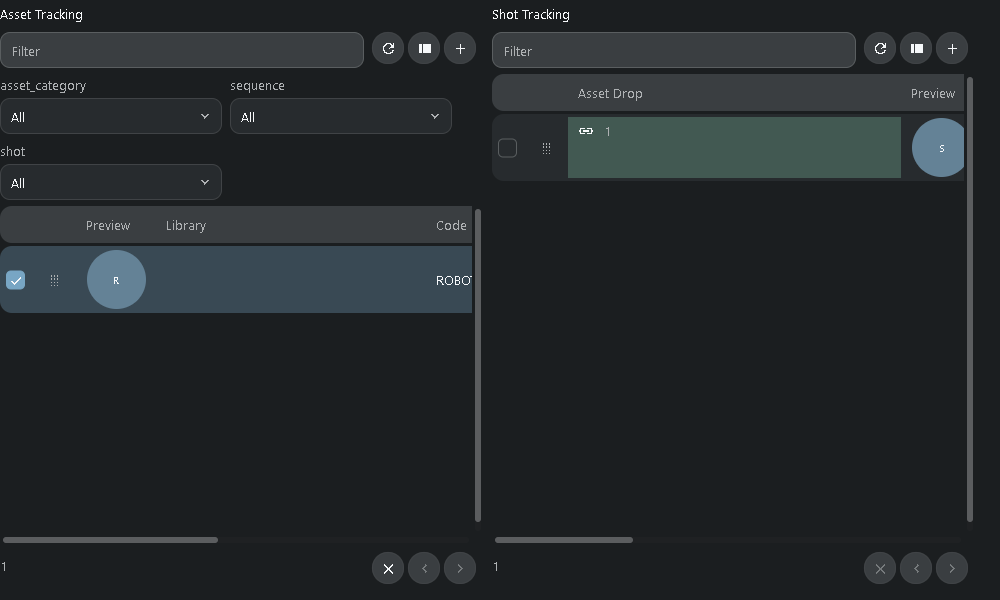
Shot Planner and Sequence Planner open native configured documents in both clients. Each panel keeps its own filters, selection and paging. The original shot-planner script opens a retained tab whose shot panel contains only the chosen shot. Drag an asset by its row handle, or use Link SObjects to choose assets; both reach the existing guarded instance-link editor. Closing a document tab releases its tables. Changing project or source context invalidates outstanding actions.
Shot Sheet opens from Shot Tracking with the shot preview, frame/timecode values, description, plates and tasks. Task notes retain their shot/process target. Plate range and author come from the latest publish snapshot and its registered files. Print reads all scoped rows, including subsequent pages, before opening the platform printer dialog. Reports are limited to 10,000 rows per table and an 8 MiB raster preview. Browser and desktop printer dialogs follow their platforms.
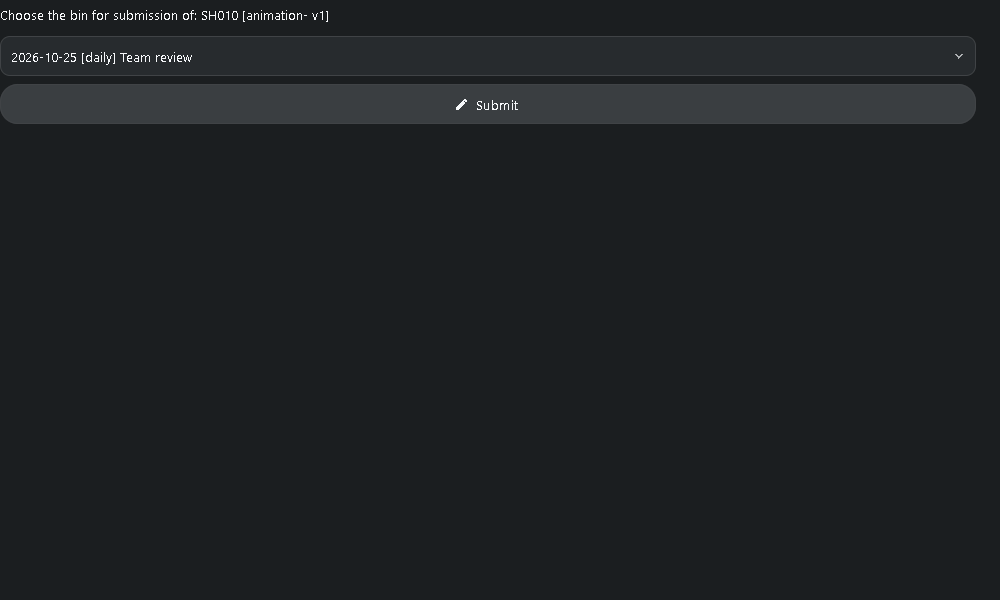
A snapshot's Submit action opens the Review picker. Choose a review and submit the exact numbered snapshot version. The server supplies the author, rejects changed snapshot metadata and keeps one submission per review/snapshot pair. Cancel and loading the picker do not write. Failed actions remain visible; writes are never automatically replayed. This ordinary vfx/submission workflow is separate from the excluded production Submit/Bin interface.
The prepared VFX copy repairs the single-shot view references, Shot Sheet button and plate declarations, removes an unused applet handle from Review loading, and routes its attach operation through the guarded command. It also repairs extra closing parentheses in the configured filter expressions. Existing project XML is not rewritten automatically: apply the reviewed configuration changes to an installed project before using these repaired declarations. Handler requires the corresponding Stream server commands. CustomLayout reading remains administrator-only; arbitrary server-side Mako, DOM execution, RV applets, Maya and deep production panels remain outside this native subset.
| Native Frame, MD3 dark, identical fixture and 1000x600 content | Handler | Stream |
|---|---|---|
| Planner | 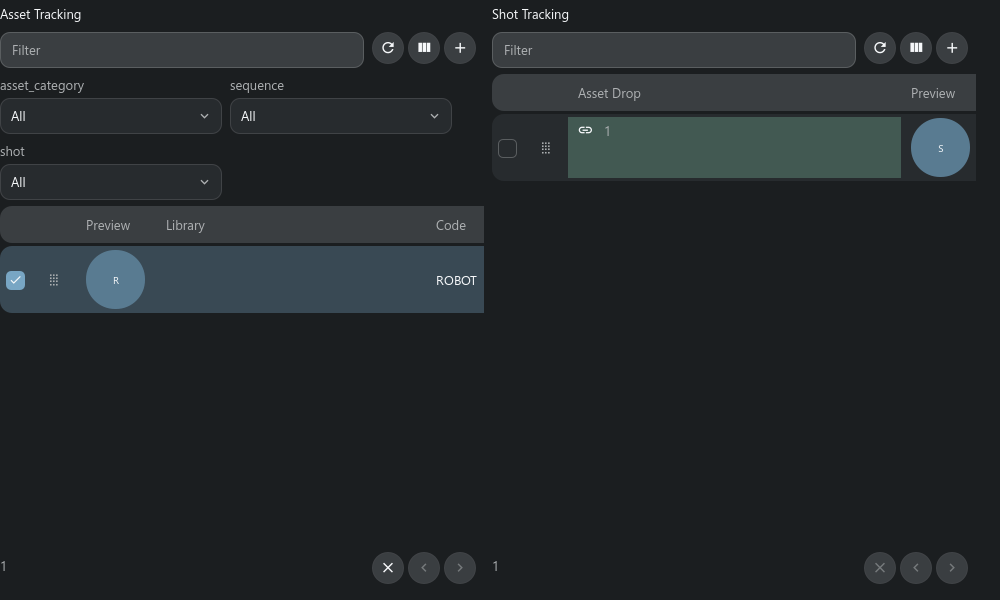 |
 |
| Review | 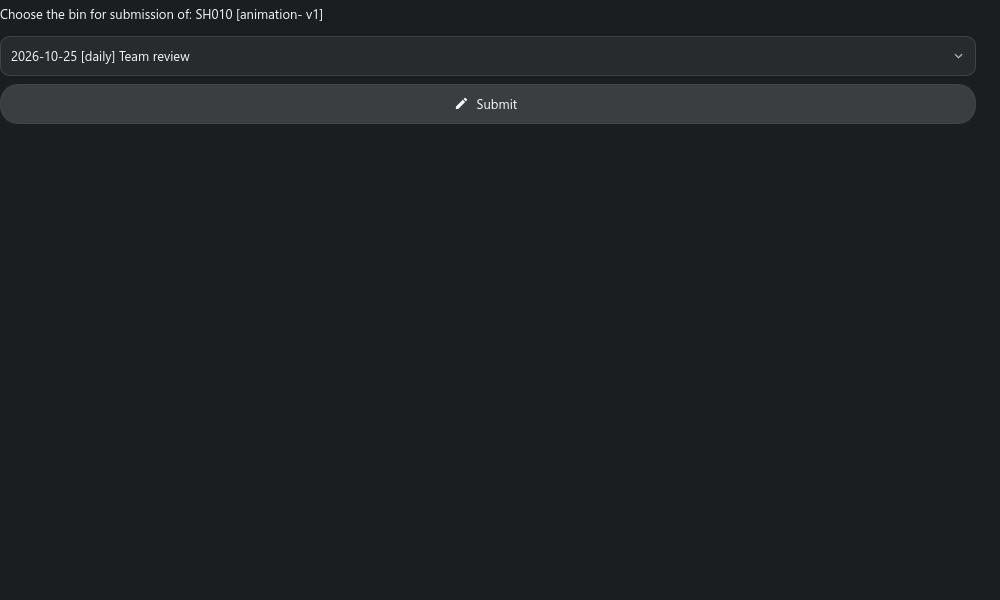 |
 |