Example Prompts Versions and Change Log
Three small features that only matter once a file leaves the machine it was built on — which, for this kind of tool, is immediately.
The awkward moment with a generated tool is the one after handover. Somebody wants a column added, and the only people who know it is a five-word change are the person who built it and the agent that wrote it.
So the built file says so itself. At each place worth changing — the header, the table, the sidebar filters, the dashboard, the edit form, the CSV import, the AI dock, the settings page — a box in the attention colour states what generates that part, and offers a ready-made prompt with a copy button.
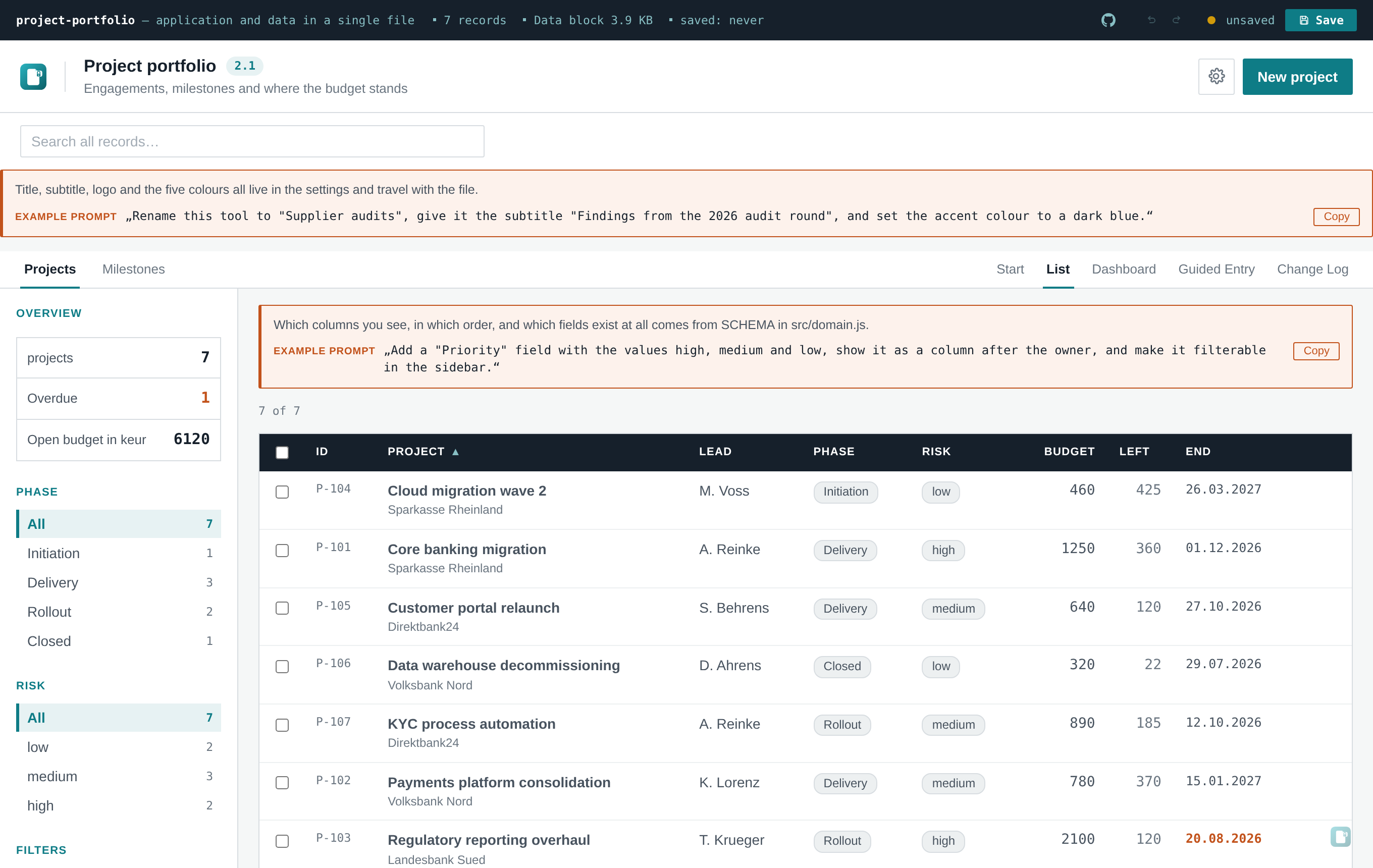
For example, above the table:
Which columns you see, in which order, and which fields exist at all comes from SCHEMA in
src/domain.js.Example prompt — "Add a 'Priority' field with the values high, medium and low, show it as a column after the owner, and make it filterable in the sidebar."
The recipient copies that, hands it to whichever agent they use, and gets the change. They never needed to know this wiki exists.
examplePrompts defaults to true, because the template's job is to teach — someone opening the
demo or a first build should discover how it works without being told.
A finished tool for a client is the opposite situation: there the boxes are noise and a distraction
from the actual data. Switch them off before handover. One toggle in Settings → Appearance, or
examplePrompts: false in DEFAULT_SETTINGS to ship them off from the start. AGENTS.md tells
agents to make that call rather than leaving it to the recipient.
Free text in Settings → Application: 1.4, 2026-Q3, final for steering committee. Whatever the
engagement actually calls its versions.
Two places it shows up:
- As a badge next to the title, so anyone looking at the open file knows which one they have.
-
In the saved file name —
project-portfolio-2.1-2026-08-15.html. This is the one that earns its keep: in a mail thread with four attachments, the right file is identifiable without opening any of them.
Empty by default, and then neither the badge nor the file-name segment appears — existing tools are unaffected.
One entry per save: timestamp, version, and a note. With the log on, saving asks first:
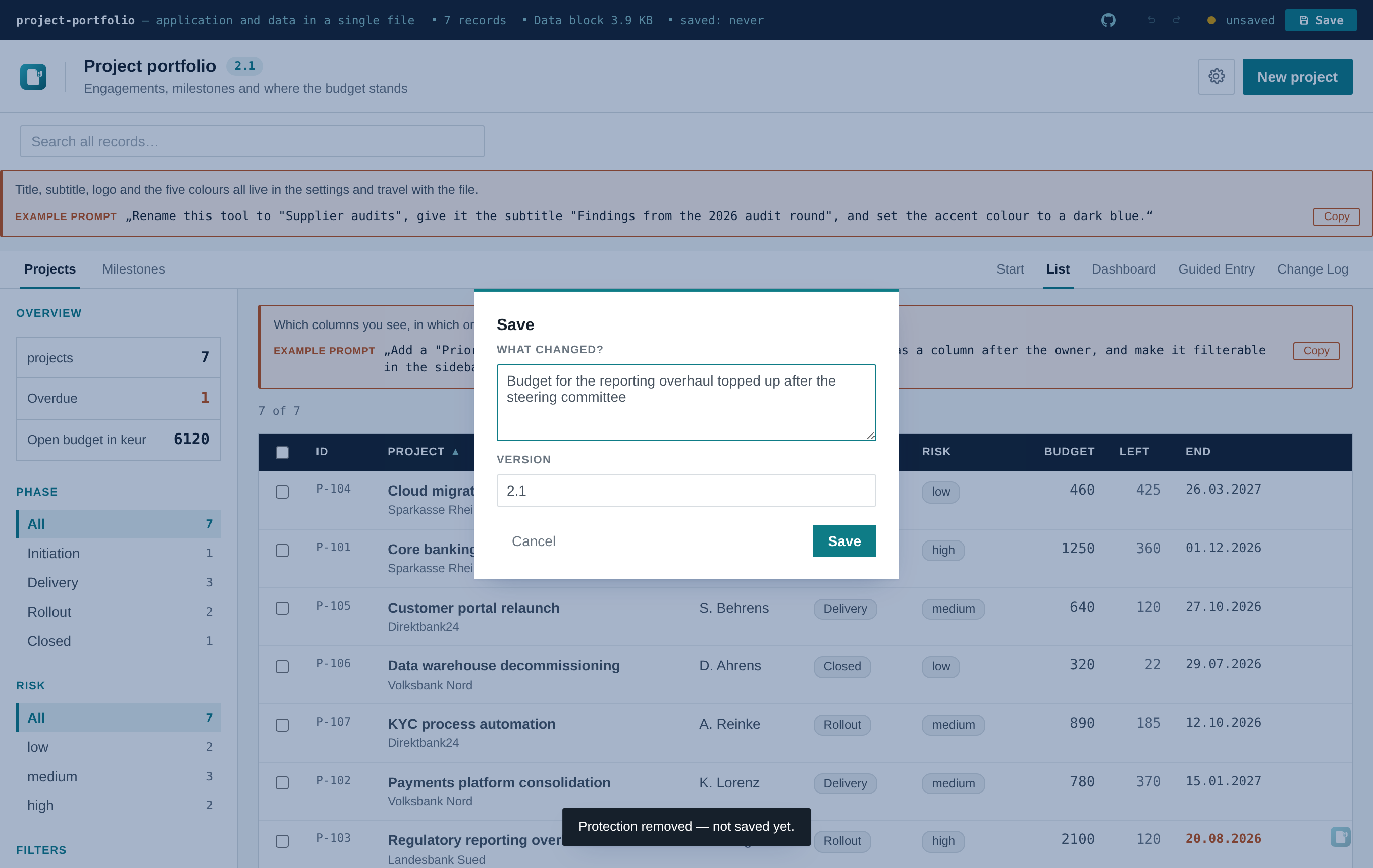
That extra step is the feature, not a side effect. A log that is filled only when somebody remembers to open a log view stays empty, and an empty audit trail is worse than none — it looks like nothing happened.
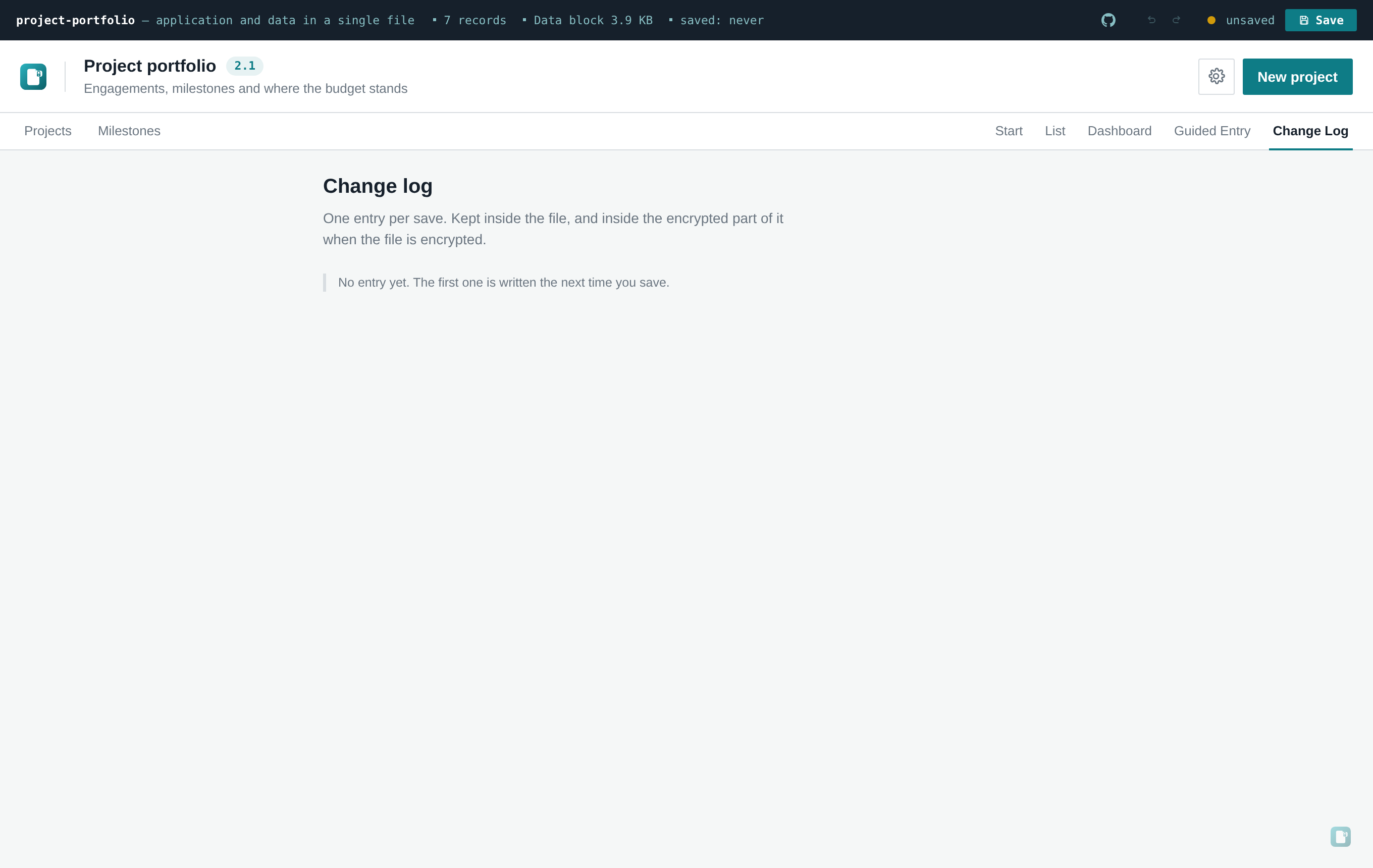
The Change log view lists entries newest first, with the notes still editable and individual entries deletable, because the first draft of a note is often written in a hurry:
With the records, not with the settings.
That is a deliberate split, and the same reasoning as everywhere else in this project: settings sit outside the encrypted envelope so the lock screen can show the right title and colours before you have entered the passphrase — none of that is sensitive. A change note like "budget corrected after the audit finding" is a different matter entirely. It belongs with the data it describes, and in an encrypted file that means inside the envelope, unreadable without the passphrase.
See Security and Encryption for what the envelope does and doesn't cover.
auditLog in Settings → Application. Off, nothing is recorded and saving asks nothing — back to a
single keystroke.
Worth keeping on wherever changes have to be justifiable later: audits, regulated processes, anything that ends up in front of a steering committee. Worth turning off for a scratch tool where the dialog is pure friction.
Like every other setting, these live in the saved payload. A file you configure and hand on keeps your choices — prompts hidden, log recording, version set — for whoever opens it next. There is no separate configuration to distribute, and no server that could disagree with the file.