Dashboard and Active Sessions
The Overview screen is the console's landing page. It refreshes by polling — no websockets are involved, so it works through any proxy that passes ordinary HTTP.
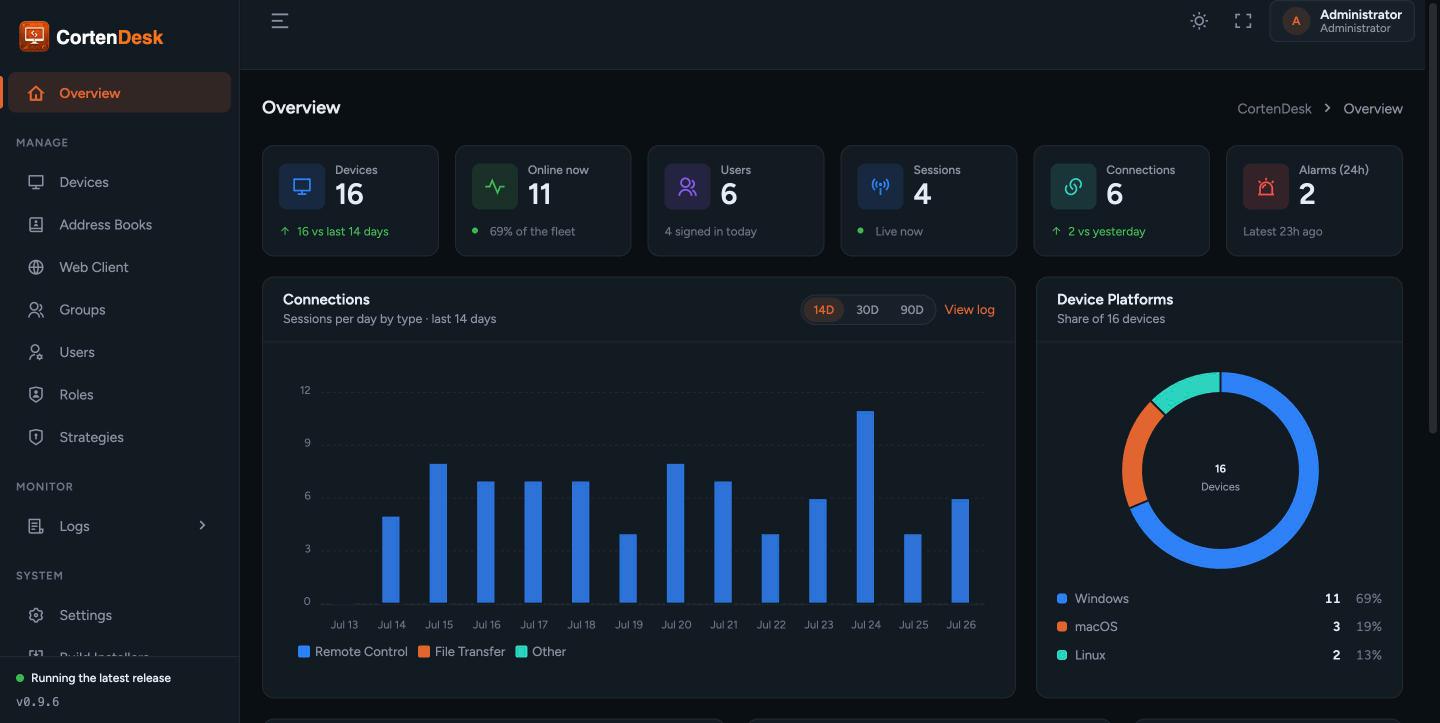
Live counts across the fleet: total devices, how many are online (with a percentage), active sessions, users, connections today, users seen today, and when the last alarm fired. Device and connection counts carry a trend against the preceding period.
- Connections over the last 14 days
- Device platforms — the operating-system split across the fleet
- Client versions — which RustDesk client builds are in use, which is the quickest way to spot machines that never got upgraded
- Alerts — recent security events, linking through to the alarm log
Sessions currently open across the fleet, with the device, the peer that connected, and when it started.
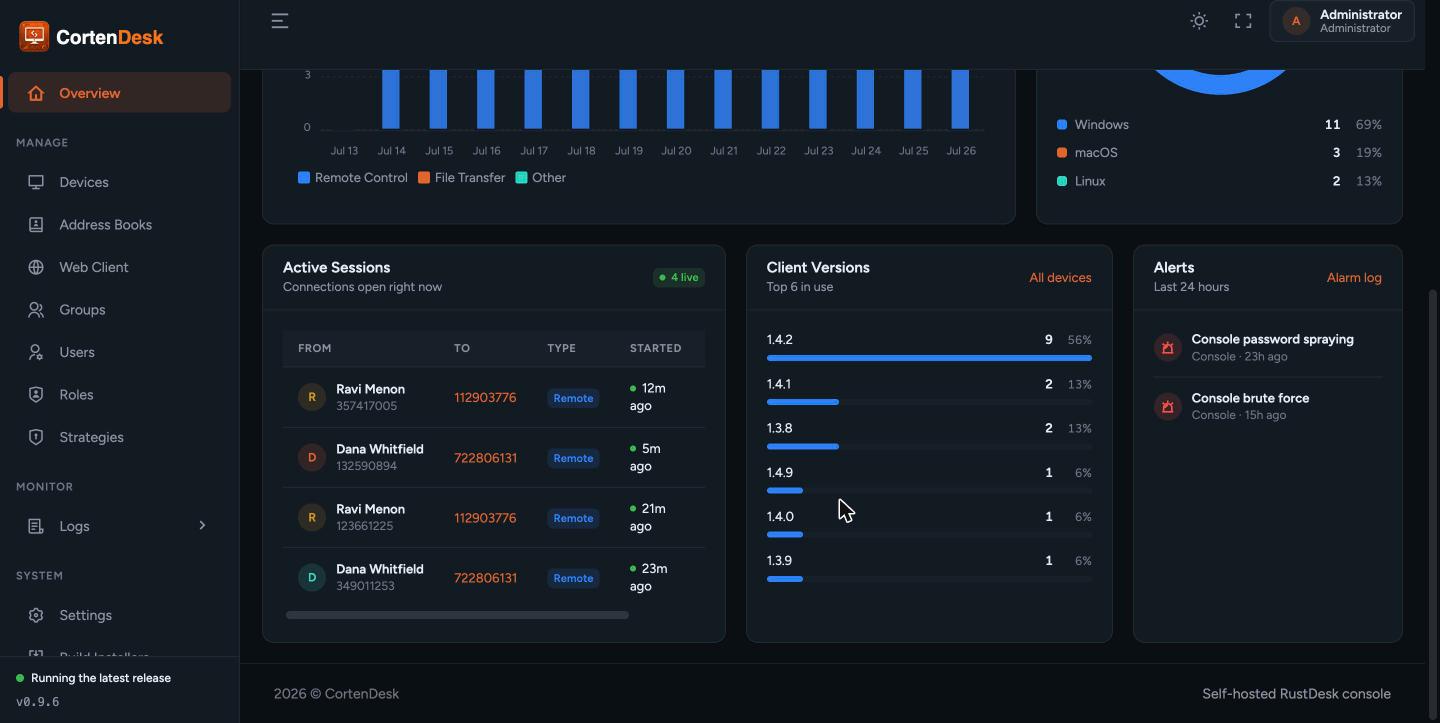
An administrator can end a live session from here.
Understand what this does, because it is asynchronous by nature. A RustDesk session runs peer-to-peer through hbbs/hbbr and never passes through CortenDesk, so the console cannot cut the connection itself. Instead it records the request and hands the connection ID to the device on its next heartbeat, and the client closes it locally, reporting "Closed manually by web console".
In practice that means the session ends within seconds rather than instantly. If the heartbeat carrying the instruction is lost, it is reissued.
A session normally closes when the client reports it closed. When a machine reboots, drops off the network, crashes or has its service stopped, that report never arrives.
CortenDesk reconciles this from two directions:
- Every heartbeat carries the device's own list of live connections. Anything open that the device no longer lists is closed.
- A scheduled sweep closes sessions belonging to devices that have stopped heartbeating altogether — the case where no heartbeat arrives to reconcile against, such as a powered-off machine.
The sweep runs on the scheduler. Docker runs it automatically; a manual install must have the cron entry, or sessions from powered-off machines will accumulate as permanently "active".
- Audit logs
- Devices and device groups
- Install on a VM — the cron entry the sweep needs