Strategies (Device Policies)
Client settings pushed from the console: permissions, security and password rules, capture options. Set the policy once, assign it, and devices pick it up on their next heartbeat.
The console calls them Strategies, matching RustDesk's own terminology.

Strategies → New Strategy. Options are grouped:
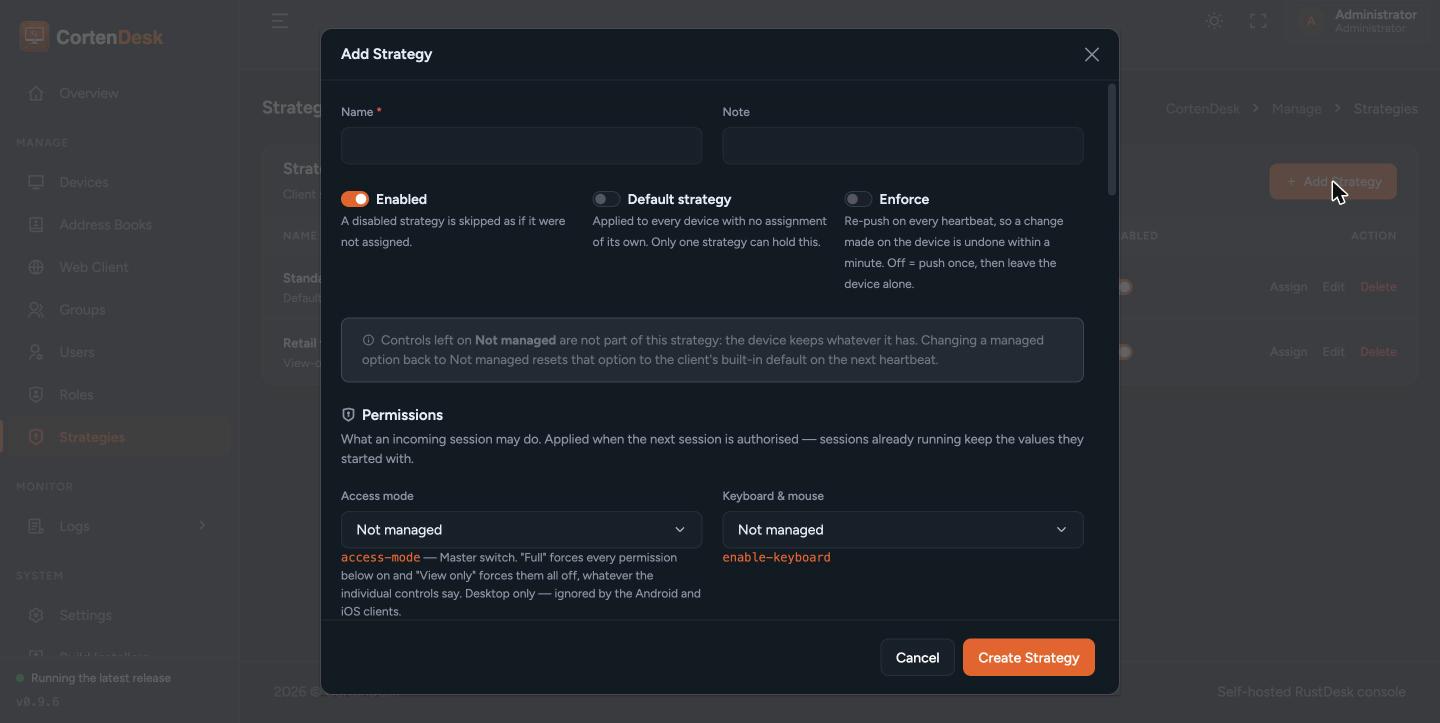
- Permissions — keyboard, clipboard, file transfer, audio, camera, terminal, tunnel, remote restart, recording, block input, privacy mode, remote printing, and the overall access mode
- Security — verification method, approve mode, temporary password length and rules, IP whitelist, auto-disconnect timeout, trusted devices, whether the device may have its settings changed locally
- Capture and display
Every control names the underlying client option key, so you can match it against a device's own settings screen.
Leave an option unset and the strategy says nothing about it — the device keeps whatever it has. Only options you actually set are pushed.
A strategy can be assigned to devices, users and device groups, from the Assign button on the strategy, or per device from the device editor.
When more than one applies, the most specific wins:
device > user > device group > default strategy
Exactly one strategy is ever in force on a device. The device editor shows which one won and why, listing every level and marking it as winning, overridden, skipped because the strategy is disabled, or not set.
Mark a strategy Default to have it apply to any device with no other assignment.
By default a strategy is a default, not a rule.
The console cannot lock a setting in the RustDesk client's own interface. The policy is written into the device's configuration, and the person at that device can change it back. With Enforce off, the console pushes only when the policy itself changes, so a local change stands.
Turn Enforce on and the policy is re-sent on every heartbeat, so a local change is reverted within about fifteen seconds.
Pick deliberately. Advisory is right for a sensible baseline people may adapt. Enforced is right for anything you are relying on for security.
Devices heartbeat roughly every fifteen seconds, so a newly assigned policy applies within about that. Removing an assignment reverts the device, usually within two heartbeats — about thirty seconds.
The RustDesk client's settings window does not refresh while open. If you are watching a device apply a policy, reopen its settings pane to see the new value. The setting is read when a connection asks for the capability, so a stale-looking pane does not mean the policy failed to apply.
Unassign it and the device reverts. The console pushes an explicit reset for the options it had set, because the client has no notion of "revert" by itself.
Disabling a strategy has the same effect on every device holding it, and is the fastest way to roll a bad policy back across a fleet.
Devices can be given a policy at deployment time with the RustDesk client's
--assign flag and an API token:
rustdesk.exe --assign --token <token> --strategy_name "Workstations"
The token needs strategy: rw as well as device: rw. An unknown strategy
name is an error rather than being silently ignored.
Upgrading from an earlier release: API tokens cannot be edited, only created and revoked. If you have a token that passes
--strategy_name, issue a replacement with the strategy permission and retire the old one. Before this release the flag was accepted and did nothing.
- A strategy cannot lock the client's settings interface. Use Enforce if you need the value to stick.
- It reaches the client's main settings only. Display preferences held elsewhere in the client, and options baked into a custom client build, are out of reach.
- Options that only take effect on restart are not offered, because the console cannot make a device restart and would otherwise promise an effect it cannot deliver.
- Devices awaiting approval receive no policy until approved.