Roles and Delegated Administration
A role is a permission matrix over the console. It lets you hand someone the Users screen, or the logs, without making them a full administrator.
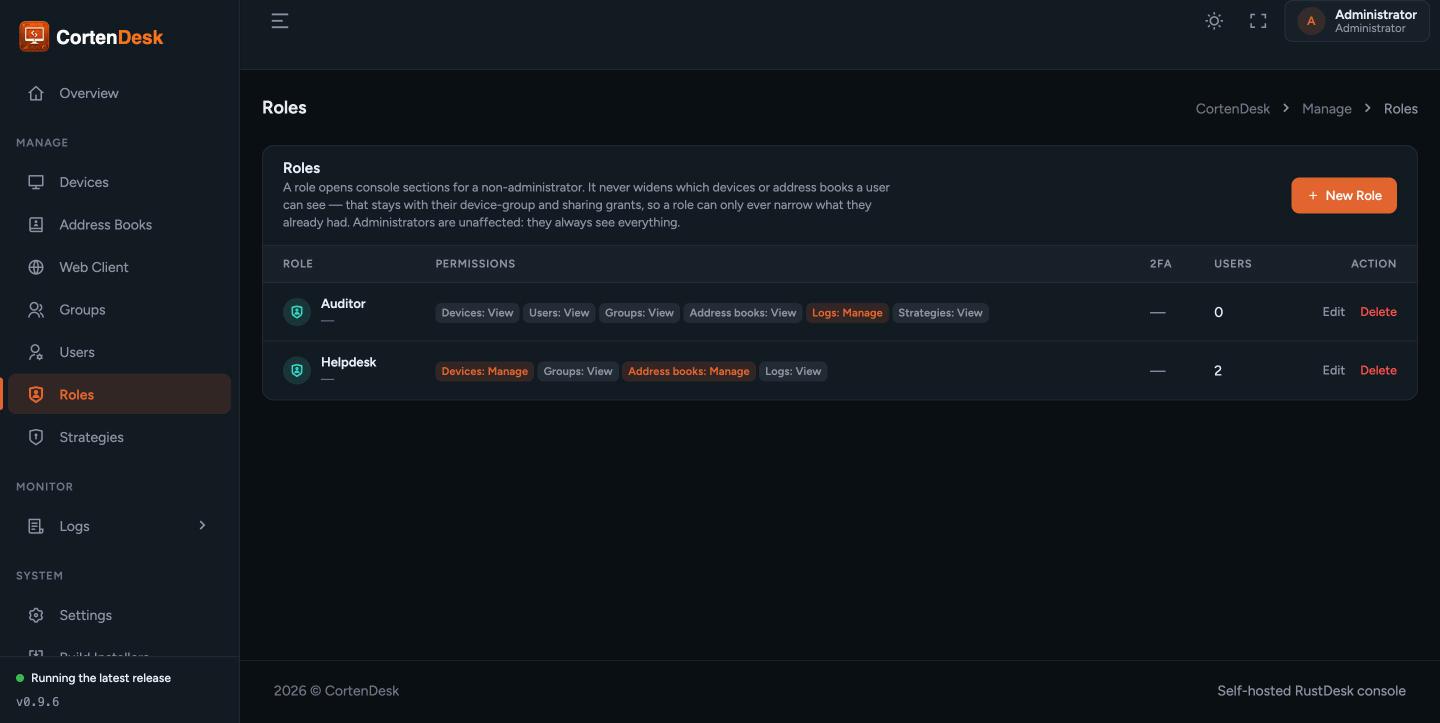
Roles control what a user can do. They do not control which devices a user sees — that is access scoping, and the two are deliberately separate. Granting the Devices area does not widen anyone's fleet.
Every area is set to one of three levels:
| Level | Meaning |
|---|---|
| None | The screen does not appear at all. |
| View | Read-only. |
| Manage | Read and write. |
| Area | What it covers |
|---|---|
| Devices | View grants the Devices screen; Manage adds edit, approve, delete and restore. Which devices are listed is still decided by device-group access, never by the role. |
| Users | Manage covers creating, editing, disabling and deleting users, and inviting new ones. Only a full administrator can grant administrator or assign roles. |
| Groups | Covers both device groups and user groups. |
| Address books | View grants the Address Books screen; Manage adds books, tags, entries and sharing rules. Per-book sharing rules still apply on top. |
| Logs | View grants Connections, File Transfers and Alarms. Manage also grants Login history and the Console audit trail. |
| Strategies | Client strategies pushed to devices over the heartbeat. |
| Settings | Server settings, SSO, SMTP, retention. |
| API tokens | Tokens for the automation REST API. |
Two of these deserve a second read:
- Logs is not a simple read/write pair. Login history and the console audit trail — the two that show who did what — require Manage, not View. Granting View gives someone operational logs without handing over the record of administrator activity.
- API tokens is an escalation path. A token can never be granted more permission than its creator already holds, so someone with Manage on tokens cannot mint themselves a more powerful one. Still, treat it as sensitive: it is the area that turns console access into scripted access.
A role can require two-factor authentication of everyone assigned to it. Use it for any role that touches Users, Settings or API tokens.
Roles → New Role. Name it, set each area, save, then assign it on the user.
Users with no role assigned fall back to the built-in behaviour for a regular user: devices and address books manageable, logs viewable, nothing else.