Setting Timed Actions
Actions to be performed either repeatedly or for a duration can be defined here.
When a timer becomes enabled its action will execute immediately and the timer will start.
Unless manually overridden by another action, the Timed action will only execute again if both the Interval and Lines criteria have been met
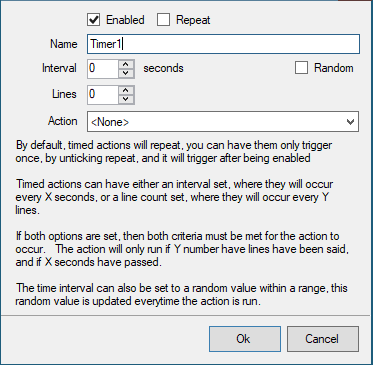
Enabled states this timer is currently running
Repeat defines if the Timed Action should automatically run again once the limiting criteria are met
Interval
Time in minutes that must elapse before the action will run again.
If Random is checked this becomes a lower and upper bound in seconds
Lines
Any non-zero value will pause the action from running again until that many lines have been entered in chat
Action
Choose the action to execute when the timer state becomes Enabled