Settings General
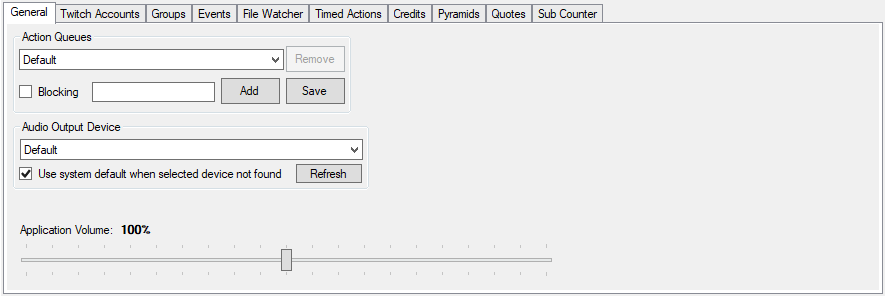
All [Actions] defined in CPH must be assigned to an Action Queue
By default all actions will trigger immediately but if actions have a duration this may lead to multiple actions happening simultaneously.
New Action Queues can be defined here by typing a name and pressing Add
Blocking
If an Action Queue is set as Blocking then CPH will not run the next triggered action until the currently running one completes.
This can be useful for sound clips or event alerts so they play sequentially rather than all at once
CPH has the ability to play audio directly and can direct audio to a specific device on a per sub-action basis. This setting defines the default device to output to
Use System Default when selected device is not found
Use this checkbox to ensure CPH is always able to output sound to a connected device. If you only ever want it to output to a specific device even if it is not connected, clear this setting
Application Volume
Defines the default volume at which CPH will play audio. This setting is relative to the inate volume of the sound file being played.
Valid Range is 0% - 200%
Volume can be overridden on a per sub-action basis if needed