Fast actions detail view#808
Fast actions detail view#808David-Development merged 9 commits intonextcloud:masterfrom emasty:fast_actions_detail_view
Conversation


Prepared app for fast-actions in the bottom screen area.
Started with implementing a fast actionf or mark all article as read.

Signed-off-by: emasty <emasty@gmail.com>
Signed-off-by: emasty <emasty@gmail.com>
Signed-off-by: emasty <emasty@gmail.com>
Signed-off-by: emasty <emasty@gmail.com>

|
Oh wow! This looks awesome! Since screens are getting bigger and I can't even reach the actionbar on my phone anymore with just one hand this change will make things way better! Couple weeks ago I worked on something similar and ended up moving the actionbar down.. (some apps are going that way now..) It looked odd though so we ended up not including it.. (#791 (comment)) I'm very confident that this is quite useful to many users! (including me). @jancborchardt what do you think? |
|
Also closes #774 |


|
Welcome @emasty :) Is this a common pattern on Android? I have never seen it before, and having 4 icons without labels also doesn’t seem very discoverable? Can we not put it into a FAB with text label? |

|
@jancborchardt you think that this will be too hard to discover even if it is optional and supposed to target the "power-user" group? |
|
@jancborchardt thanks :) No, it is not a common pattern. Alternative solutions can be found in e.g. Apple Mail (iOS), where the actions were moved to the bottom. Also GMail on Android moved some options to the bottom. Google Assistant moved everything to the bottom, so did Mozilla with Firefox Preview. Free Now has a nice approach and also Samsung moved a lot of actions to the bottom with One UI 2...there are a lot of examples. I selected the solution for the following reasons:
Regarding text, please see my comment on #805 . In my opinion, meaningful icons are to be preferred before text. |
|
In general we should always follow Material Design guidelines. :) And the FAB is the most common thing which apps regular use. E.g. like this as per the guidelines: https://material.io/components/buttons-floating-action-button/#types-of-transitions Again, having icons without text, especially 5, is really bad practice as people have no idea what the actions do. :) The Material Design guidelines are there for a reason. ;) |

|
The exact same icons and actions are already used without text at the top of the same screen. Then they should be removed. I generally agree with the FAB actions but in this case it defeats the purpose. The users would have to trigger 2 actions instead of one. The intention of the change was to move the currently hidden, yet very frequently used actions into a comfortable area of reach for the user. In this case, I would suggest to either reduce the possible action to one, or to wait for a bigger redesign of the app with a bottom action bar as suggested in material design. |
|
Right, I understand. The thing is that the News app is primarily for reading, so we should be very careful of not overlaying too much stuff (be it a FAB, a bottom bar, or other controls) over the text. Ideally the full screen space should be used, e.g. also a half-transparent bottom bar and a header bar that vanishes on scroll. (Like in Gmail, see also the very related discussion on the Android Files app at: Some design refresh nextcloud/android#5207 :) |
Just counted, out of the 14 feeds I follow daily, I am able to read 2 in the app. The rest has to be opened in a browser window ;) So, I understood the interference of the concept with principle design choices. What would be your suggestion? |
Hmm, what are the issues with those then? If so many feeds can’t be displayed directly, that’s probably something to focus on instead. :) |
|
@jancborchardt Unfortunately that is not something that we can control (the news app on the server has a very limited influence on it). The websites that publish rss feeds decide which information is available through the feed. Unfortunately quite a few feeds are going more and more in the direction where they create a small teaser article (2-3 sentences) to get the users interest. If the user wants to know more, he has to go on their website. And that's what we can display in the app. I guess many rss providers are doing that since they make money with ads etc. and when people are only reading the news through a news reader app, they don't make money out of it. So I guess the question is still.. how should the shortcuts that @emasty proposed be redesigned? Even if we only have a smaller teaser in the app (instead of the full article), the "problem" of having to reach the top of the app to mark an article as starred, unread etc. is still there. |
|
@jancborchardt Did you have time to look into this again? :) Would love to see the awesome work from emasty to be live soon! |
Sorry for the late reply! (Some longer vacation and still catching up with notifications.)
|
|
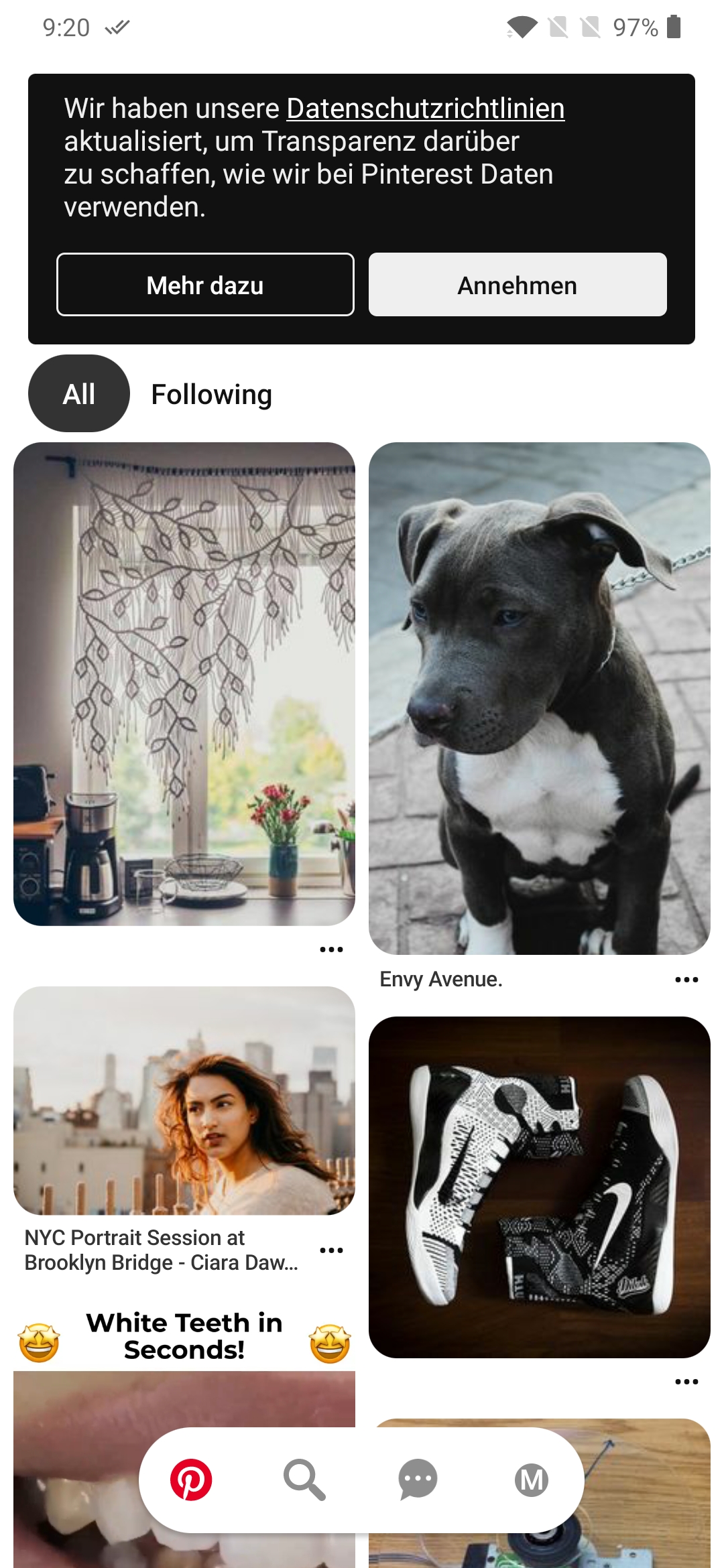
@jancborchardt Thank you for your feedback. Two days ago I was in a meeting where one of colleagues pulled up the pintrest app to show some of their ux patterns. I noticed that they use a similar approach that @emasty proposed. When you scroll down it'll disappear and if you scroll up again it'll show again. Imo this is easier to use than the fab buttons that you need to open first. I added a screenshot:
Maybe we can copy their scroll behavior and design? |
|
Feel free to use that – my point still stands: That icons without labels are very difficult to understand for people who are not so deep in the app as you. ;) |

Signed-off-by: David Luhmer <david-dev@live.de>
Signed-off-by: David Luhmer <david-dev@live.de>
|
@emasty Thanks a lot for your contribution here already! Great work. I did some refactorings and started a pull request in your fork. If you agree with my changes, feel free to approve. I'll get this into master then! https://github.com/emasty/news-android/pull/1 Sorry for the weird commit history.. I was also bringing the branch up to date with master. |
Refactorings for fast actions detail view
3 participants


Added fast actions for detail view. Based on pull request #805 and #807.
A small bar is shown at the bottom screen to access most common actions when viewing an article. The main action is defined as "open in browser". Share, like and mark as un/read are available in a slide-out extension. The bar is only shown when activated in settings (setting introduced in #805)
Demo video is available at: https://drive.google.com/open?id=1HYOhpP_k4kb63WWp3COIKUOx4F5i76BR