Repository navigation
AI Discovery
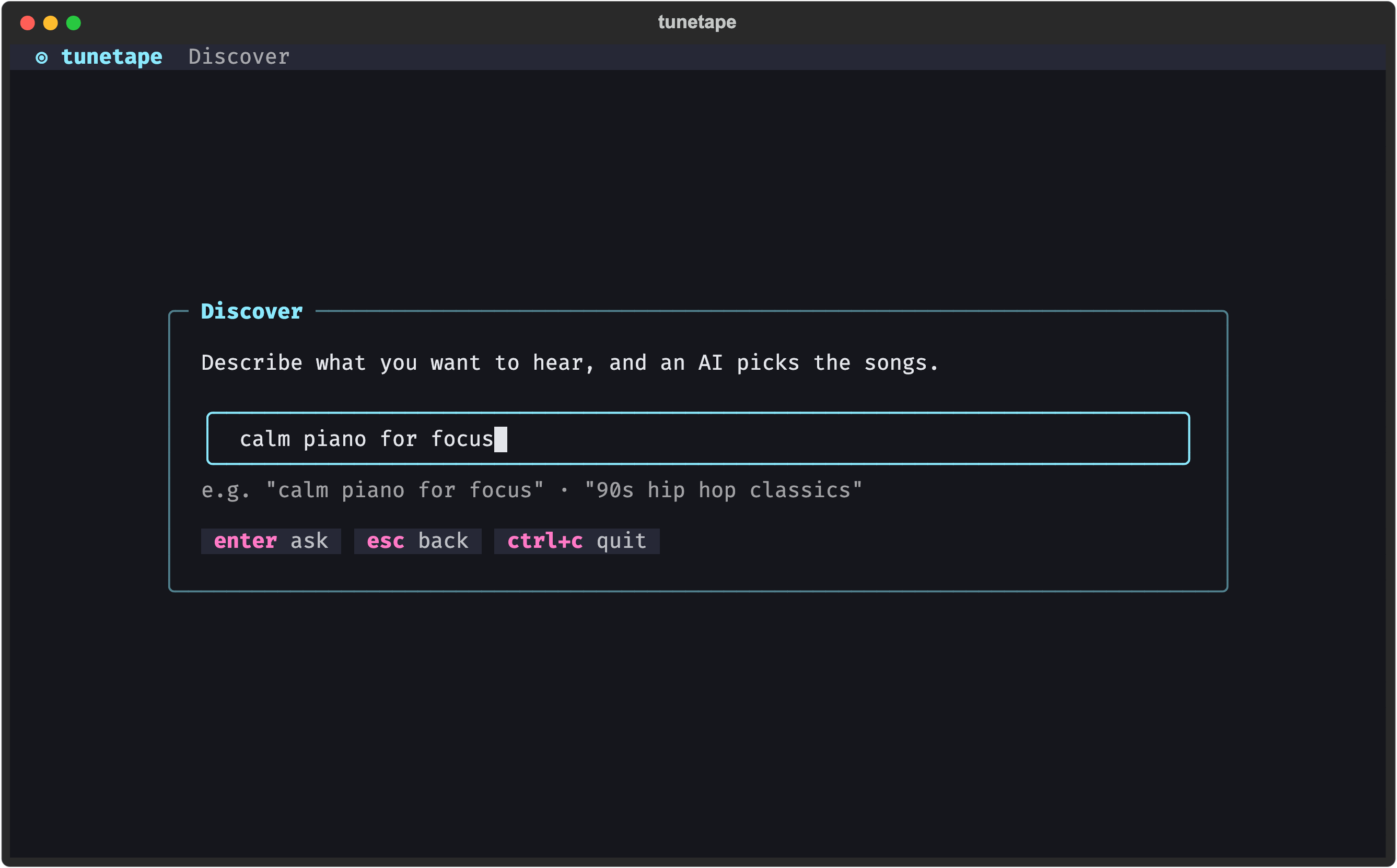
Discover (menu key 3) lets you describe what you want to hear in plain words and get back a list of real songs to play. Type "calm piano for focus" or "90s hip hop classics", pick a song from the list, and it streams from YouTube like any other track.
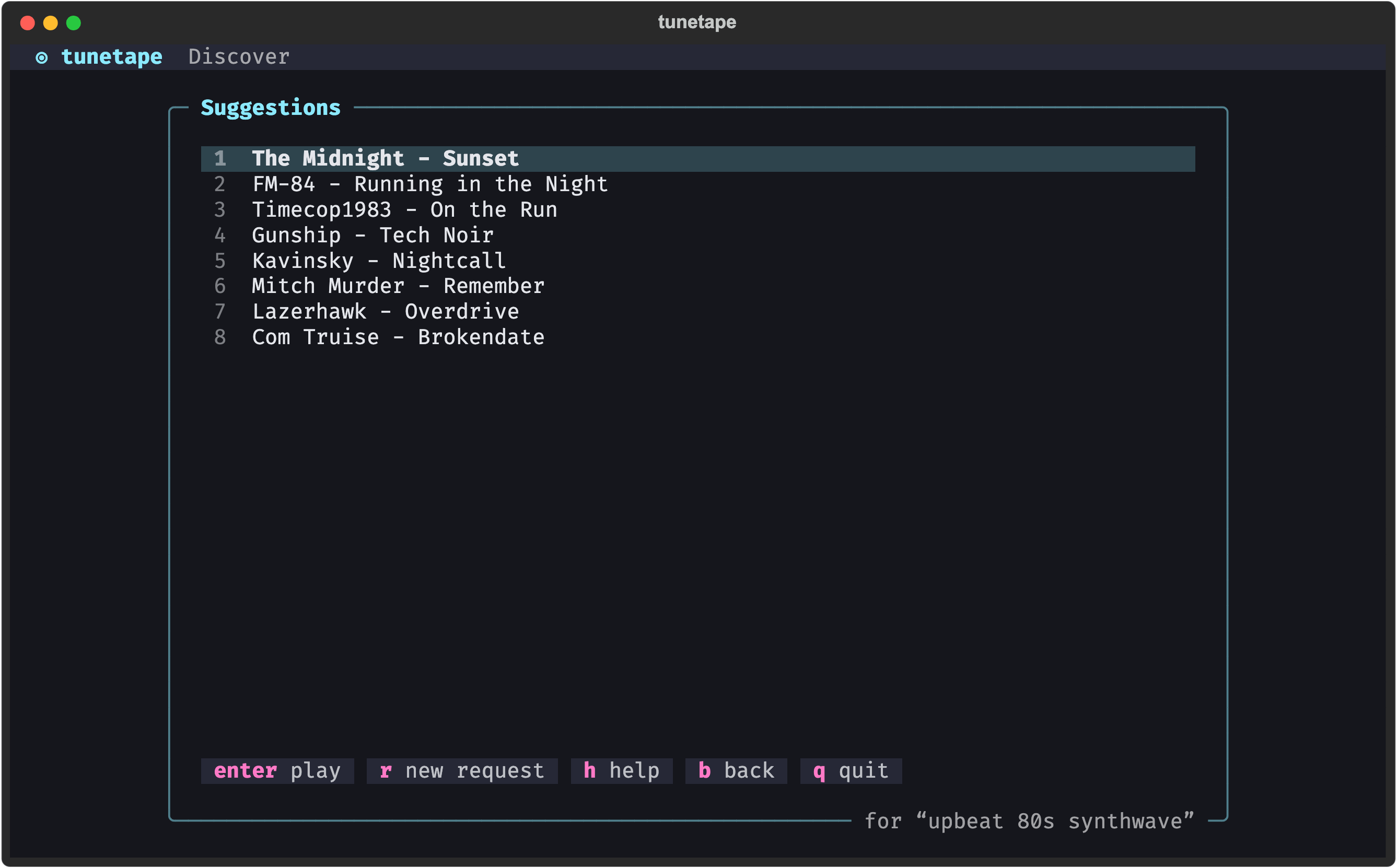
The feature is off until you add an API key. tunetape ships no key and makes no AI calls on its own. You bring your own, from Anthropic, OpenAI, any compatible gateway, or a local model server.
- Get a key. For the default provider that is an Anthropic API key.
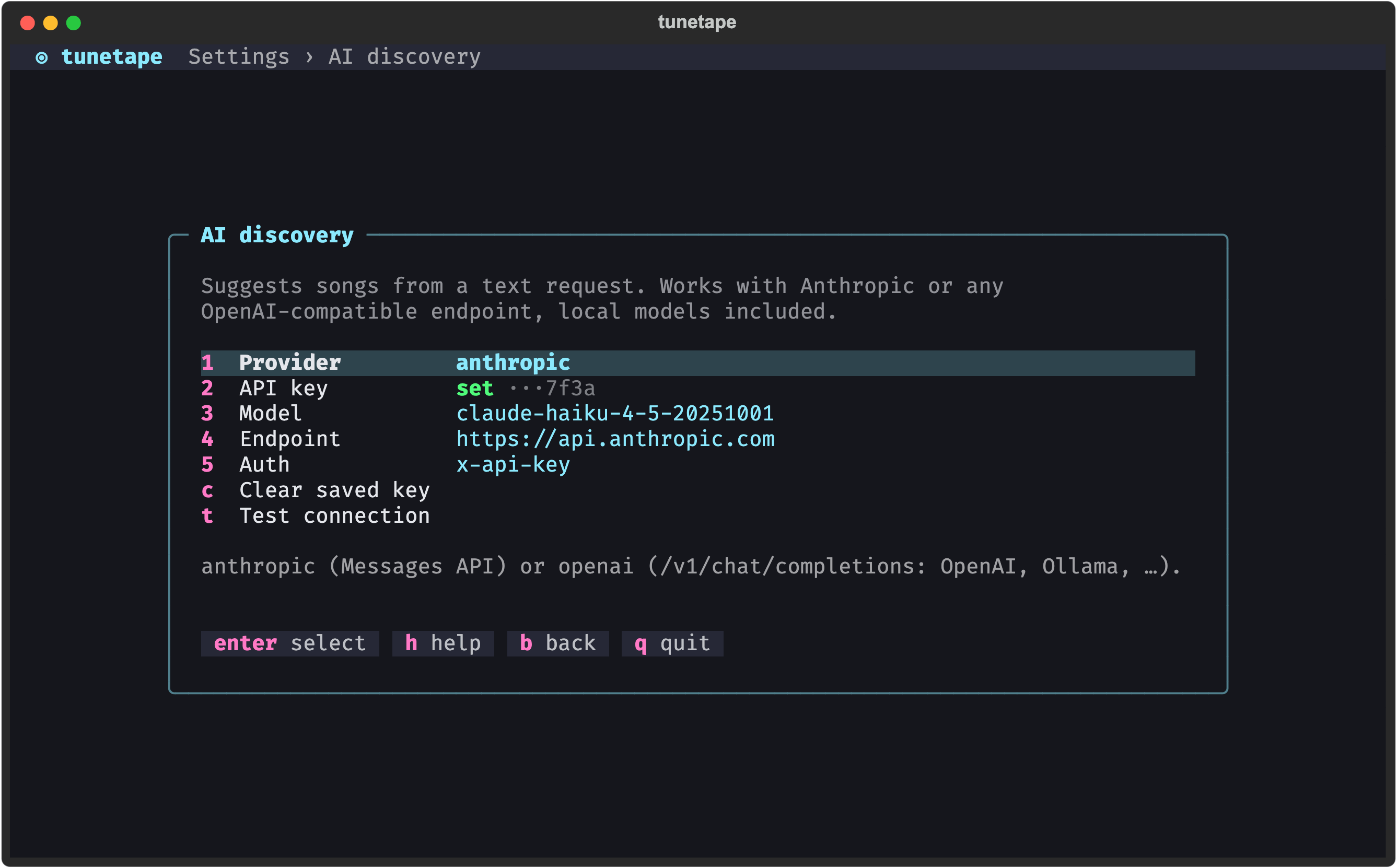
- Open Settings → 3. AI discovery and press
2: a small box opens to paste the key into (it is hidden as you paste). It is stored in your localconfig.jsonand only its last four characters are ever shown. - Press
tto Test connection. The loading box ends with a green ✓ Connected and the model that answered, and a notification repeats the result when you're back on the settings. - Back on the welcome screen, press
3and type a request.
If you would rather not save the key, leave the field blank and export ANTHROPIC_API_KEY (or OPENAI_API_KEY for the openai provider) in your shell instead. A saved key wins over the environment variable.
| Setting | Key | What it does |
|---|---|---|
| Provider | 1 |
Flips between anthropic (Anthropic Messages API) and openai (any /v1/chat/completions endpoint: OpenAI, Ollama, LM Studio, vLLM, gateways) |
| API key | 2 |
The key sent with each request. Submitting the box empty keeps the current key; with no key saved, the environment variable for the provider is used |
| Model | 3 |
Any model id the provider accepts. The box opens with the current one; clear it to reset to the default |
| Endpoint | 4 |
Base URL. tunetape POSTs to <base>/v1/messages (anthropic) or <base>/v1/chat/completions (openai). Clear it to reset to the default |
| Auth | 5 |
Anthropic only: send the key as x-api-key (the official API) or as a Bearer token (many proxies and OAuth gateways). The openai provider always uses Bearer |
| Clear saved key | c |
Forget the stored key |
| Test connection | t |
One tiny request to confirm key, model and endpoint work together |
Press a row's key, or move with the arrows and press Enter. In the text boxes, Enter saves and esc cancels.
| Provider | Model | Endpoint |
|---|---|---|
anthropic |
claude-haiku-4-5-20251001 |
https://api.anthropic.com |
openai |
gpt-4o-mini |
https://api.openai.com |
The defaults are small, fast models: a Discover request is a few hundred tokens, so it costs a fraction of a cent. Any model id works if you want a bigger one.
Anything that speaks the OpenAI chat-completions protocol works, so you can run Discover fully offline:
- Provider →
openai - Endpoint → your server's base URL, for example
http://localhost:11434for Ollama orhttp://localhost:1234for LM Studio - Model → a model you have pulled, for example
llama3.2 - API key → any non-empty text. Local servers ignore it, but tunetape needs something there to consider the feature configured
-
tto test
Small local models sometimes return songs that do not exist. tunetape only lists what the model says; if a pick does not play, try the next one.
Point Endpoint at the gateway's base URL and keep the provider matching the protocol it speaks. For an Anthropic-compatible gateway that expects Authorization: Bearer ..., switch Auth to Bearer. The anthropic-version header is always sent with the anthropic provider; compatible gateways ignore it.
- Your request text goes to the model with a short system prompt asking for real, existing songs (artist and title), up to 12 of them.
- The reply is turned into a list. Each entry becomes a YouTube search (
<artist> <title>) thatyt-dlpresolves when you pick it, soyt-dlpis required for Discover. - The request itself is saved to Recently played (tagged
AI · search) so you can re-run it later for a fresh list, and each song you play from it is saved as its ownAIentry. - Before you type, Discover runs a quick connection check (skipped once it has passed this session). If it fails you see why, with
sas a shortcut into the AI settings.
Only the text you type into Discover (plus a short fixed system prompt) is sent to the provider you configured. Your listening history, links and settings never leave your machine. The API key is stored in plain text in config.json in your data folder (see Settings); use the environment variable instead if you prefer not to keep it on disk.
| Message | Fix |
|---|---|
| AI discovery isn't set up yet | Add a key (Settings → AI discovery, or the environment variable) |
| Auth / 401 / 403 | Wrong or expired key, or the wrong Auth mode for your endpoint |
| Model not found / 404 | The model id does not exist at that endpoint. Blank it to reset to the default |
| Connection error / timeout | The endpoint is unreachable or slow (tunetape waits up to 45 seconds). Check the URL and that a local server is running |
More in Troubleshooting.