Repository navigation
Command Line and AI Agents
Since 1.0, tunetape plays in a small background daemon. The player window, the tunetape commands and AI agents are all clients of it and share one queue. Queue something from the shell or from Claude, and an open tunetape window follows along.
The daemon starts on its own the first time anything needs it, and exits after 10 minutes with nothing playing and nobody connected.
tunetape play <link or words>          # replace the queue and play now
tunetape add <link or words> [--next]  # add to the end, or right after the current track
tunetape status                        # one line: what is playing, where, and the volume
tunetape queue                         # the queue, with positions
tunetape jump 5                        # play the 5th item
tunetape pause | resume | toggle | next | prev | stop | mute | clear
tunetape volume 70 | +10 | -10
tunetape seek +30 | -10 | 1:30
tunetape history                       # recently played
tunetape discover calm piano for focus # AI suggestions (see AI Discovery)
tunetape shutdown                      # stop the daemon
Anything tunetape plays works as input: YouTube videos and playlists, Spotify tracks, albums and playlists, KHInsider albums, direct audio links (MP3, FLAC, …), local files, any site yt-dlp supports, or plain words, which are searched on YouTube. status, queue and history take --json for scripts.
q in the player still quits and stops the music. b goes back to the menu and the music keeps playing. A "now playing" row on the menu, or n, brings the player back.
tunetape mcp is a Model Context Protocol server. It lets Claude Code, Claude Desktop, Cursor or any other MCP client play, queue, skip, seek, change the volume and ask for AI suggestions.
The easiest way to set it up is to press m on tunetape's menu:
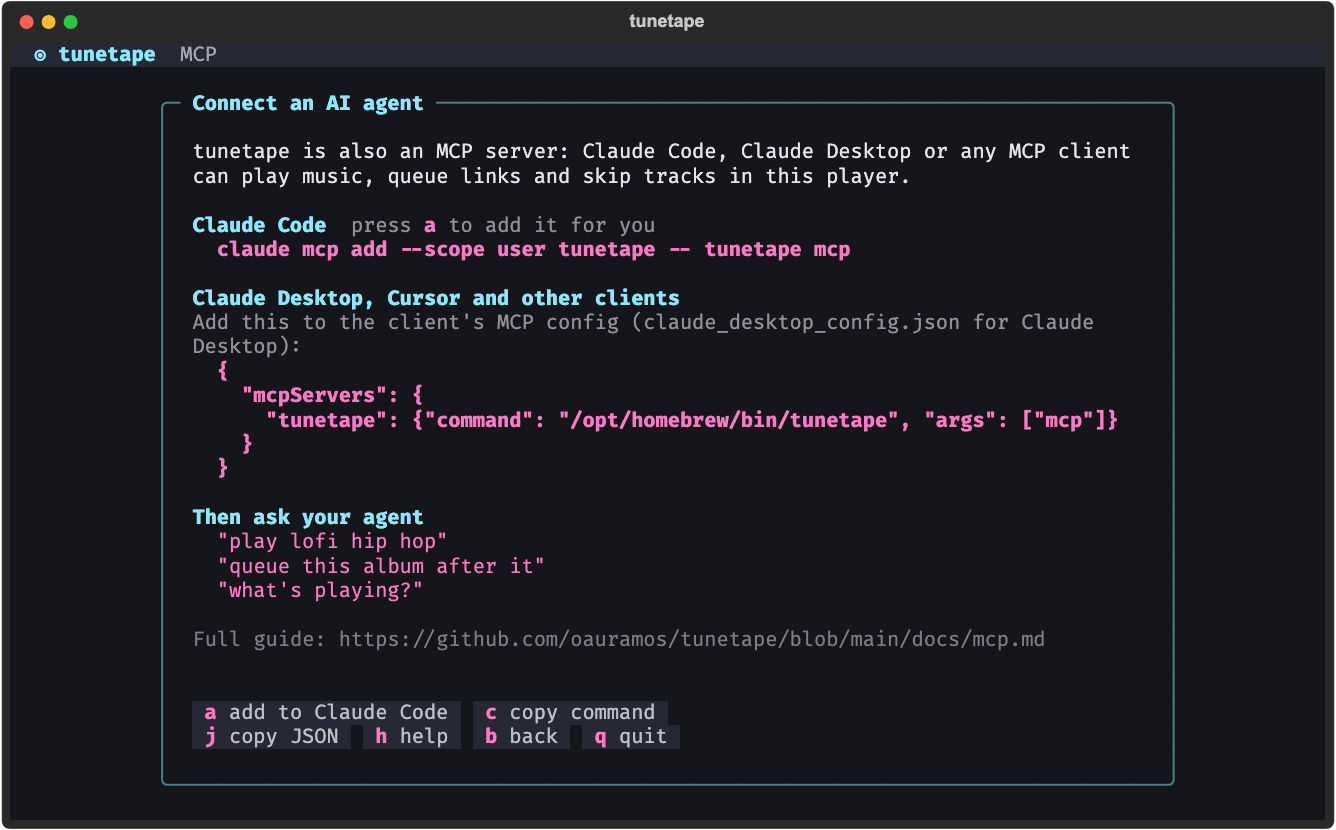
It shows the setup for both kinds of client, with the exact path of the tunetape you are running:
| Key | Action |
|---|---|
a |
Add tunetape to Claude Code for you (shown when claude is installed and tunetape isn't added yet) |
c |
Copy the Claude Code command |
j |
Copy the JSON config |
Or do it by hand. For Claude Code:
claude mcp add --scope user tunetape -- tunetape mcpFor Claude Desktop (claude_desktop_config.json), Cursor and other clients with an mcpServers config:
{
  "mcpServers": {
    "tunetape": { "command": "/opt/homebrew/bin/tunetape", "args": ["mcp"] }
  }
}
Use the absolute path from which tunetape (where tunetape on Windows), because GUI apps don't see your shell's PATH.
Then just ask: "play lofi hip hop", "queue this album after it", "what's playing?", "skip this one and turn it down a bit". The full list of tools is in docs/mcp.md.
The daemon speaks a documented JSON-RPC protocol over a local socket: docs/protocol.md, with a JSON Schema in protocol/. tunetape-cli is a Rust client built on it. It has the same commands and output in a ~500 KB binary that starts in ~2 ms:
cargo install --path rust/tunetape-cli   # from a clone of the repo
tunetape-cli status