Repository navigation
Troubleshooting
Start with the Debug / Logs screen (d on the welcome screen). It tells you whether mpv and yt-dlp were found, where your data lives, and what happened this session, including mpv's own output when a stream fails to open.
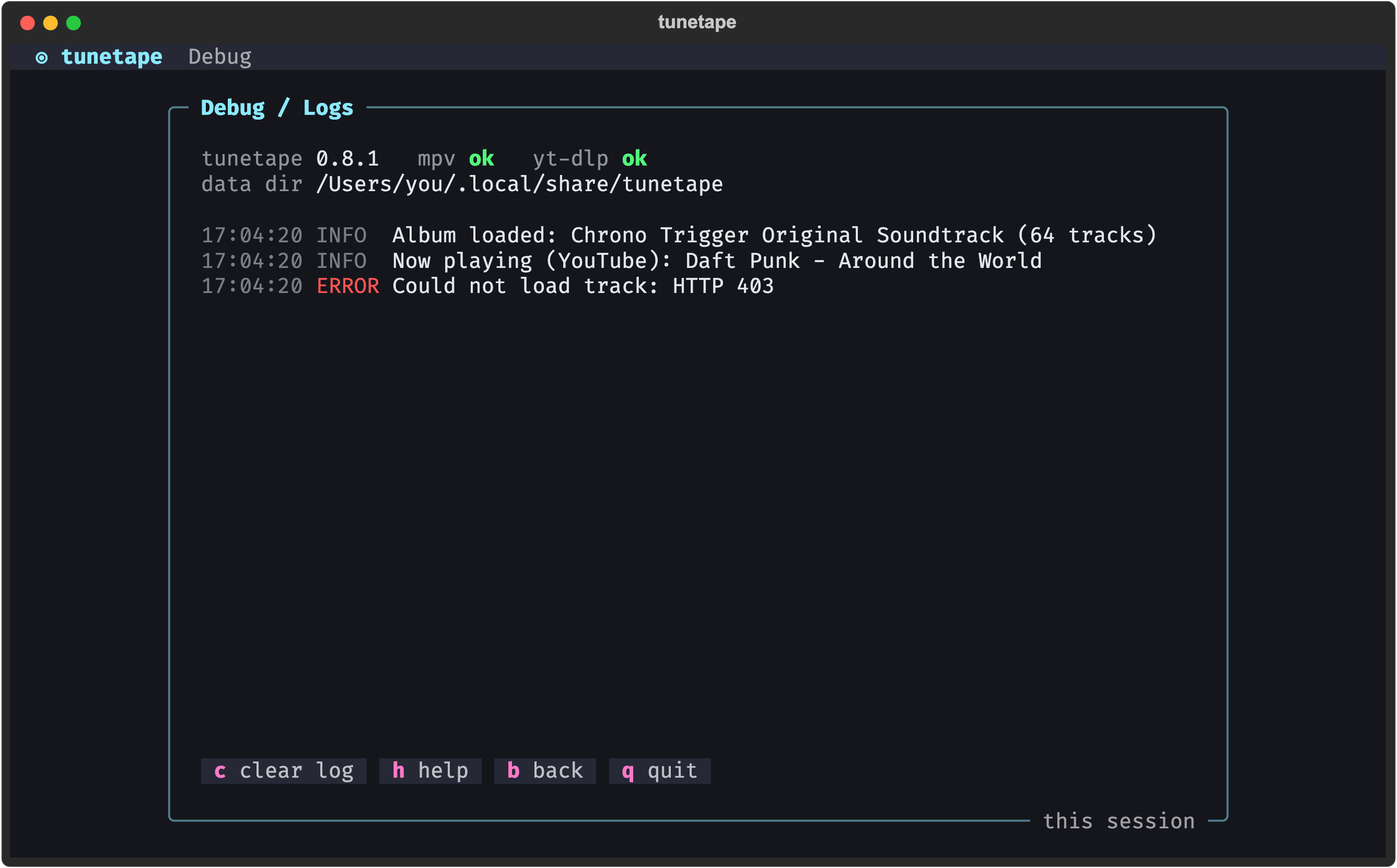
YouTube periodically changes which of its player clients hand out stream URLs that mpv can read. tunetape asks yt-dlp for clients that work (visionos, then web_embedded), but if YouTube shifts again you can point it at a different one without waiting for a release:
TUNETAPE_YTDLP_CLIENT=tv_embedded tunetapeAny client list yt-dlp accepts for youtube:player_client works; entries are tried in order. Keeping yt-dlp current helps too:
brew upgrade yt-dlp        # macOS
pip install -U yt-dlp      # anywhere pip installed it
winget upgrade yt-dlp.yt-dlptunetape looks for both tools on your PATH. Install them with your package manager:
| OS | Command |
|---|---|
| macOS |
brew install mpv yt-dlp (the Homebrew tunetape formula already pulls these in) |
| Windows |
winget install shinchiro.mpv and winget install yt-dlp.yt-dlp, or scoop install mpv yt-dlp
|
| Linux |
sudo apt install mpv yt-dlp (or dnf, pacman, and so on) |
On Windows the winget mpv package installs to C:\Program Files\MPV Player\ without adding itself to PATH. tunetape knows about that folder and the scoop and winget locations, so it should still be found. If not, open a new terminal after installing, or add the folder to PATH.
KHInsider albums only need mpv. YouTube and Spotify also need yt-dlp.
- Only public playlists and albums have the public page tunetape reads. A private playlist cannot be loaded; make it public or use a different link.
- Spotify songs stream from YouTube, so
yt-dlpis required and the 0:00 stall advice applies. - A song that keeps failing is skipped automatically; after five failures in a row tunetape returns to the menu. Check the Debug screen for the reason.
The link did not match any supported shape. See Sources for the exact YouTube, Spotify and KHInsider URLs that work. Common misses: a YouTube channel page, a Spotify artist page, or a KHInsider track page instead of the album page.
tunetape restores the terminal on its way out, including on Ctrl+C. If a crash ever leaves the cursor hidden, keys not echoing, or mouse movements printing strange characters, run:
resetUse Windows Terminal (or any console with VT support) rather than the legacy cmd.exe window. The UI relies on Unicode box drawing and 24-bit color.
The level and download graphs in the player are drawn with Unicode braille characters (⣀⣤⣶⣿). If they show up as boxes or question marks on any OS, switch your terminal to a font that includes them.
Turn on Volume normalization in Settings (it is on by default). Volume itself goes up to 130% inside the player with ↑, + or the mouse wheel, and the level you set is remembered.
The player's level panel reads a measuring filter that mpv runs on the audio. Two things leave it flat:
-
Paused: the bars sit at −∞ until you press
space. - mpv couldn't start with its audio filters: tunetape then retries once without any filters, so the music still plays, but with no level meter and no normalization. The Debug screen shows what mpv reported.
Discover runs a small connection check before you type. The message tells you what failed:
-
Not set up yet: add a key in Settings → AI discovery, or set
ANTHROPIC_API_KEY(orOPENAI_API_KEYfor the openai provider) in your environment. -
Auth error: the key is wrong or expired, or the auth mode is wrong for your endpoint (Anthropic wants
x-api-key; many proxies wantBearer). - Model or endpoint error: the model id does not exist at that endpoint, or the base URL is wrong. Blank either field to reset it to the default.
Use t. Test connection on the AI settings screen after changing anything. The AI Discovery page has the full setup.
By design. The Debug screen holds this session's events only; tunetape does not write log files. If you need to share a problem, copy what the Debug screen shows.
Open an issue at https://github.com/oauramos/tunetape/issues with:
- your OS and terminal
- the output of
tunetape --version,mpv --versionandyt-dlp --version - the link you pasted (if it is public)
- what the Debug screen showed