Layers 17 20 Extra
Lock with M3+F6. Release with the same chord or with M3+Esc.
| Layer | Held | Contents |
|---|---|---|
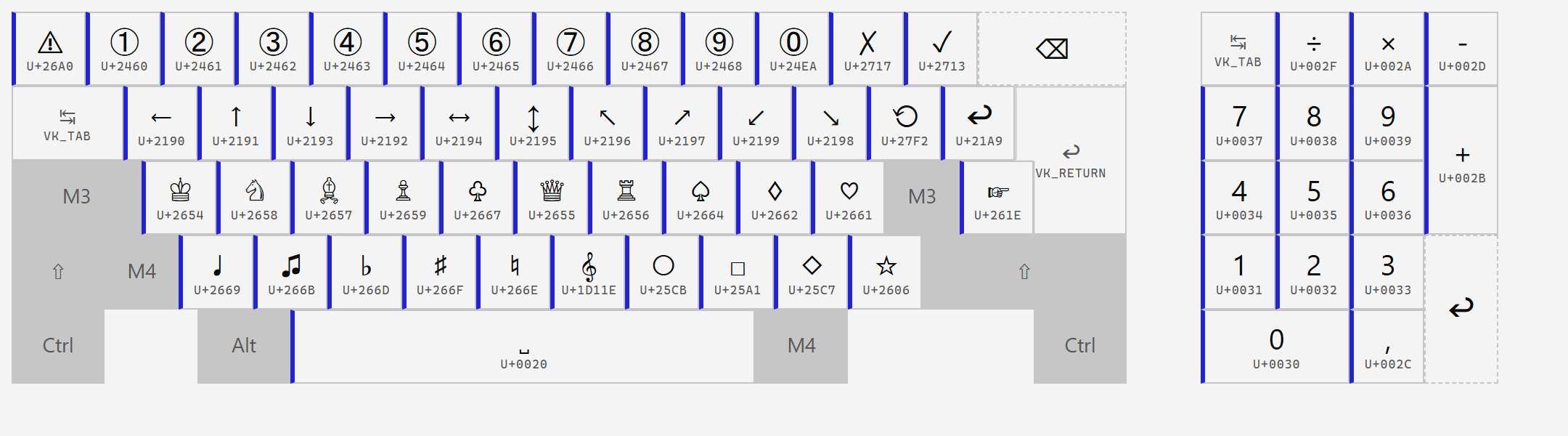
| 17 | – | symbol zones: circled numbers, arrows, chess and card suits, music, everyday symbols |
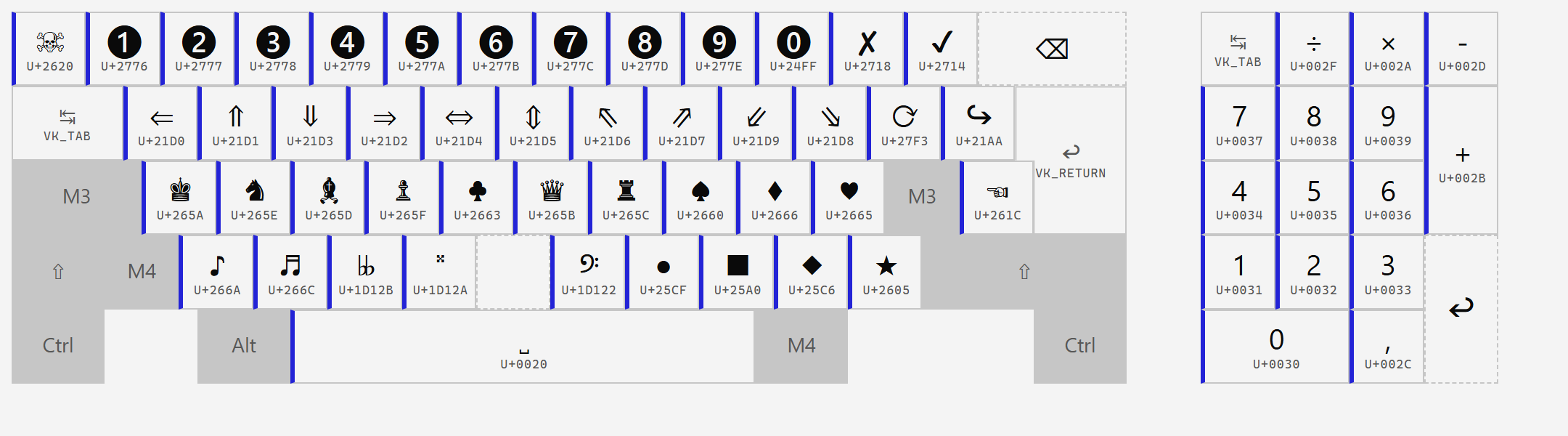
| 18 | Shift | the related variant of each: doubled, filled, heavy |
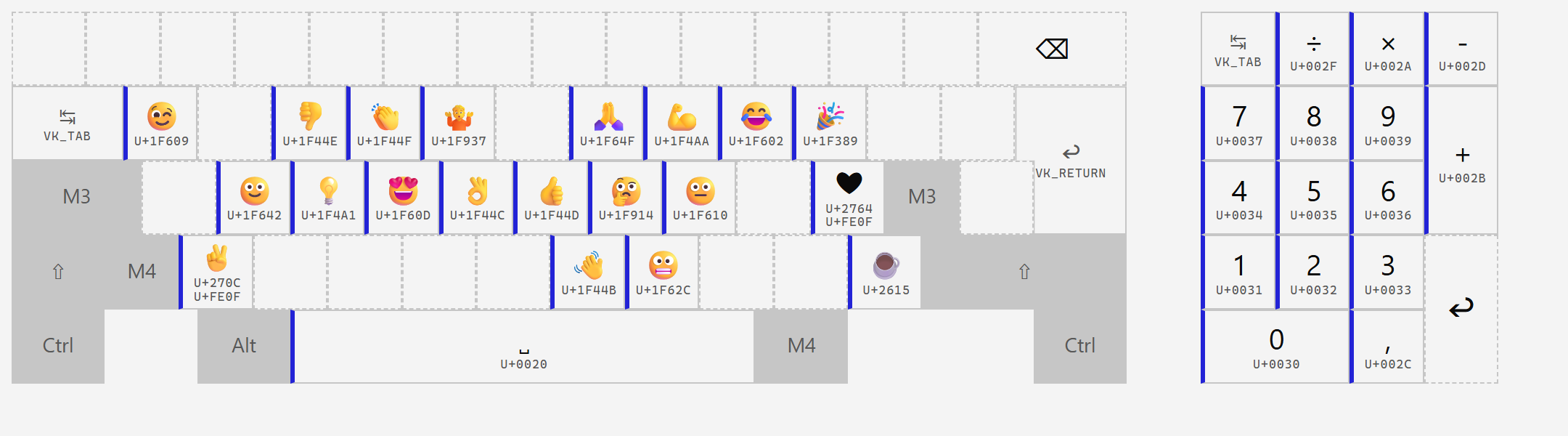
| 19 | Mod3 | emoji |
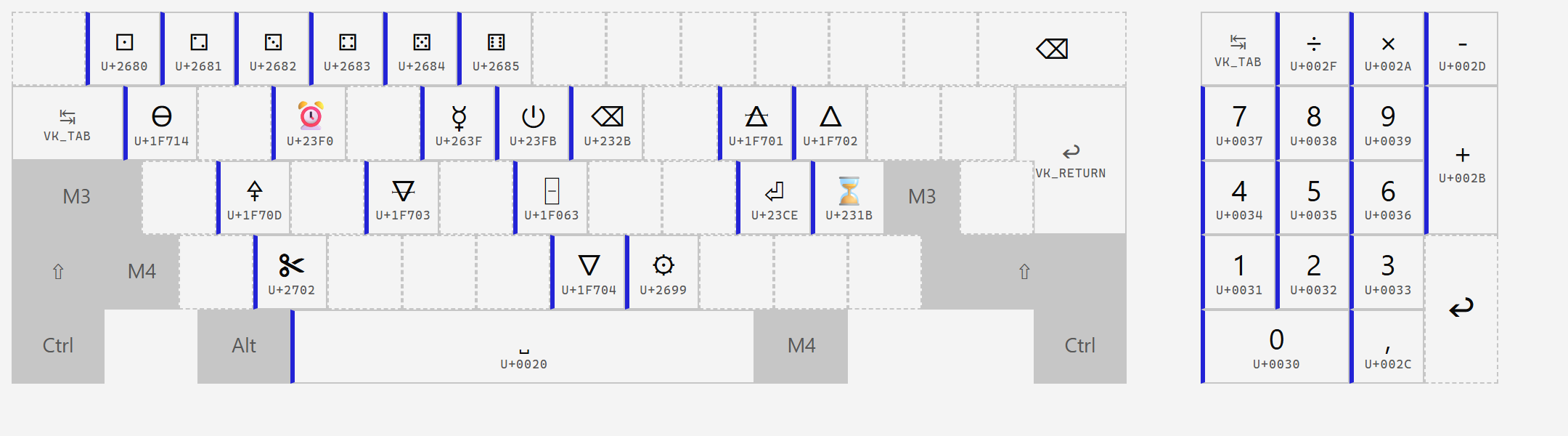
| 20 | Mod4 | dice, dominoes, alchemy, technical symbols |
This is the one block that is not a writing system or a subject – it is the place for symbols that are wanted often enough to deserve a key and belong nowhere else.
The other blocks put each character on the letter that recalls it. This one could not: there is no letter that recalls ♞. So layers 17 and 18 are arranged by zone – each theme gets a physical row of the keyboard – and Shift gives the related variant: hollow becomes filled, single becomes double, light becomes heavy.
| Row | Theme | Shift gives |
|---|---|---|
| number row | circled numbers ①–⑨⓪ | the negative forms ❶–❾⓿ |
| upper row | arrows ← ↑ ↓ → and the diagonals | the double arrows ⇐ ⇑ ⇓ ⇒ |
| home row | chess pieces and card suits | black pieces, filled suits |
| lower row, left | musical notation | the doubled form: quaver, double flat, double sharp |
| lower row, right and edges | circle, square, diamond, star, warning, check, cross, pointing hand | the filled or heavy variant |
Within a zone, mnemonics are used where the letter allows it – the queen on d (Dame), the rook on t (Turm), the knight on s (Springer), the heart on h – and the rest fill the remaining keys in descending order of value: king, bishop, pawn; clubs, spades, diamonds.
Two conventions from the other blocks are broken here on purpose. The number row carries circled numbers instead of digits, and comma and full stop carry symbols – a symbol layer is not a running-text context, and the keypad still types digits.
One emoji per key, mnemonic in German: 😂 on l (lachen), 👍 on d (Daumen), 🎉 on f (Feier), 💡 on i (Idee), 🙏 on b (bitte), ☕ on k (Kaffee). Twenty keys are assigned; the rest is left free on purpose. This is the layer where whatever turns out to be missing in daily use gets added.
Two of them – ❤ and ✌ – carry a variation selector (U+FE0F) after the character, because their code points default to a text presentation and would otherwise arrive as monochrome glyphs. They are the only cells in the whole layout that type two code points from one key.
Dice on the number row, pips matching the digit: 1 gives ⚀, 6 gives ⚅. The four classical elements on their German initials – 🜂 Feuer on f, 🜄 Wasser on w, 🜁 Luft on l, 🜃 Erde on e – plus sulphur, mercury and salt. And a set of technical symbols for documenting keyboard use: ⏎ Return, ⌫ Backspace, ⏻ power, ⚙ gear, ⏰, ⌛.
The alchemical symbols are the reason AnaNeo ships a font. No Windows font covers U+1F700–1F77F, so those keys would show empty boxes on the on-screen keyboard; Noto Sans Symbols 2 is loaded privately into the process at startup to fill exactly this kind of gap.
Extra is the only block that used all four of its layers. The layer scheme was laid out so that the last block could grow from two layers to four without renumbering anything above it – and it has now done so. Further additions go into the free keys on layers 19 and 20.