Layers 9 12 Typography
Lock with M3+F3. Release with the same chord or with M3+Esc.
| Layer | Held | Contents |
|---|---|---|
| 9 | – | typographic characters, fractions on the number row |
| 10 | Shift | the related variant |
| 11 | Mod3 | almost entirely reserve |
| 12 | Mod4 | three dead keys, otherwise reserve |
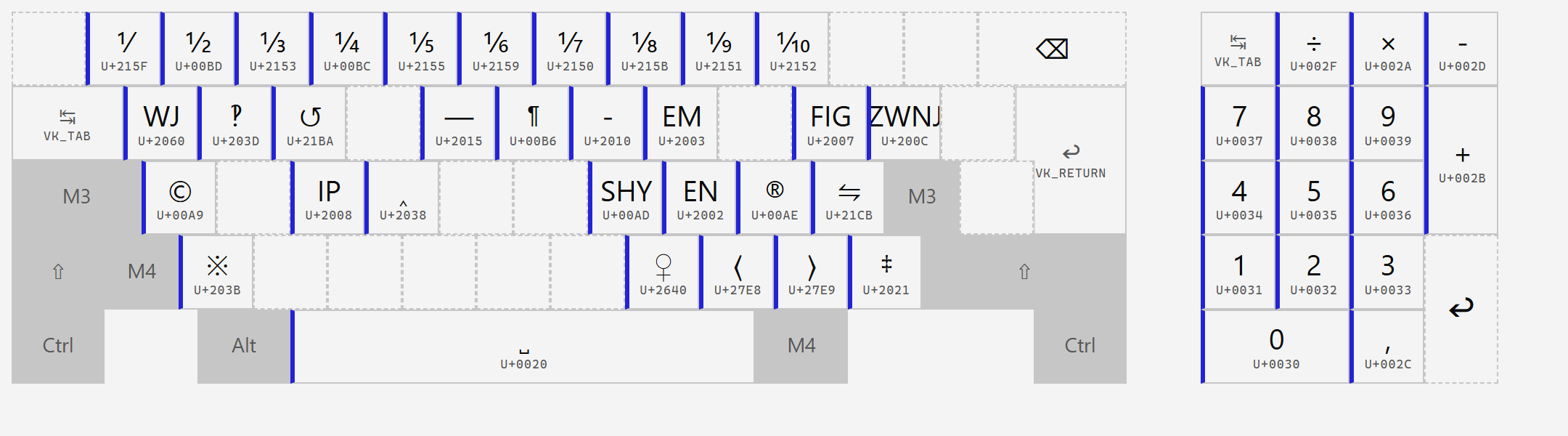
Same mnemonic rule as the maths block: the character sits on the letter it recalls, Shift gives the related variant. c is © and Shift is ℗; r is ® and Shift is ™; b is the hyphen ‐ and Shift the non-breaking hyphen ‑; t is the soft hyphen and Shift the hyphenation point; j is the zero-width non-joiner and Shift the joiner; m and n are the em and en space, which is where those spaces got their names in the first place.
The block deliberately carries nothing that layer 2 or 3 already has. All the quotation-mark pairs, the dashes, the bullet, the dagger, the degree and section signs, ¹²³, the primes and the currency symbols are one Shift or one Mod3 away on the base layers. Repeating them out here would have made the block look fuller and be worth less.
That is also why layers 11 and 12 are nearly empty. The block's contents fit on two layers; the other two were laid out by the scheme and are kept as reserve rather than filled for the sake of filling. The one thing on layer 12 is a group of three compose dead keys – dot below, macron, breve.
Layer 9 carries the unit fractions on the key of their denominator – 3 is ⅓, 4 is ¼, 8 is ⅛ – and layer 10 carries the complement where Unicode has one: 3 gives ⅔, 4 gives ¾, 8 gives ⅞. Where the complement does not exist as a character, the key is empty rather than filled with something arbitrary. The remaining fifths, sixths and eighths are reachable through compose.
While typography is locked, digits come from the numeric keypad.
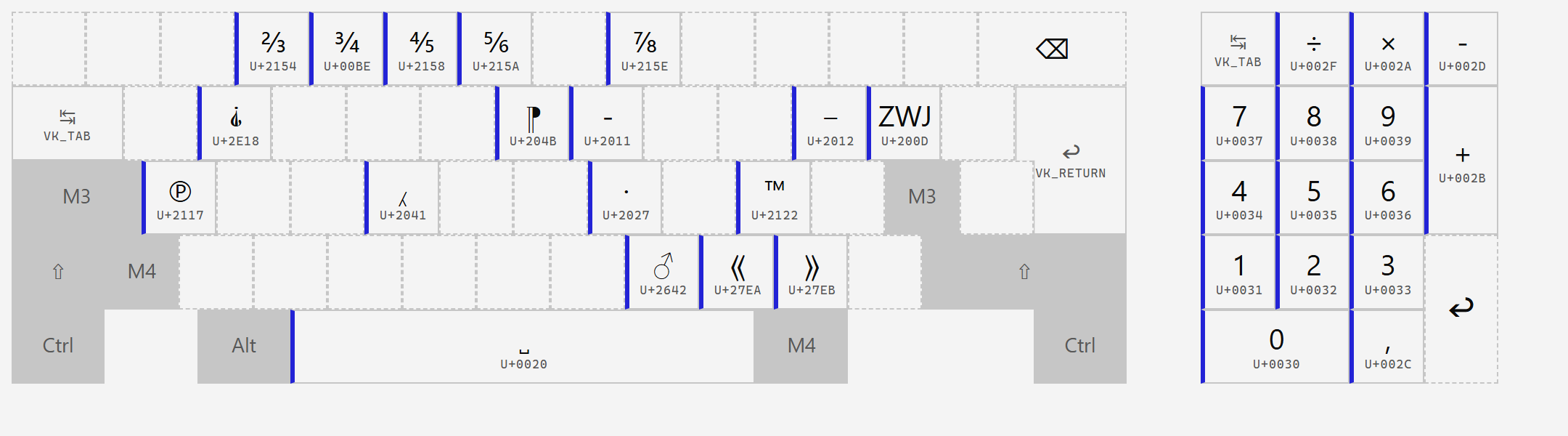
Reserve, apart from ⚥ on g – the third of the gender signs whose pair ♀♂ sits on layers 9 and 10 of the same key.
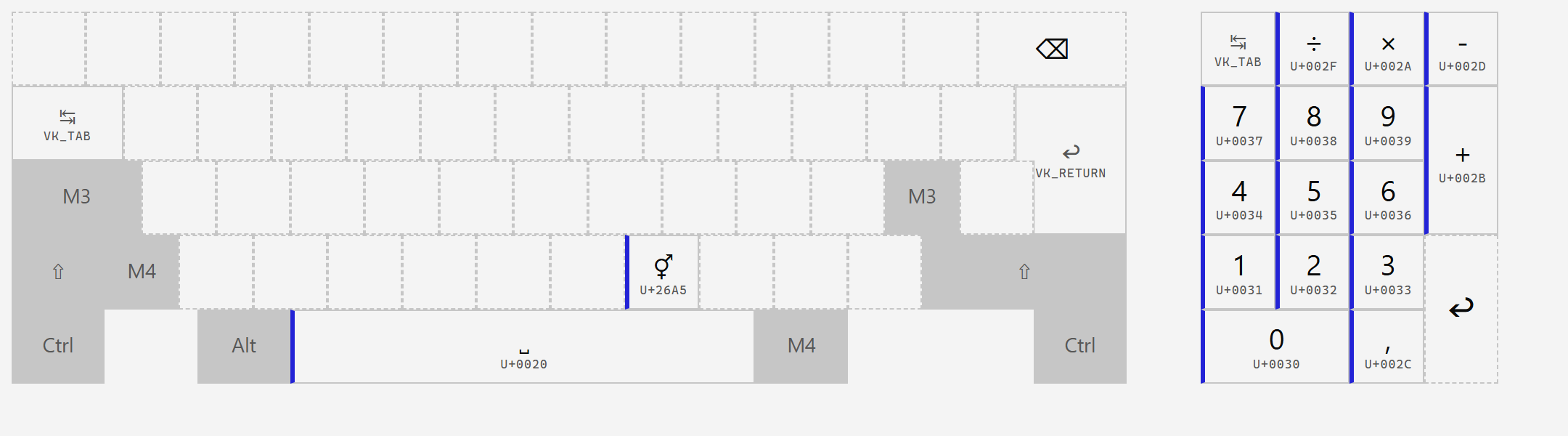
Three dead keys for compose – dot below, macron, breve – on the three dead-key positions of layer 1. Otherwise reserve.
These cells illustrate a rule worth knowing if you edit layouts yourself: a cell needs both a keysym and a char. A cell with only a keysym works when typed, but counts as empty for display purposes, so it appears on neither the layout sheet nor the on-screen keyboard – present but invisible.
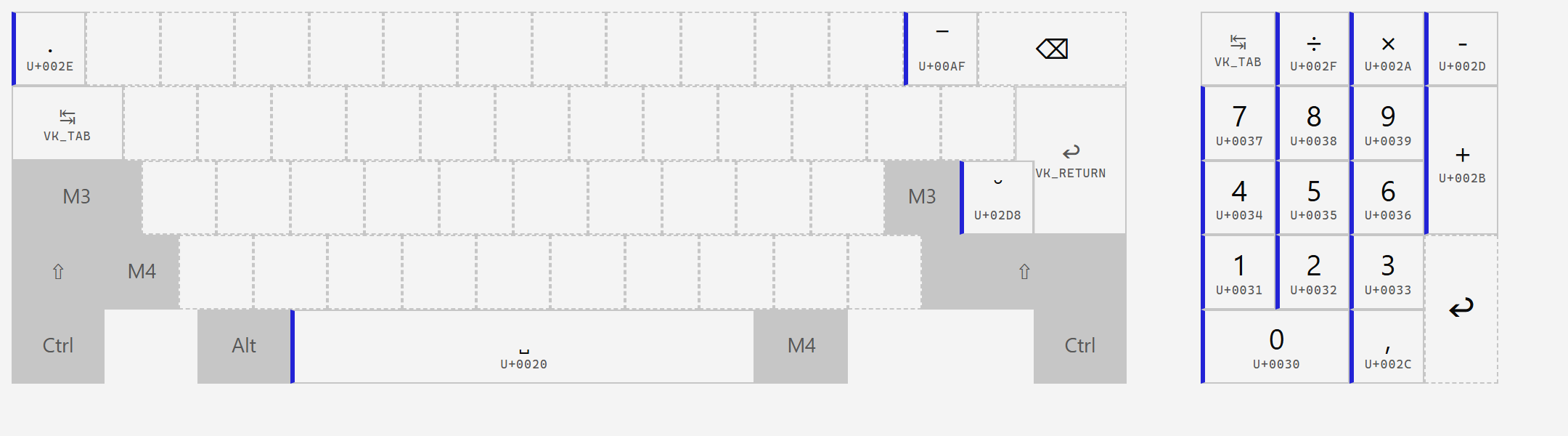
Ordinary space on all four layers. The narrow spaces live on layers 3 to 7 and are reachable without locking anything – which is the point of putting them there rather than in the typography block, where you would have to lock first to type a no-break space.