Repository navigation
Home
Axs7 is a sampler that runs in the browser. It plays multi-sample programs and moves samples to and from an Akai S700 or X7000 over MIDI. The two are the same sampler, the S700 as a rack and the X7000 with a keyboard, so this guide calls both the sampler. Axs7's look is loosely based on the sampler's front panel, and it works the way the sampler does: samples with their own sound settings, programs made of key ranges, 32 programs to a bank.
Open it here: https://rogerkl.github.io/Axs7/
Nothing to install: it runs in Chrome or Edge, on the computer you connect the sampler to. It is useful without a sampler too, as a sampler of its own, and to prepare samples and disk images for one.
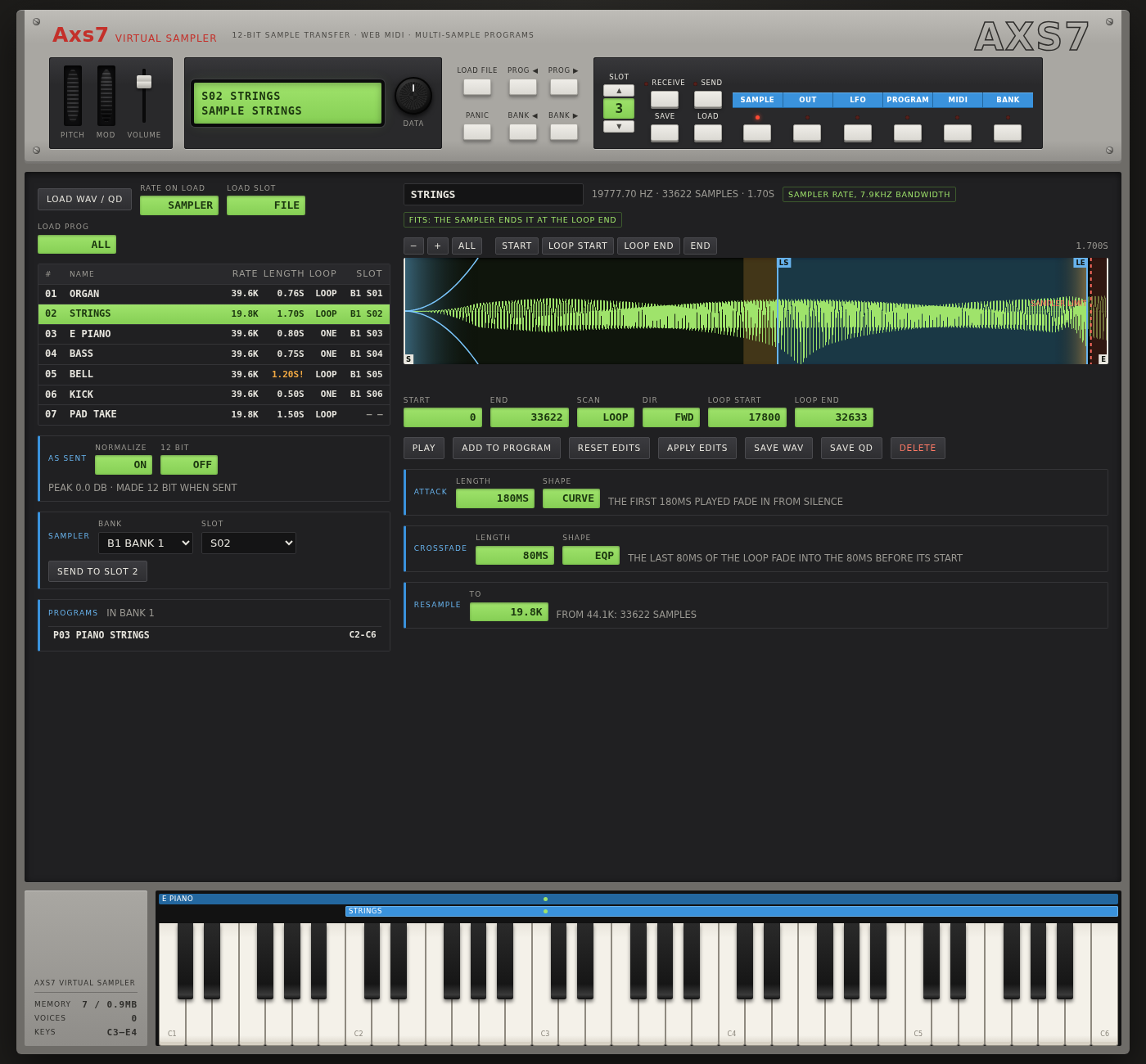
With the sampler connected over MIDI
- Receive the sample in any slot of the sampler, with its START, END and loop, scan mode, sound settings and its key ranges in the sampler's programs.
- Send a sample to any slot, with the same settings, so it plays on the sampler as it does here.
- Receive or send a whole bank: every slot of the sampler, and the programs they are in.
- Play the programs from any MIDI keyboard, the X7000's own included.
Without a sampler
-
Load WAV files (with their loop), other audio files, and the sampler's QuickDisk images (
.qd, as a Gotek or HxC floppy emulator uses them). S612 disks load too. - Edit samples without losing anything: START, END and loop points on a zoomable waveform, resampling to the sampler's rates, normalizing, 12 bit, a rendered attack and fade out, and a crossfade loop. All of these can be undone, until you decide to write them into the sample.
- Build programs of keygroups (key ranges with root, transpose and fine tune), and play them from the on-screen keyboard, the computer keyboard or a MIDI keyboard.
- Shape the sound as on the sampler: level, lowpass filter and release with velocity amounts, and an LFO for vibrato.
- Save samples as WAV files or as disk images for the sampler, and everything at once as a memory file.
With SM-87 on an M-VAVE FM-1
- SM-87's sampler talks to Axs7 as the sampler does: send and receive samples over USB.
- Build samples and a drum kit into SM-87's firmware: a SAMPLES bank, and a DRUMS bank of the HR-16's 16 drums, with a meter of the room they take. Then install it on the FM-1 from the page, or save it as a firmware package.
Memory is kept in the browser between visits, and isn't limited like the sampler's.
- Getting started: opening the app, the front panel, playing and changing values
With the sampler
- Connecting the sampler: MIDI ports, slots and the transfer settings
- Receiving samples: from a slot of the sampler into the app
- Sending samples: from the app to a slot of the sampler
Without a sampler
- Loading samples: WAV files, audio files and disk images
- Editing samples: points, loops, resampling and the other edits
- Programs and keygroups: putting samples on the keyboard
- Sound: OUT and LFO: level, filter, release and vibrato
Banks and memory
- Banks and memory: banks, receiving and sending a whole bank, saving and loading everything
SM-87 on the M-VAVE FM-1
- SM-87: samples and a drum kit built into SM-87's firmware, and installing it on the FM-1
Axs7 is a rewrite and extension of the Java program Axs7Sds. The source is at github.com/rogerkl/Axs7, under the MIT license.