Repository navigation
Sending samples
SEND puts the selected sample in its slot on the sampler, with its settings and its key ranges. It replaces what is in that slot. First connect the sampler.
- Select the sample in the SAMPLE view.
- It is sent to its own slot, shown in the SAMPLER box under the sample list. To send it to another slot, choose that slot there first (see Banks and memory). A sample with no slot can't be sent until it has one.
- Press SEND on the panel, or SEND TO SLOT n in the SAMPLER box.
- The SEND LED is lit while it is sending. Press SEND again to stop.
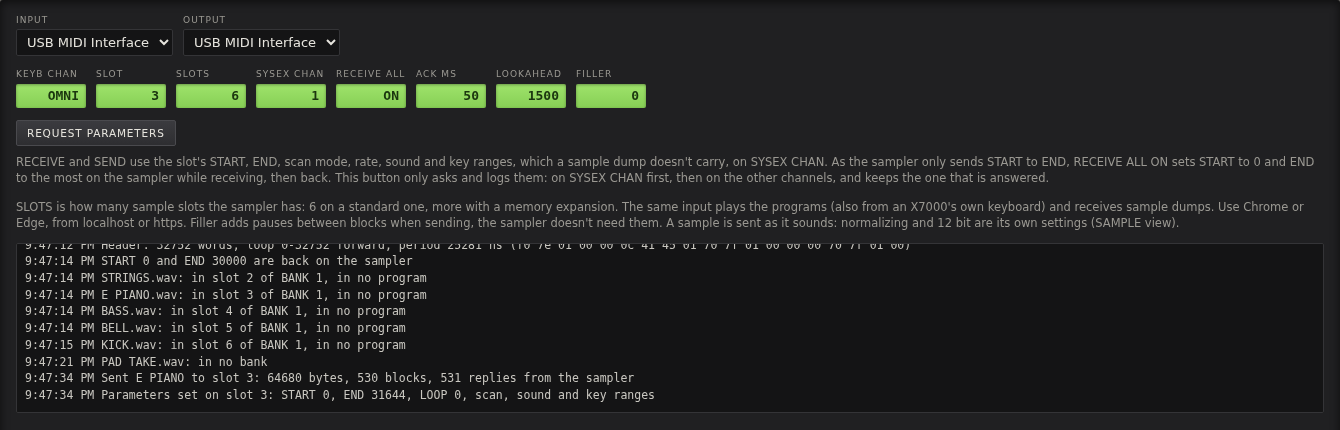
A full sample takes about 20 seconds. The display says SENT TO SLOT 3 when the sampler has taken it.
If the sampler answers the parameter request (see Connecting the sampler), SEND:
- sends the sample: all of it, or START to END if all of it doesn't fit in the sampler's 32752 samples
- sends its parameters: START, END, the loop, scan mode, direction, rate, the sound (OUT and LFO), and its key ranges in the current bank's programs
- asks for them again, and logs anything the sampler doesn't have as sent.
So the sample plays on the sampler as it does here, in the same programs. A sample in no program here keeps the key ranges, root and fine tune the slot already has on the sampler.
If the sampler doesn't answer, only START to END is sent, as a sample dump has no START. The log then says what to set START to on the sampler.
Sending with parameters has so far been tested against a simulated sampler; receiving with parameters is tested on an X7000.
A sample is sent as it sounds in the app:
- Rate: the sampler plays samples at 41 fixed rates, a semitone apart, from 39555.4 Hz down to 3924.38 Hz. A sample at another rate is resampled to the nearest one when sent. RESAMPLE in the SAMPLE view does it beforehand, so you can hear the result. See Editing samples.
- Length: the sampler holds at most 32752 samples per slot, 0.83 s at its highest rate. A looped sample can be longer, as long as its loop ends within the limit: the sampler ends it at the loop end. A one shot that is too long is cut. The SAMPLE view warns about both.
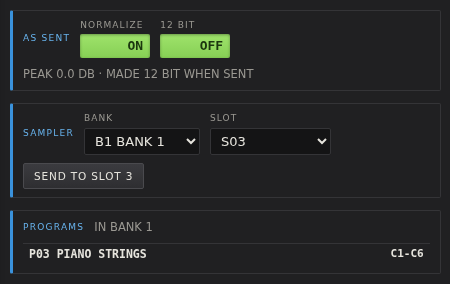
- 12 bit: the sampler keeps 12 bit values. A sample that isn't 12 bit is made so when sent. 12 BIT in the AS SENT box does it beforehand, to hear it that way.
- Received samples go back exactly as they came, bit for bit.
- Reversed samples play in reverse on the sampler too.
The AS SENT box tells what will happen: MADE 12 BIT WHEN SENT, 12 BIT, SENT AS IT IS, or
FROM THE SAMPLER, SENT BACK AS IT CAME.
SEND BANK in the BANK view sends the bank's samples to their slots. See Banks and memory.
To move a sample to the sampler on a disk, as with a Gotek or HxC floppy emulator, use SAVE QD in the SAMPLE view.
It saves a disk image for the sampler (.qd) of the sample with its settings and key ranges. See
Editing samples.