Battle and Team Tools
Tools for reading a fight and knowing your team — most of them usable mid‑battle.
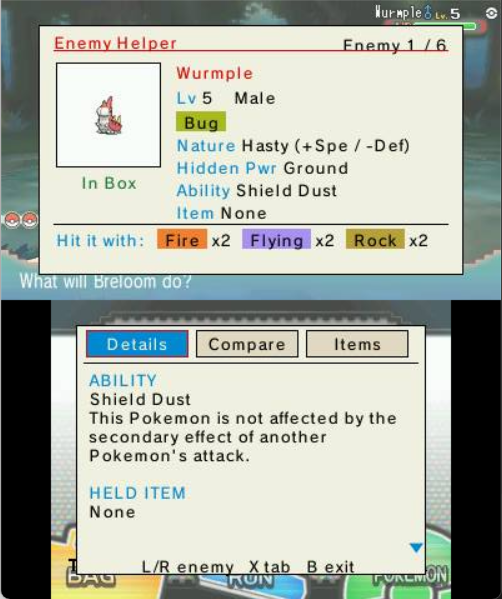
A coach card for the Pokémon you're facing. It explains the foe's ability, held item and moves, lists the types that beat it, and even tells you whether you already own the species.
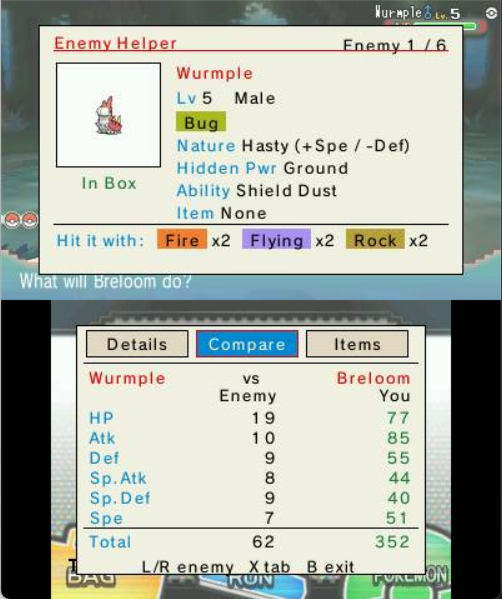
A stat‑by‑stat comparison of the foe's six stats against your active Pokémon, so you can see at a glance where you're faster, bulkier or hitting harder.
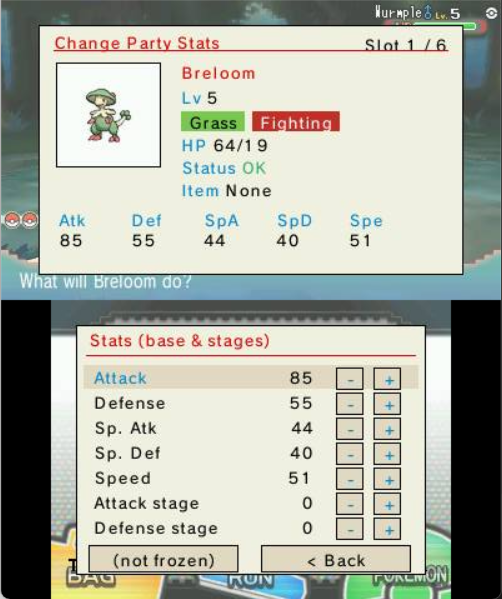
Heal and edit your own team without leaving the battle — patch up HP/PP and tweak your Pokémon on the fly.
Overlays the opponent's hidden data on the top screen during the fight.
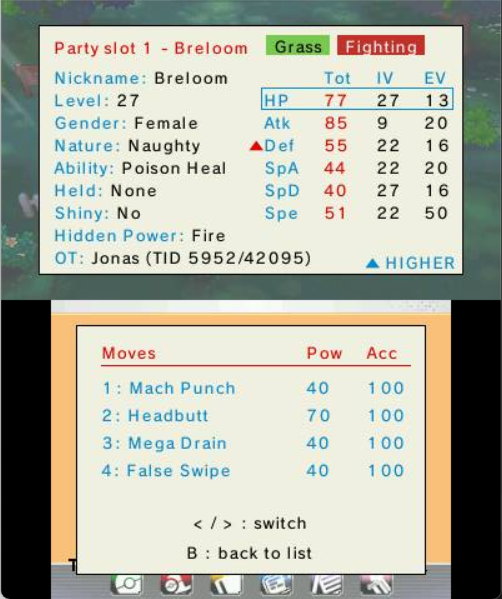
Outside battle, lay your team out as sortable stat cards with the real, hidden numbers — stats, IVs, EVs, nature, ability, item and moves. Slide a selector over a stat and press A to jump to the teammate with the highest (or lowest) value; little ▲/▼ marks flag your team's best and worst.
See also: PC Box Plus Plus · Wild Pokémon Spawner