PC Box Plus Plus
A visual editor for your storage. Your boxes are shown as a grid of sprites, just like the in‑game PC — but with a full editor behind every slot, and no keyboard typing anywhere.
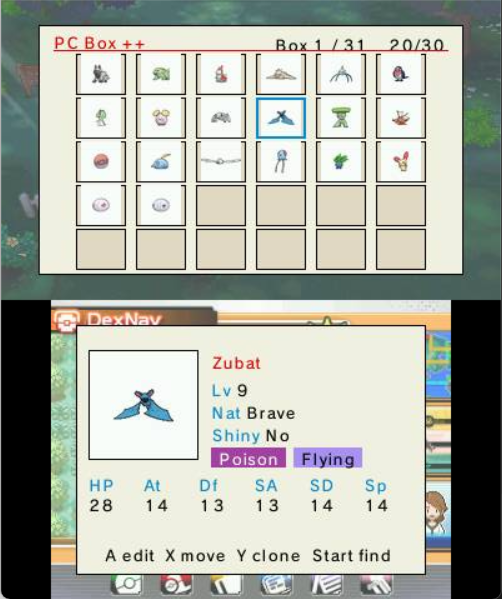
- Move with the D‑Pad (with auto‑repeat).
- X — swap two Pokémon.
- Y — clone the selected Pokémon.
- START — search.
- A — open the tabbed editor.
Press A on a slot to open the editor, organised into tabs: Main, Stats, Moves, Origins, Misc.
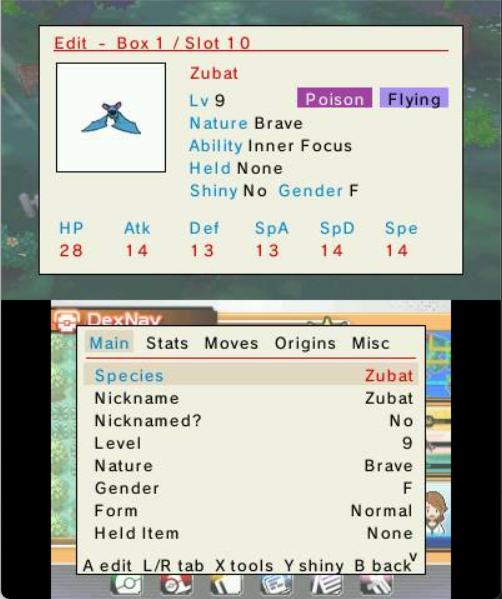
Every field is picked from an on‑screen list — species, IVs/EVs, moves, ability, held item, ball, nature, origin game, met/egg dates, and more. Pickers are searchable and type‑filtered where it helps.
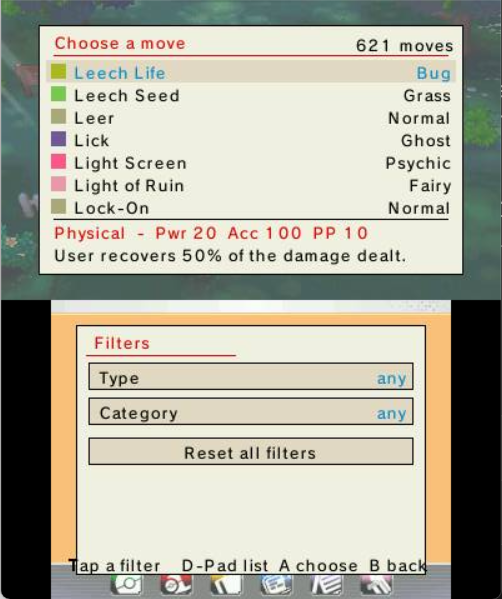
Your edits are staged — nothing is written until you choose to Save. Change your mind? Discard and the slot is untouched. As with everything in the plugin, changes live in memory until you save the game to keep them — see Safety and FAQ.
See also: Battle and Team Tools · PokéMart Anywhere (for held items).