Home
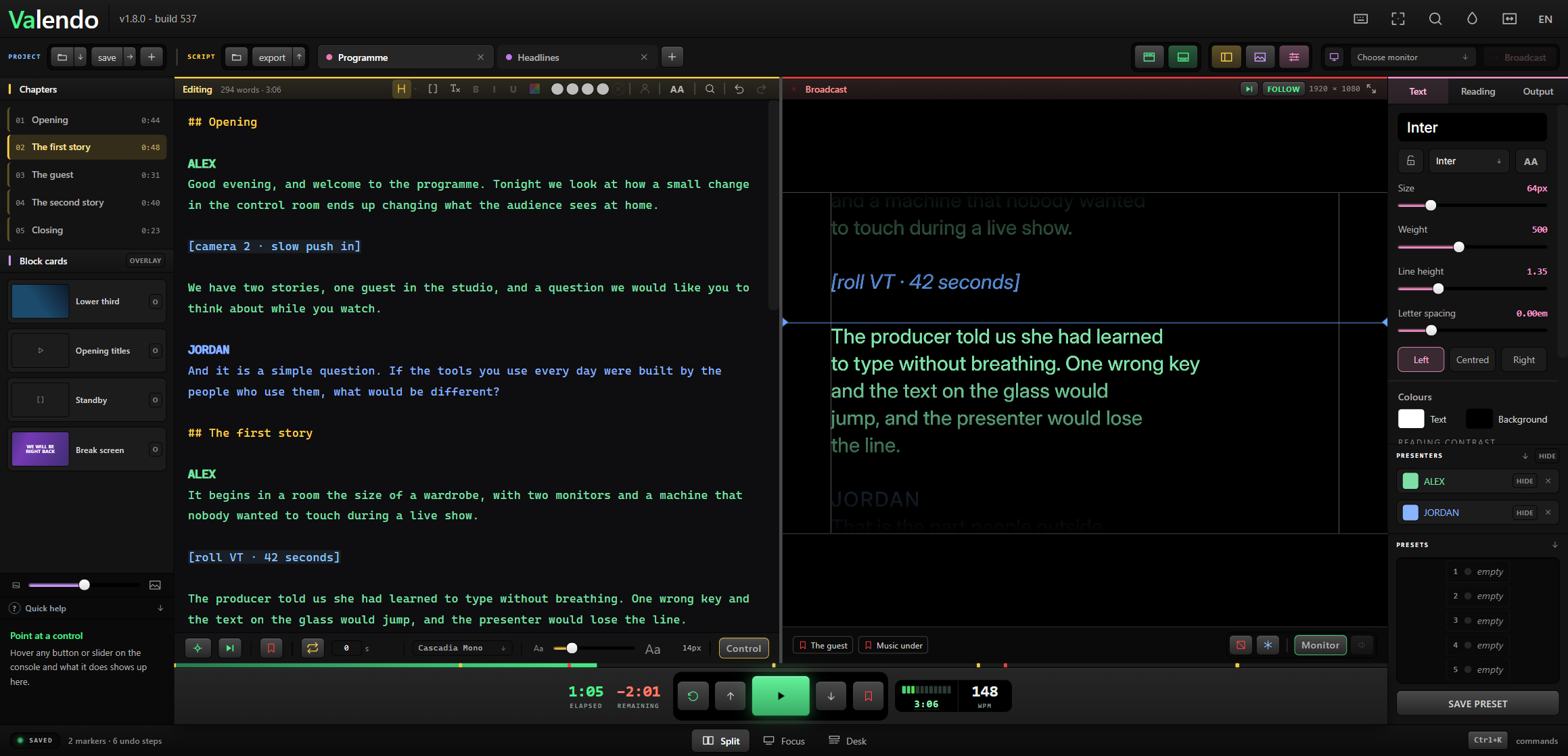
A teleprompter for Windows and macOS where the operator rewrites the script while the show is on the air, watching the editor and an exact replica of the presenter's screen side by side.
The reading position is an anchor in the text, not a pixel on the screen.
| Page | What it covers |
|---|---|
| Getting Started | Install, first run, writing a script |
| The Reading Anchor | Why the text does not jump, and what follows from that |
| The Operator Console | A tour of the interface and the three working modes |
| Presenters | More than one person on camera, each reading in their own colour |
| Marks and Search | Painting the script, and the find that paints every occurrence at once |
| Cards | Images, video, messages and drawn screens, over or under the script |
| Output and Network | Monitors, mirror, blackout, and the local network page |
| Files and Projects | Projects, autosave, import, export, where your data lives |
| Themes and Appearance | Twenty themes, the background, the editing paper, typefaces and presets |
| Keyboard Shortcuts | Every default binding, mapping on screen, and MIDI |
| Building from Source | Commands, layout, tests |
You paste or import a script. ## opens a chapter, [square brackets] mark a stage direction. One monitor becomes the presenter's screen; the operator keeps the editor and a scaled replica of that screen. Space starts the scroll. While it scrolls you can fix a line, change the type size, drop in a lower third or a clip — and the word the presenter is reading stays exactly where it is.
The interface speaks English, Portuguese (Brazil), Spanish, German, French and Italian. On a fresh install it picks the language of the operating system; the welcome screen lets you change it before anything else happens.
GPL-3.0-or-later. Free to use, study, modify and redistribute — including commercially. If you distribute a modified version, its source travels with it under the same licence.