Output and Network
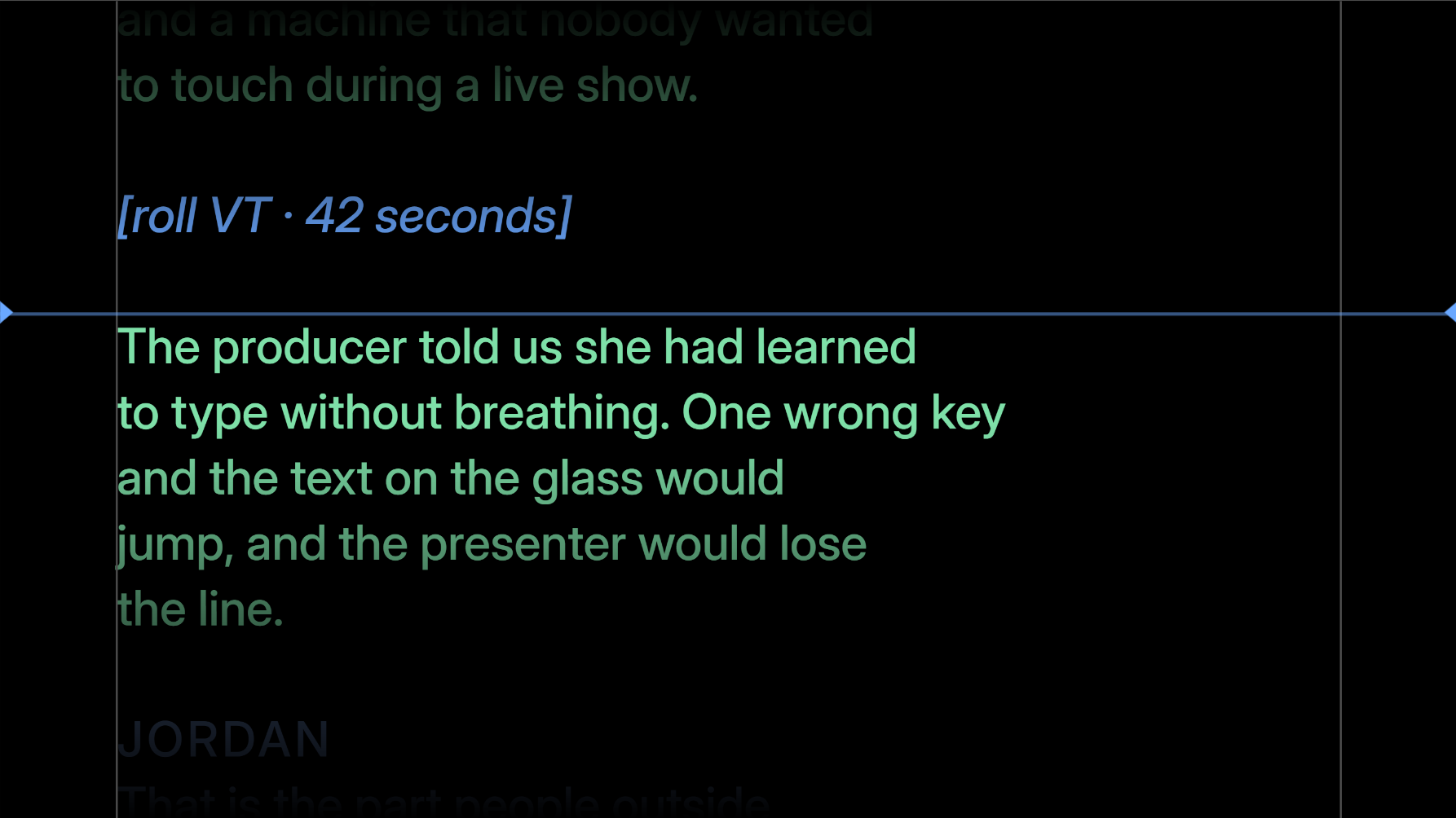
Pick a monitor in Choose monitor and press Broadcast. The screen goes full screen on that monitor, with no menu bar and no cursor.
Identify flashes a big number on every connected screen, so you know which one the app calls Monitor 2 before you send a show to it.
If that monitor is unplugged mid-show, Valendo closes the output rather than leaving a window at coordinates that no longer exist.
Teleprompter glass reflects, so the text has to be mirrored to read correctly through it. Both axes are available, plus 90° steps of rotation for a screen mounted sideways.
| Shortcut | |
|---|---|
Ctrl+Alt+M |
Mirror |
Ctrl+Alt+R |
Rotate |
Ctrl+Enter |
Broadcast on/off |
The screenshot above has mirror off, which is why it is readable here.
| Shortcut | What the presenter sees | |
|---|---|---|
Ctrl+B |
Blackout | Black. Nothing else. The button turns red. |
Ctrl+Shift+F |
Freeze | The current frame, held. The button turns blue. |
Blackout is for "we are off air"; freeze is for "hold that thought" — the scroll keeps running underneath and catches up when you release it.
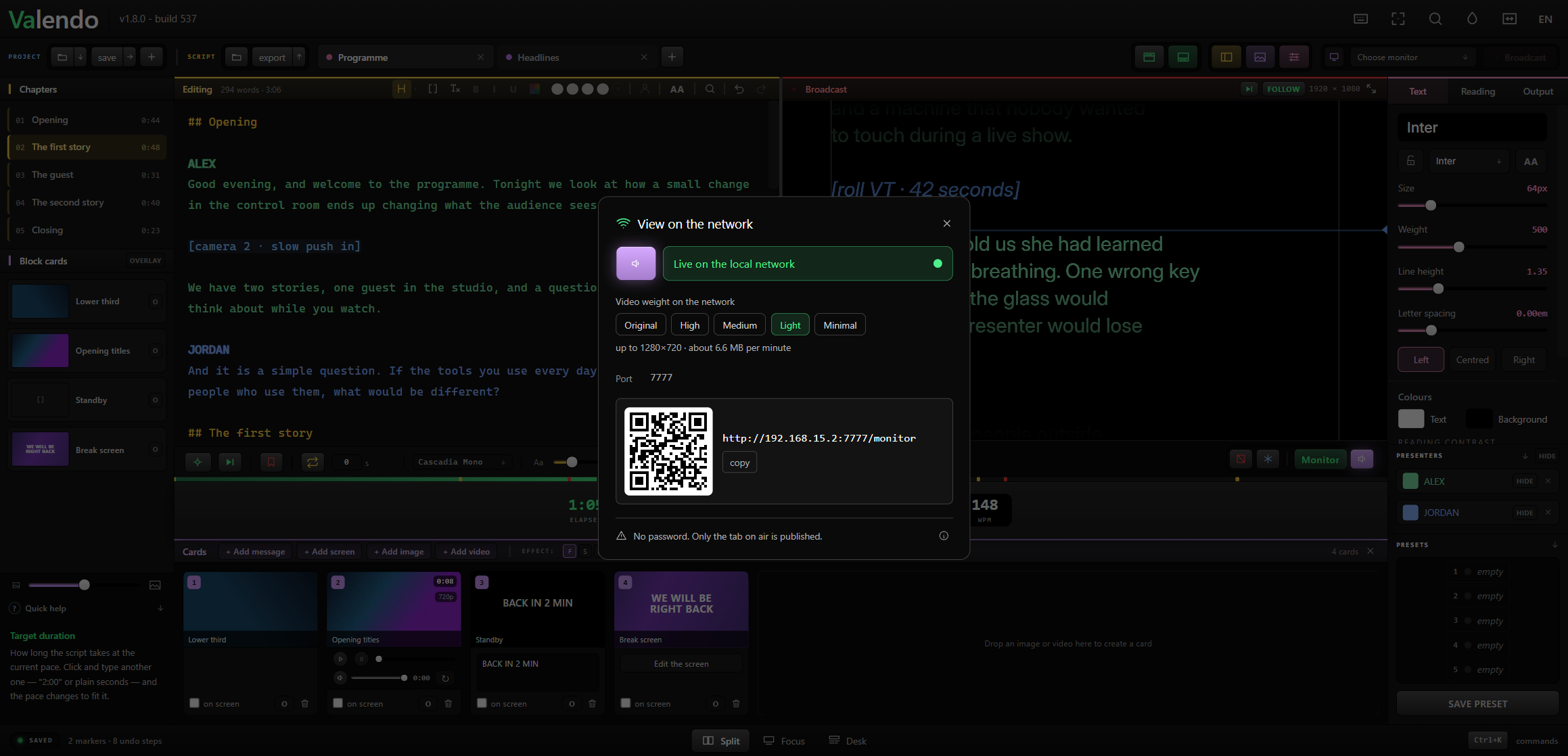
One switch publishes the reading to a page on the local network. Anyone on the same wi-fi opens the address in a browser and follows the same scroll, with the same cards and the same presenter colours, exactly as the presenter sees it. Nothing to install — a phone, a tablet, a spare laptop, any screen with a browser.
Point a camera at the QR code and it opens — a phone, a tablet, whatever is to hand.
Video going out to the network can be throttled, because a device on wi-fi is not a monitor on a cable:
| Profile | Roughly |
|---|---|
| Original | The file as it is |
| High | 1920×1080 |
| Medium | 1600×900 |
| Light | 1280×720, about 6.6 MB per minute |
| Minimal | The smallest that still reads |
The presenter's screen always gets the original. The profile only affects the network page.
Only the tab that is on air is published. The other tabs never leave the machine.
There is no password. While the switch is on, anyone on the same network who knows the address can read the script — which is fine in a studio and worth thinking about in a hotel. Turn it off when you are done.