Repository navigation
Home
Set a waypoint. Follow the arrow. That's it.
Waypoint Tracker is the 3D waypoint arrow and quest finder for World of Warcraft: Forever: a TomTom-style arrow with /way coordinates, a quest, NPC and item finder, clickable map-pin sharing, and a new treasure hunt (beta) that pings you when a chest or rare appears nearby. This guide covers version 1.1.1, client 1.60.1, interface 16001.
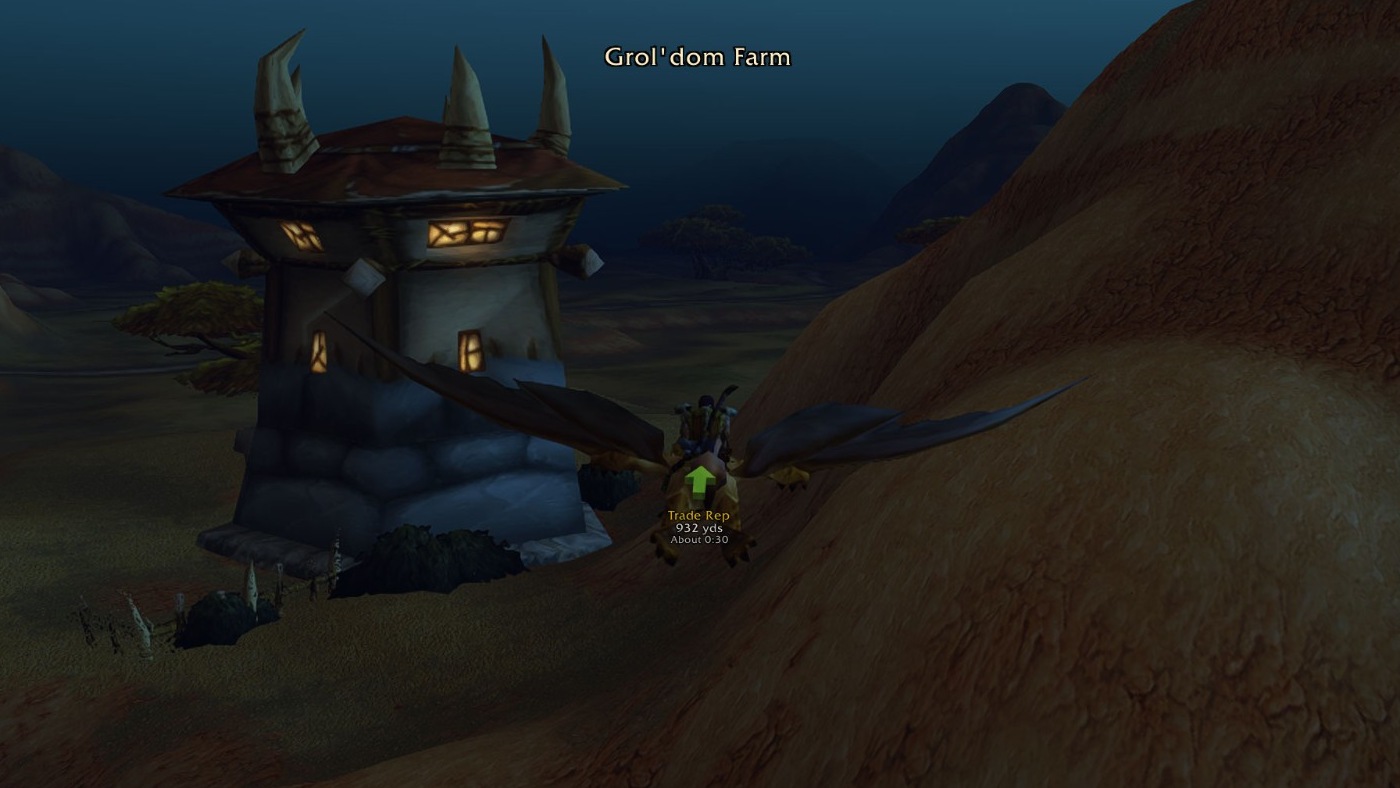
In the game: flying near Grol'dom Farm with the waypoint name, distance and estimated travel time beneath the arrow. Open the image for a full-size view.
| You want to… | Read |
|---|---|
| Install the addon and set your first waypoint | Installation & Quick Start |
| Look up a command or adjust the arrow | Commands & Options |
| Get pinged when a rare or chest spawns (beta) | Treasure Hunt |
| Check your install, the arrow and Find | Troubleshooting & Compatibility |
| Share discoveries or understand what stays local | Discoveries, Privacy & Contributing |
- Type
/wpto open the window. - Type
/way 42 65to set a waypoint in your current zone, or hold Ctrl and right-click the world map. - Follow the arrow. It changes from gold to green as you approach.
- Open Find to search a quest, NPC, enemy, object or item; double-click a result and the arrow points to its closest spot.
- Tick Treasure hunt (or type
/wp treasure) to get a ping and the arrow the moment a chest or rare spawns near you.
- Latest GitHub release
- CurseForge · Wago Addons
- Website
- Questions, ideas and translations
- Source and MIT licence
Home · Install & quick start · Commands & options · Treasure hunt · Troubleshooting · Discoveries & privacy