Bindings overview
The new function can be reached with the Bindings button on the constructor toolbar
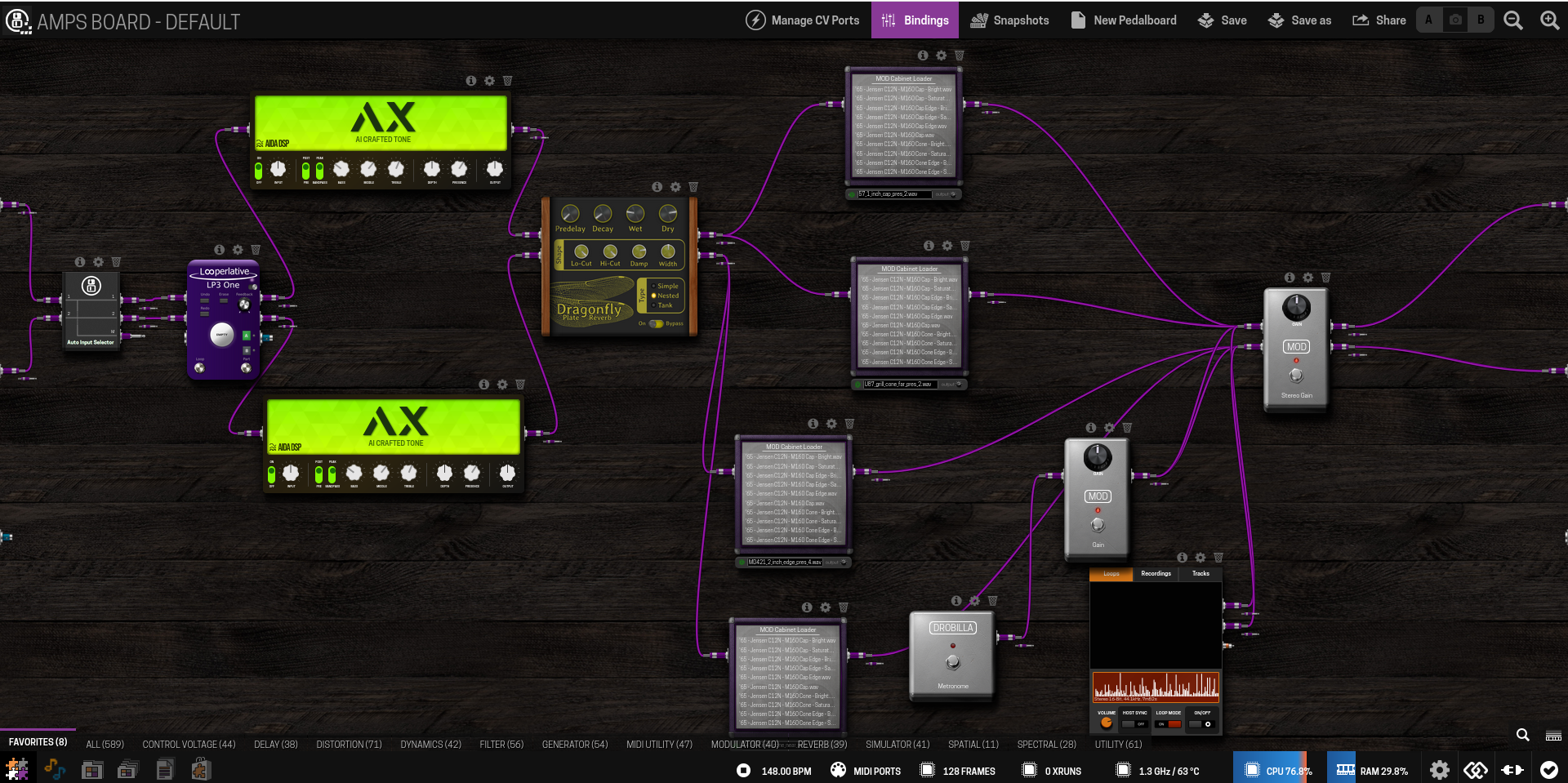
After clicking the button, this new dialog will appear, showing the assigned controls:
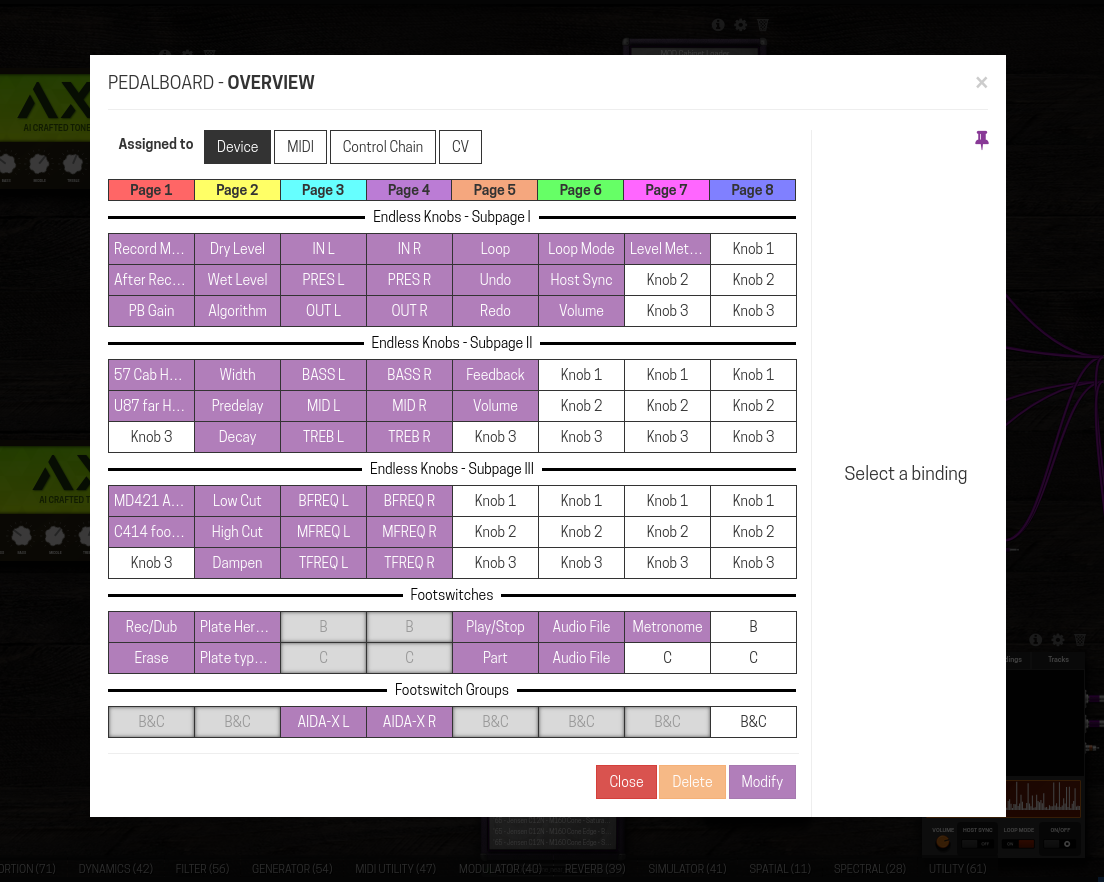
The advanced pane is now pinnable using the toggle on the upper right corner, this pin setting will be remembered and it’s the same for this dialog and the usual per “control port” dialog.
When you select a binding, by clicking on its cell you have access to the following function:
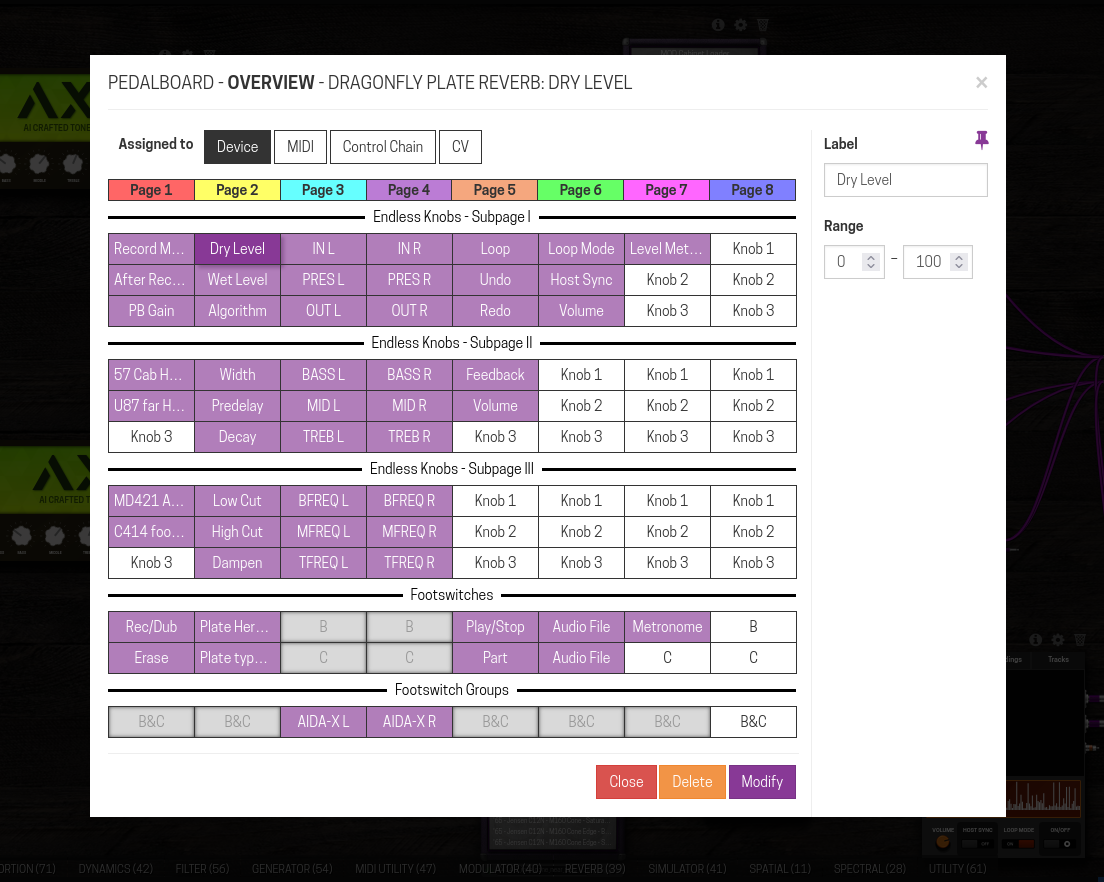
- You can rename the binding or change the range like you will do in the usual dialog (when done click on the Modify button)
- You can delete the binding with the Delete button
- You can also rearrange the binding using drag & drop:
