Dwarf controller crash screen
Sometimes the Dwarf controller may crash. With the stock firmware, the only available indication was a magenta LED: the specific LED that remained lit only provided a general hint about the type of crash that occurred.
Starting from Starless firmware version 9, an additional diagnostic screen has been introduced. This screen displays useful information that can help identify the cause of the crash:
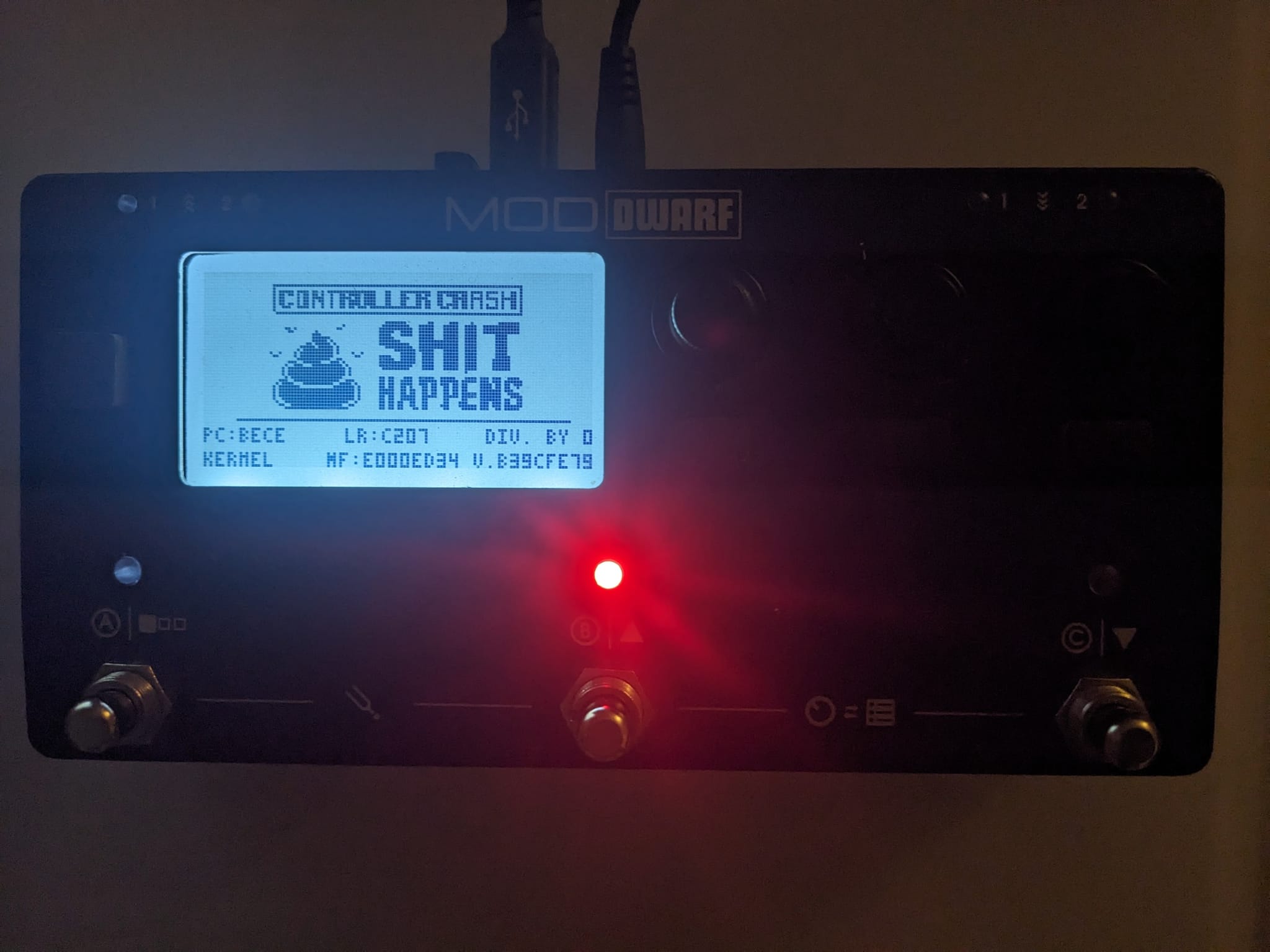
In this case, the LED that remains on is always the one on the second footswitch, but its color changes depending on the error condition. However, keep in mind that in many situations the fault eventually escalates into a HardFault.
| Color | Meaning |
|---|---|
| RED | HardFault |
| MAGENTA | MemManage |
| YELLOW | BusFault |
| GREEN | UsageFault |
| BLUE | MallocFail |
| WHITE | IdleHook |
| CYAN | StackOverflow |
The crash screen prints this values:
| Example | Description |
|---|---|
| PC | Program counter |
| LR | Link register (who call) |
| Div By 0 - BF | the reason for the fault (can be also be Unauthorized Access, Undefined Instruction, Bad Address) or the BFAR address |
| Kernel - Task name | Kernel if the fault is in the main routines otherwise Task followed by the nama of the task in execution during the fault. |
| MF | MFAR address |
| V.B39CFE79 | the firmware version (git commit hash) |
With this screen and the debug symbol that are included in the distributed firmware in the file:
/usr/share/mod/controller/mod-dwarf-controller.dbg
You can use addr2line to get the exact line that causes the crash:
$ arm-none-eabi-addr2line -e out/mod-dwarf-controller.dbg 0xbece
/home/andrea/Alab/Devel/mod/mod-dwarf-controller/app/src/main.c:190