Repository navigation
Rebound
Rebound is where you make and chat with bots. A bot is a named persona with its own face, personality, greeting, and preferred model, and it runs on the models you have on your computer.
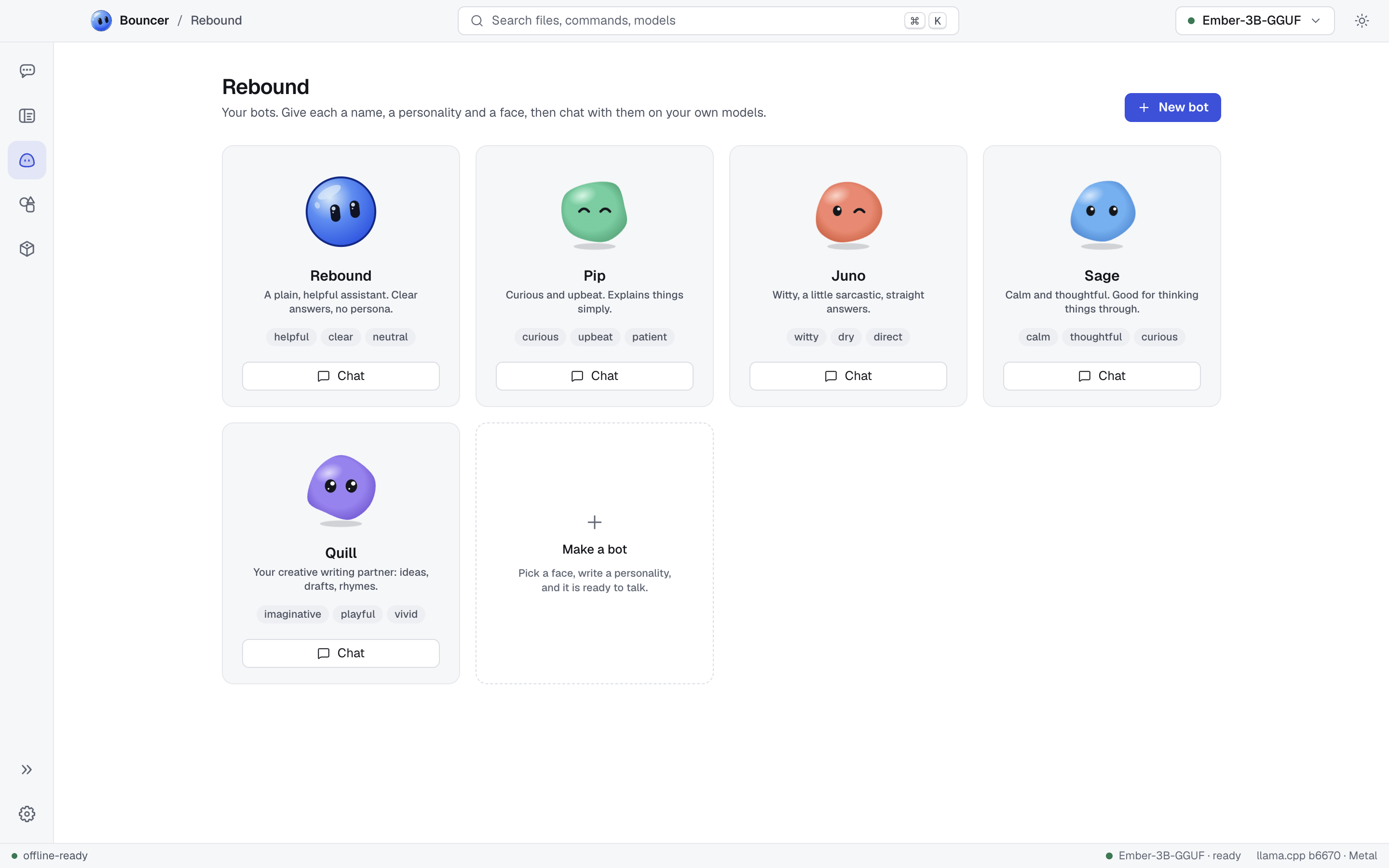
Bouncer comes with five bots:
| Bot | Tagline |
|---|---|
| Rebound | A plain, helpful assistant. Clear answers, no persona. |
| Pip | Curious and upbeat. Explains things simply. |
| Juno | Witty, a little sarcastic, straight answers. |
| Sage | Calm and thoughtful. Good for thinking things through. |
| Quill | Your creative writing partner: ideas, drafts, rhymes. |
Click New bot at the top of Rebound, or Make a bot in the last tile. The dialog has a face on the left and the personality on the right.
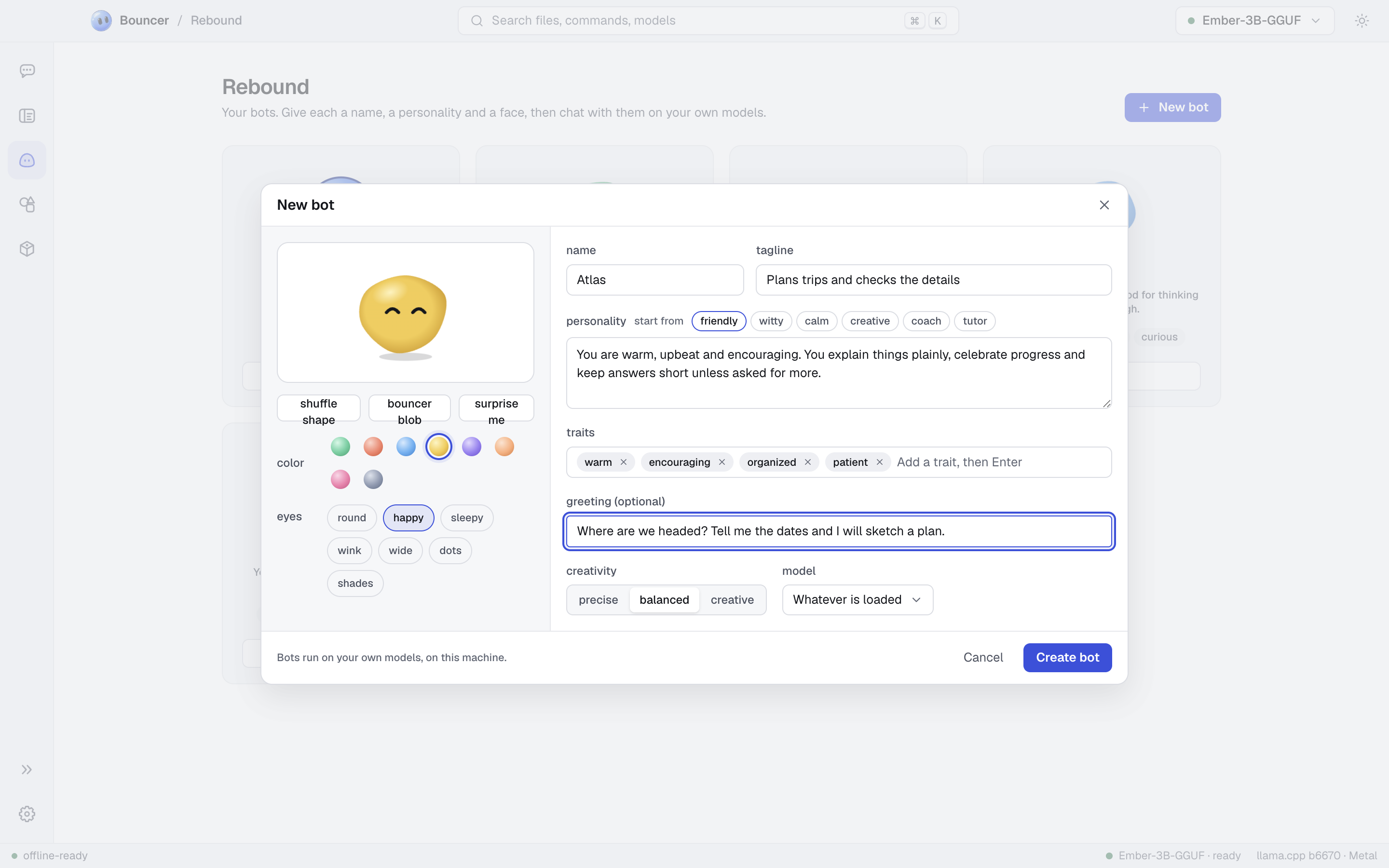
Pick a face from the controls under the preview:
- color: eight colors.
- eyes: seven eye styles.
- shuffle shape: keeps the color and eyes and changes the shape.
- surprise me: picks a new random face.
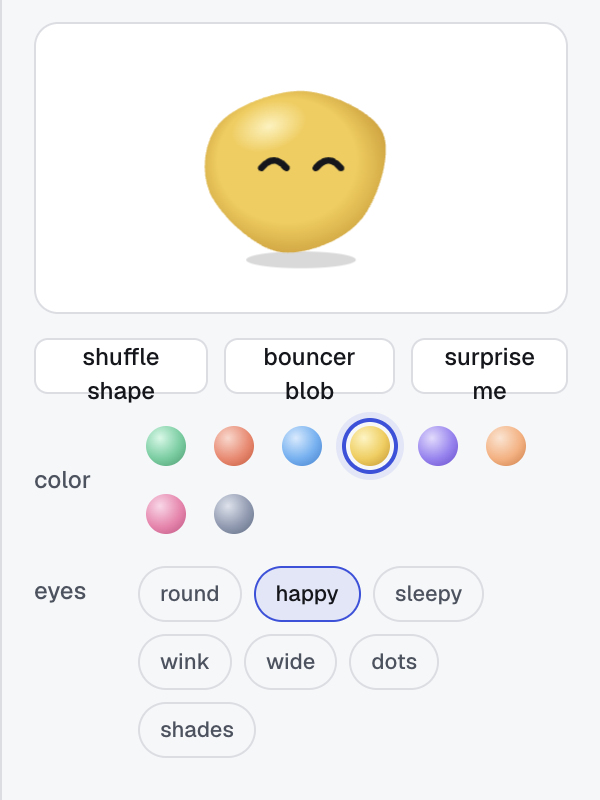
- name is required. Give it a short name, such as Pip.
- tagline is a few words about what the bot is like. It shows on the bot's card.
- personality is required. Describe who the bot is, how it talks, and what it cares about. To start, pick one of the start from options: friendly, witty, calm, creative, coach, or tutor. The option fills in a starting personality you can edit.
Add up to eight short traits, such as curious or patient. Type a trait and press Enter or ,. Press Backspace in an empty field to remove the last one, or click the x on a trait.
The greeting is the first message the bot says in a new chat. Leave it empty if you do not want one.
Creativity sets how varied the bot's replies are:
- precise gives steady, predictable answers.
- balanced is the default middle ground.
- creative gives more varied and surprising answers.
Model chooses the model the bot prefers. Whatever is loaded uses the model you have loaded.
Click Create bot to save a new bot, or Save when you edit one. Cancel closes the builder without saving.
Each bot has a room in Rebound. The room holds the bot and its chats, and you chat with the bot there. Bots and their chats never appear in Chat, which is for plain conversations with a model.
- Open Rebound and click the bot's card to open its room.
- Start a new chat, or continue one of the chats already listed with the bot.
- Type a message and send it. The bot replies in character. To delete a chat, use its trash icon in the room.
The bot's personality replaces the presets in its chats. A bot uses its own system prompt and sampling, so the preset does not apply.
Hover a bot's card and open its menu (the three dots):
- Edit opens the builder with the bot's current settings.
- Duplicate makes a copy you can change.
- Reset to original restores a starter bot to how it shipped. It appears only on starter bots.
- Delete removes the bot and all of its chats.
- Chat for plain chats with a model
- Models for installing the models bots can use
- Slash commands
- Keyboard shortcuts