Project
The Project page lists the name and the details of the created Projects. A Project consists of the configuration of one Book.
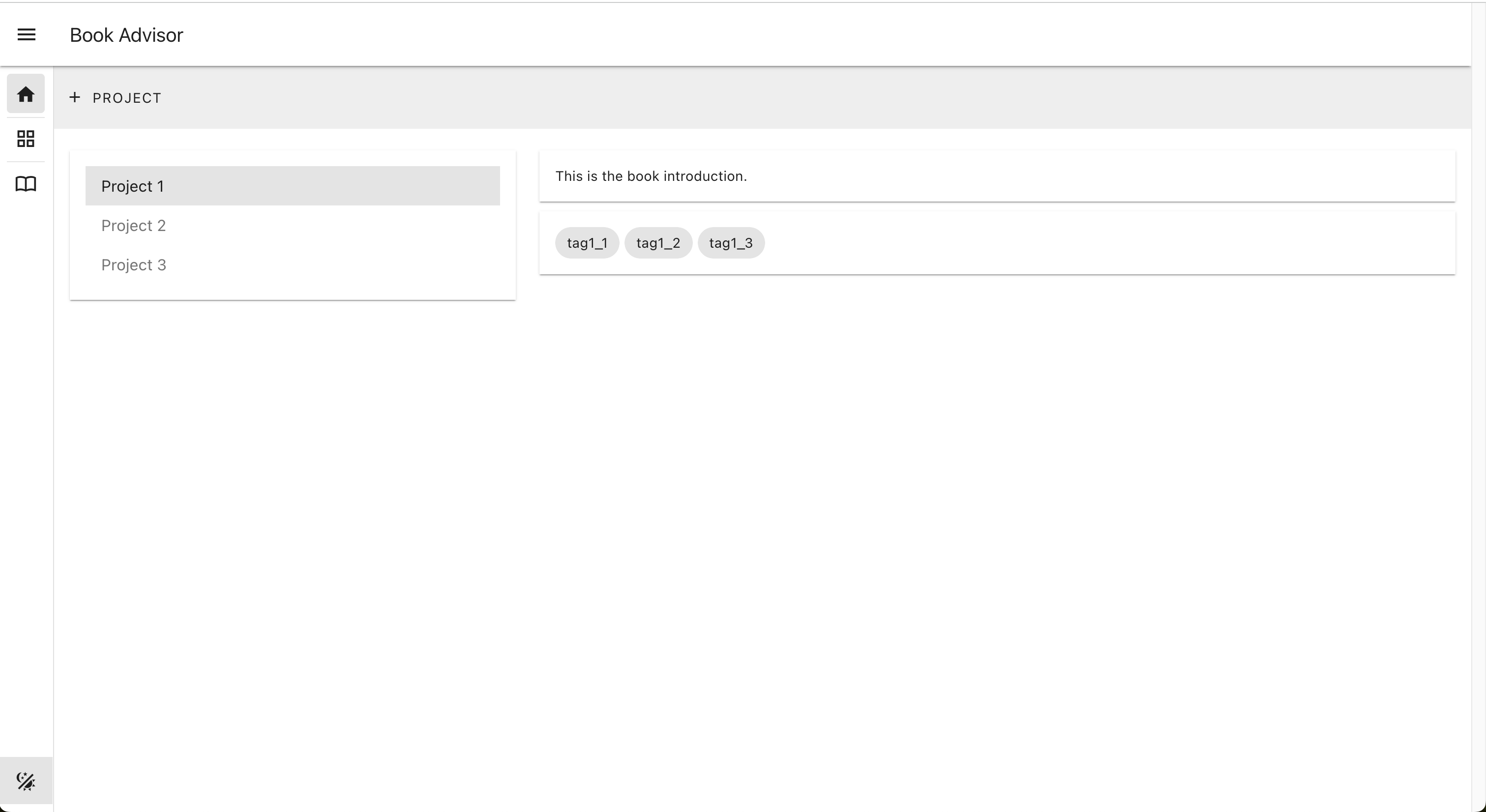
The Navigation Bar on the left side provides the links to the Project page, the Project Map page, and the Project Book page.
The Toolbar on the top of the Project page contains the Create Project button.
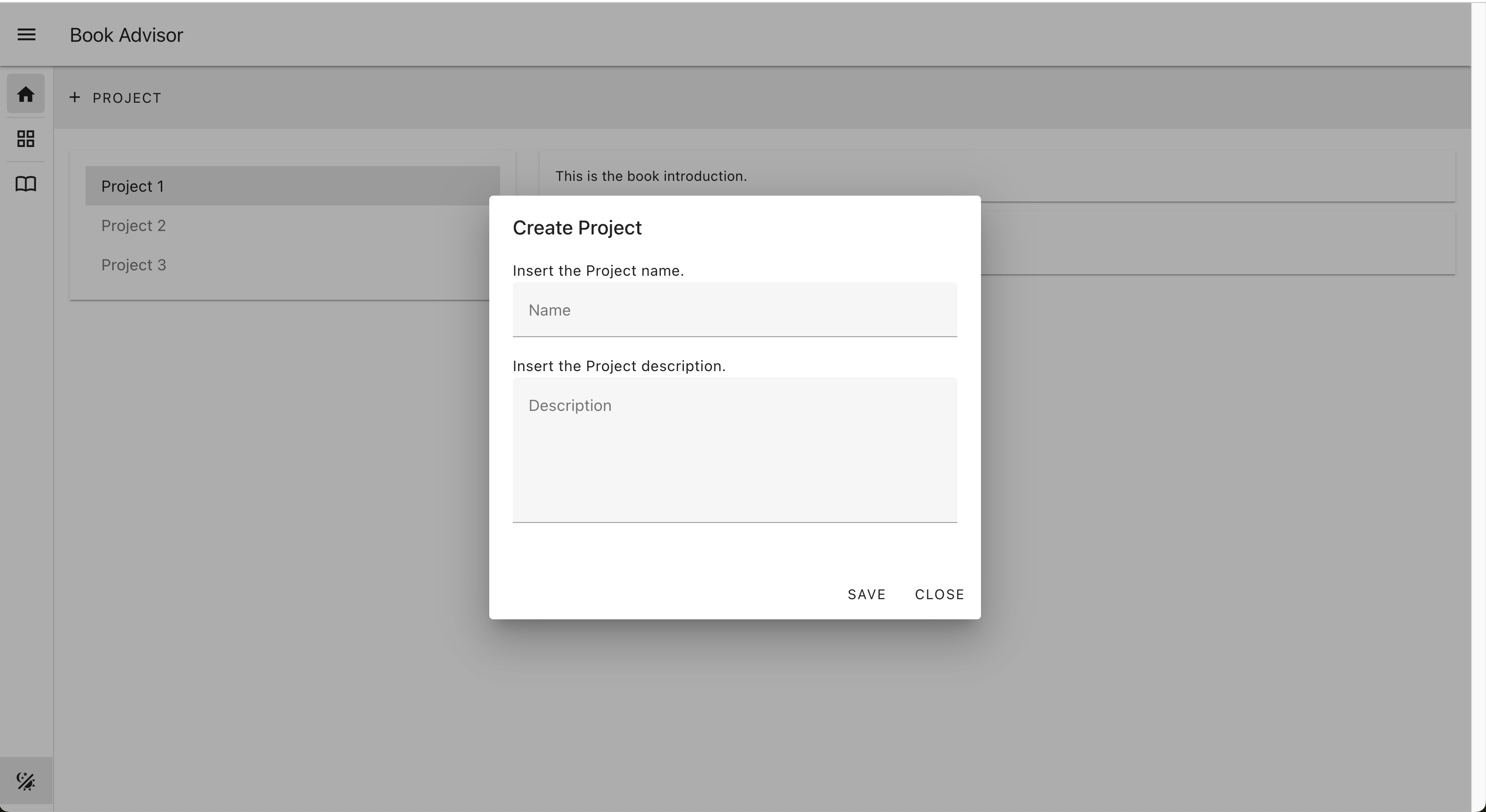
The Create Project action triggers the creation of a new Project.
Specify the name and the description of the Project in the Create Project dialog.
The Project page contains the list of the created Projects.
Select one Project to see the details of the Project: the description and the Tags.
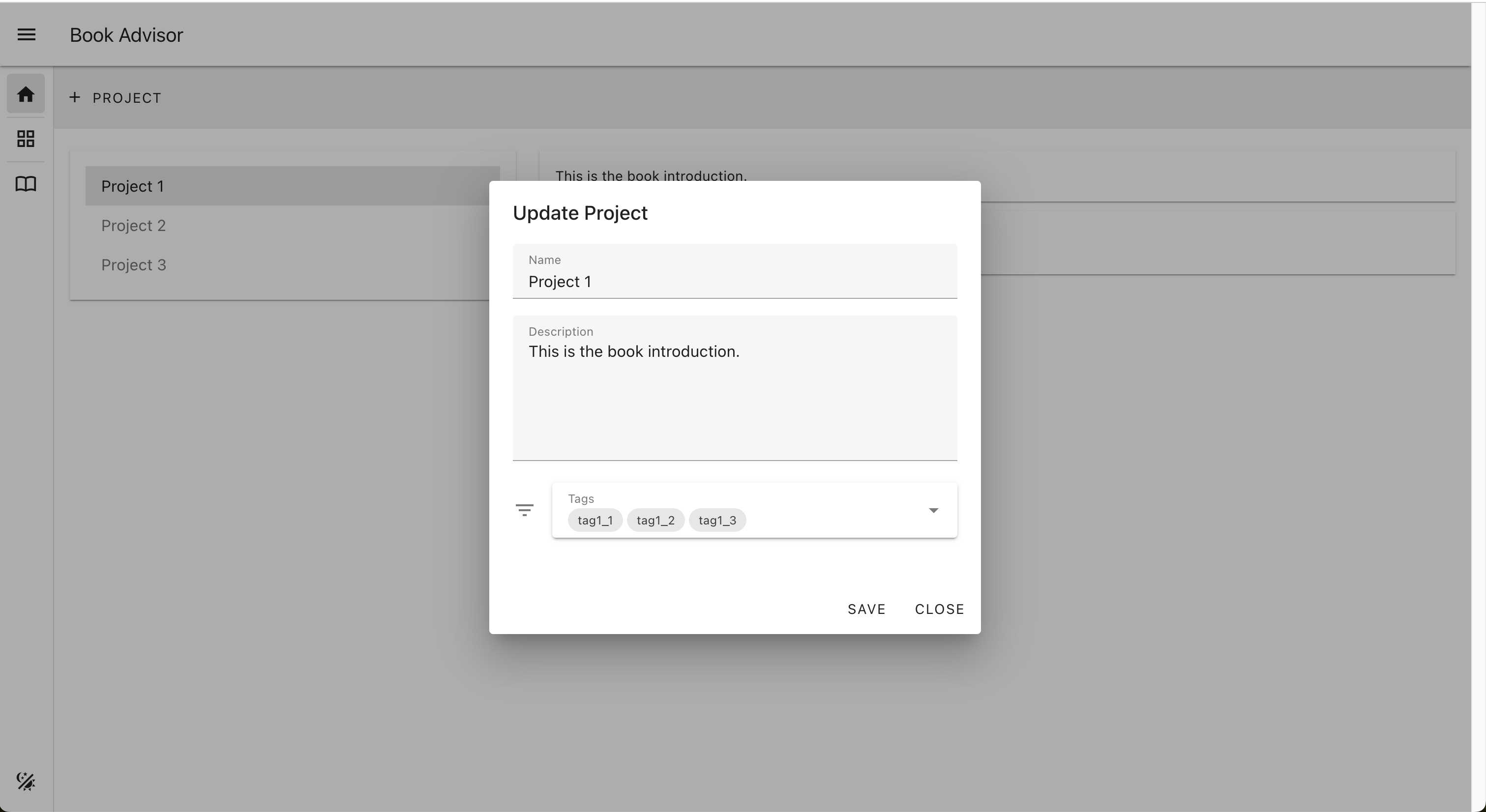
The Update Project button appears on the right side of the Project name in the Projects List with the mouse hover on the Project entry.
From the Update Project dialog, specify the name, and the description of the Project. The Tags dropdown lists the Tags currently associated with the Project. You can remove existing Tags and add new Tags to the Project from the Tags dropdown.
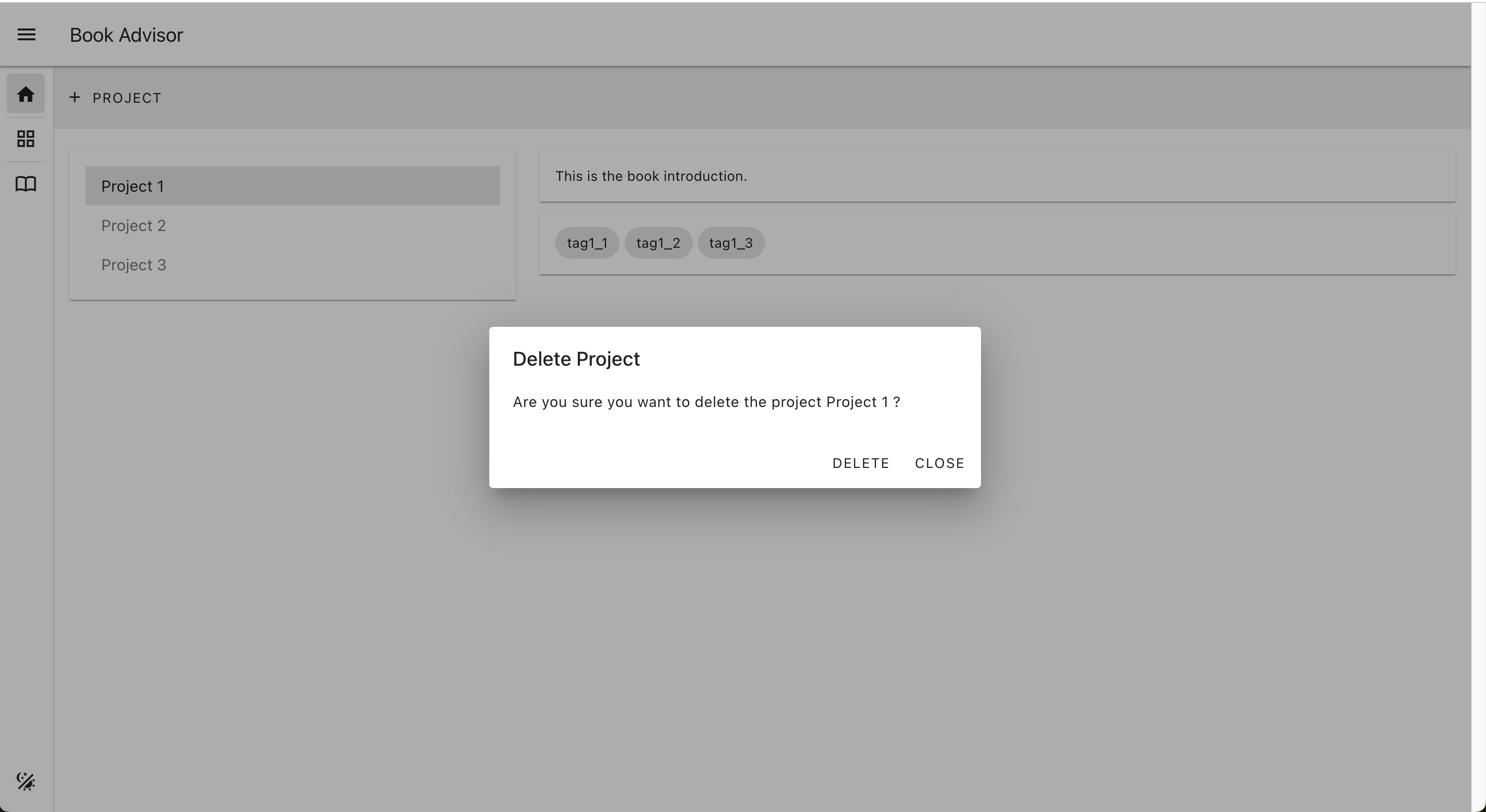
The Delete Project button appears on the right side of the Project name in the Projects List with the mouse hover on the Project entry.
Click on the "Delete" button from the Delete Project dialog in order to delete the Project.