Repository navigation
Home
Voxtrama is a self-hosted tool that transcribes recordings, tells the speakers apart and turns the transcript into a recap whose every point carries a quote you can play back. It is local-first: it runs in Docker on your own machine, offline once its models are downloaded, and the audio never leaves the installation unless you point a job at a remote model server yourself.
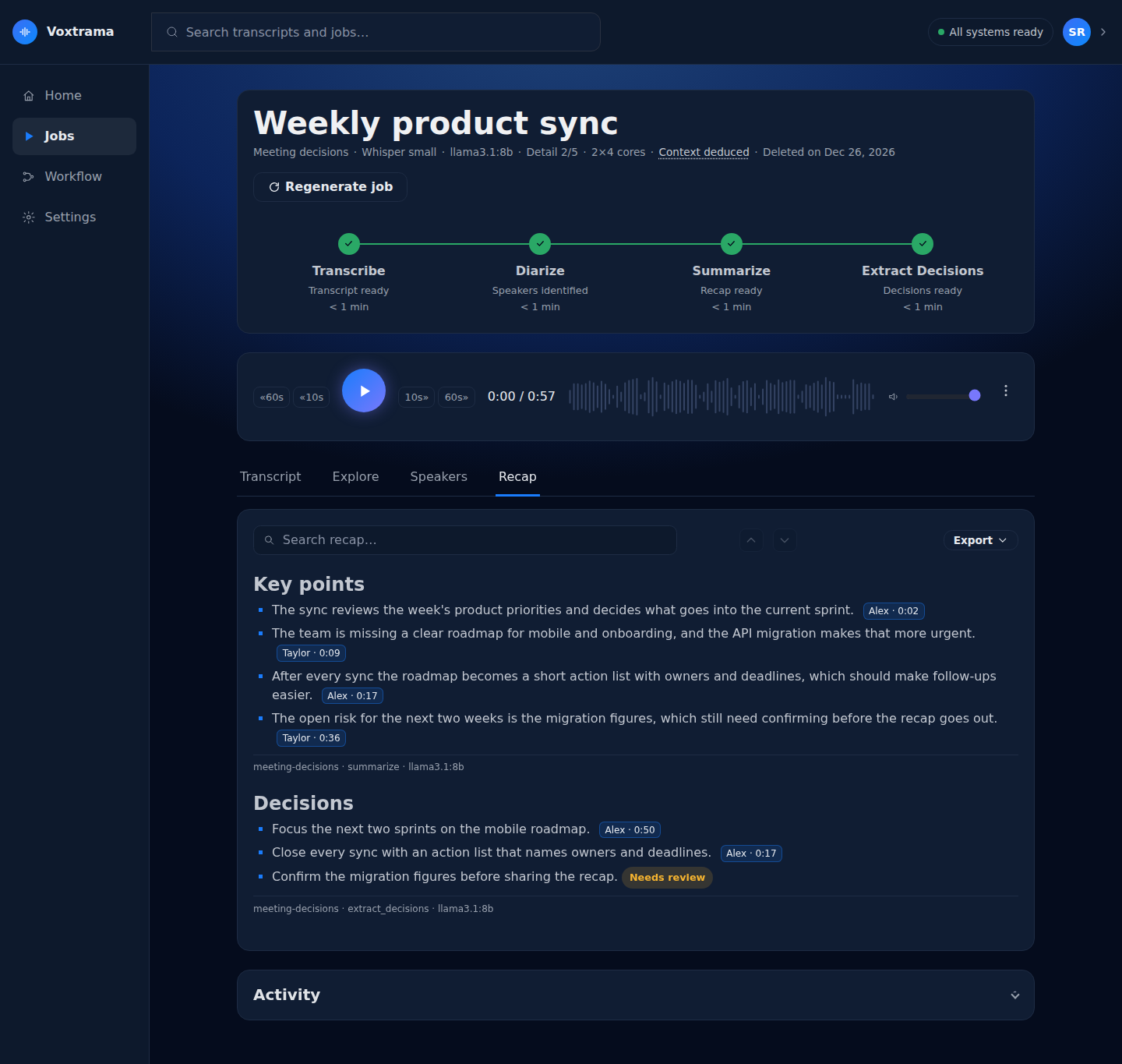
Voxtrama takes a recording you already have (a meeting, a lesson, an interview) and produces a transcript with the speakers told apart, then a recap, decisions, themes or key concepts.
- Transcribes audio with Whisper, on the processor of your machine. The model depends on the profile: small, medium or large-v3.
- Tells the speakers apart in one recording (speaker diarization, up to 4 voices by default) and lets you name them in the Speakers tab.
- Runs a workflow on the transcript: a recap plus decisions, themes or concepts, written by a summary model served by Ollama. Recap languages: Italian, English, Spanish, French, German, Portuguese and Dutch.
- Ties every generated point to the audio. A point whose quote cannot be found in the transcript is marked Needs review instead of being shown as fact.
-
Keeps a record of each job in
manifest.json: which models ran, with which settings, on which file. A job can be regenerated with other choices, and the steps that did not change are reused. - Deletes what you no longer need, by hand or after a retention period you choose.
- It does not remember voices. Speakers are told apart inside one recording. No voice print is kept to recognise a person in the next recording, so you name speakers by hand. This keeps biometric data, a special category of personal data under GDPR Article 9, out of the installation.
- It does not download audio from other sites. It works on files you already have.
- It does not use a graphics card for transcription. The Voxtrama image is CPU only. A summary model can use a graphics card if the Ollama server it runs on has one.
- It does not transcribe in real time. It processes finished recordings, not a live microphone.
Voxtrama has three parts in this guide: Install, Use and Reference.
- Requirements: the hardware, the software and the platforms Voxtrama has been tested on. Start the Install path here.
- Your first job: from a new installation to a checked recap, step by step. Start the Use path here.
-
Command line: the
voxtramacommand, with exit codes. Start the Reference path here. - Troubleshooting: what to check when something does not work.
The Install path, in order: Requirements, then Install on macOS or Install on Linux, then Set up the summary model, then First start, then Check the installation.
Voxtrama 0.1.0a2 is pre-release software. It has been tested end to end on macOS with an Intel processor. Linux and Apple Silicon have not been tested end to end yet, and Windows is not supported yet. Screens and settings may still change between versions.