Repository navigation
Workflows and skills
A workflow is the list of steps a job runs. A skill is what one step does: transcribe, tell the speakers apart, write a recap, extract decisions. Voxtrama ships three workflows plus Transcribe only, and you can build one of your own.
Open Workflow in the side bar to see them.
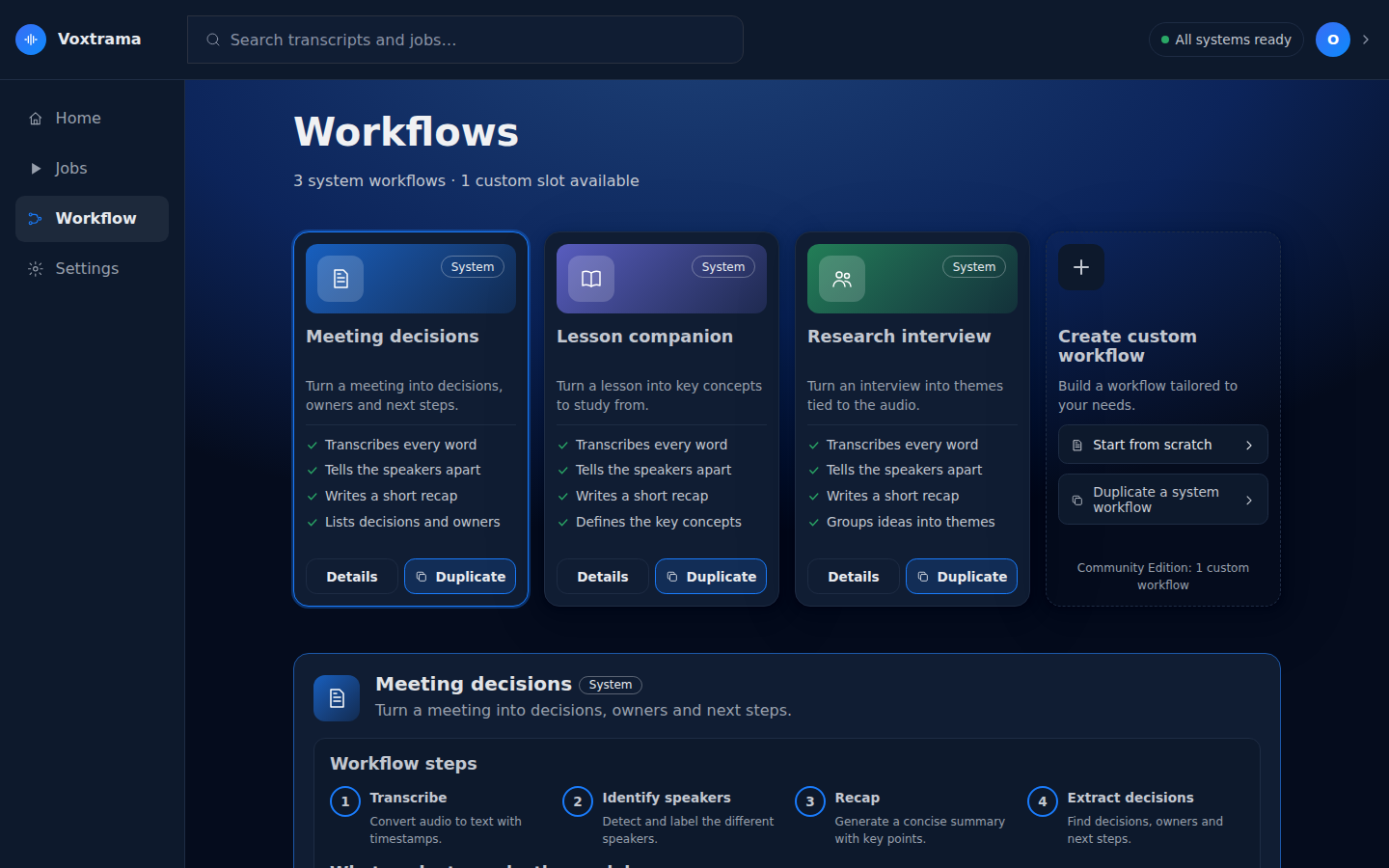
| Workflow | Steps | What you read at the end |
|---|---|---|
| Meeting decisions | Transcribe, Identify speakers, Recap, Extract decisions | key points, and the decisions with owner and deadline |
| Lesson companion | Transcribe, Identify speakers, Recap, Extract concepts | key points, and the concepts with their definitions |
| Research interview | Transcribe, Identify speakers, Recap, Find themes | key points, and the themes, each with its insight |
| Transcribe only | Transcribe, Identify speakers | the transcript with its speakers |
Transcribe only is the Transcription only, no summary box of the new-job form, under Advanced, rather than a card of its own in the form.
The Workflow page shows each workflow as a card tagged System or Custom, and says how many system workflows there are and whether a custom slot is available. A card has these buttons:
| Button | What it does | On which cards |
|---|---|---|
| Details | shows the steps of the workflow and what each step asks the model | all |
| Duplicate | starts a custom workflow from a copy of this one | system workflows |
| Edit | edits the custom workflow | the custom workflow |
| the trash button, Delete this workflow | deletes the custom workflow | the custom workflow |
Details shows Workflow steps and, under What each step asks the model, the instructions each generative step sends to the summary model. The highlighted parts are filled in for each job: the transcript, the recap language and the detail level. The instructions of a system workflow are read-only; duplicate the workflow to write your own.
| Skill | In the interface | Produces | Runs |
|---|---|---|---|
transcribe |
Transcribe | the transcript, with the time of each sentence | inside Voxtrama |
diarize |
Identify speakers | a speaker label on each sentence | inside Voxtrama |
summarize |
Recap | key points, each with a quote | on the summary model |
extract_decisions |
Extract decisions | decisions, each with owner, deadline and quote | on the summary model |
extract_themes |
Find themes | themes, each with an insight and a quote | on the summary model |
extract_concepts |
Extract concepts | concepts, each with a definition and a quote | on the summary model |
Transcription and speaker identification always run inside Voxtrama, on this machine. The other four send the transcript to the model server: on this machine by default, on another one if you configure it. See Summary models and servers. Every point of the four generative skills carries a quote, which Voxtrama then looks for in the transcript; see Read and check the results.
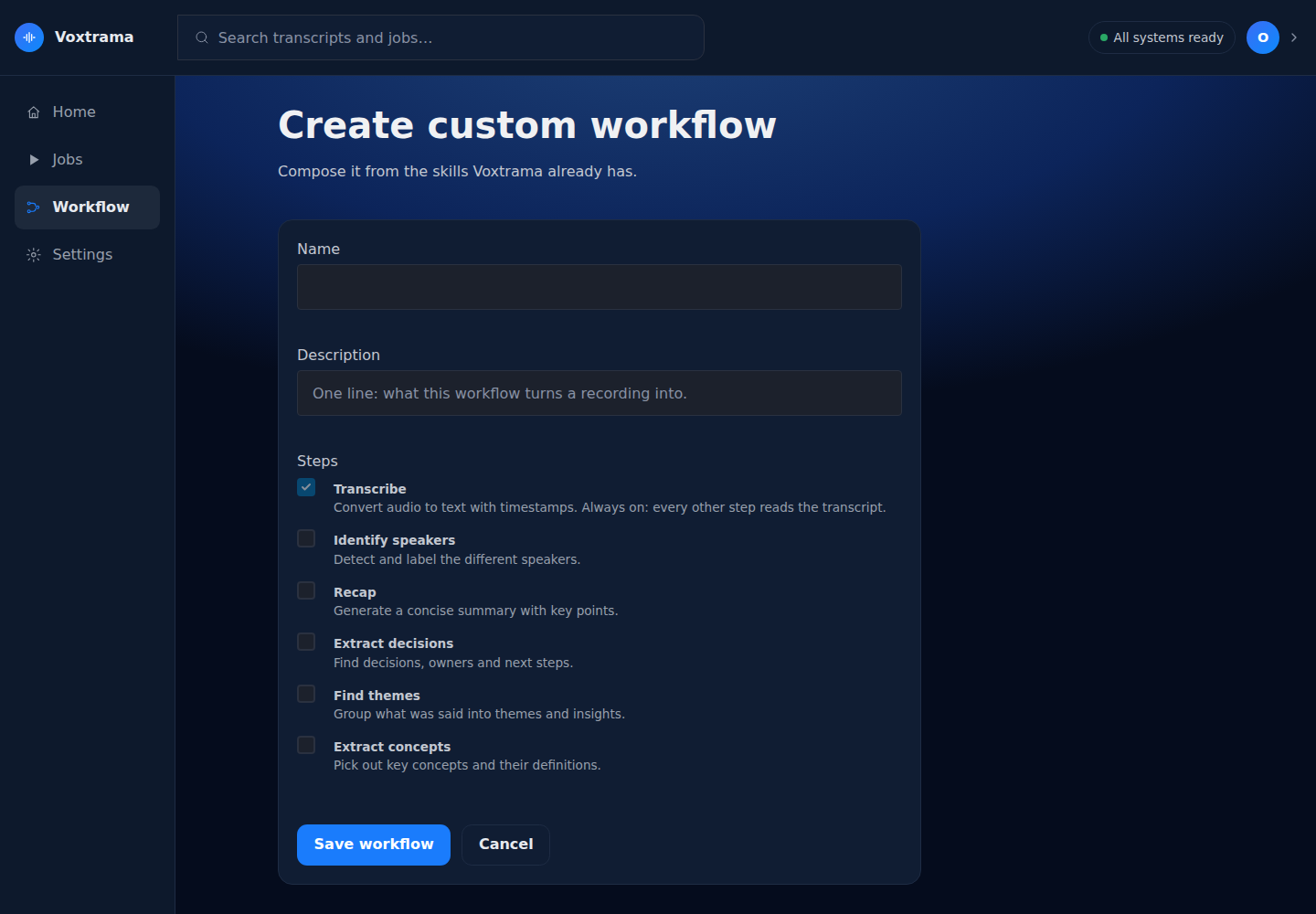
Create custom workflow starts from scratch with Start from scratch, and Duplicate (or Duplicate a system workflow) starts from a system workflow.
-
Open Workflow in the side bar and press Create custom workflow.
-
Fill in the fields:
Field Limit What it holds Name 60 characters, required the title of the workflow Description 140 characters one line: what this workflow turns a recording into Steps tick the steps you want; Transcribe is always on, because every other step reads the transcript Instructions for each generative step you ticked, the text sent to the summary model, starting from the system skill's text -
Press Save workflow.
You should see: the Workflow page with a card tagged Custom, which also appears in the new-job form.
The steps run in a fixed order, whatever order you ticked them in: transcribe, identify speakers, recap, then the extractions.
The instructions are a template. They must contain {transcript}, where the transcript goes. {language}, the recap language, and {detail}, the detail level, are filled in too, and are optional. To write a literal brace, write it twice: {{ and }}. Any other placeholder is refused when you save, for example {summary} is refused with "unknown placeholder". The answer of the model must keep the same fields as the system skill's answer.
The Community Edition allows one custom workflow. When it is in use, the creation card says "The custom workflow allowed is already in use: edit it, or delete it to create another." Deleting a workflow does not affect the jobs that ran it: each job keeps its own copy of the workflow it ran.
System workflows cannot be edited or deleted.
A workflow can declare, for a step, other skills or models a job may run instead. Meeting decisions, for example, allows Find themes in place of Extract decisions, and allows two other summary models for that step. Details on the workflow's card has an Advanced section that lists these alternatives, one list per step called Skill for step and the step's name, with the current one marked current.
-
Open Details on the card of the workflow.
-
Open Advanced and choose the skill for the step.
-
Press Save changes.
You should see: the choice saved. It saves a copy of the workflow in your data folder, and the next jobs run it.
A workflow that declares none says "This workflow declares no alternative skill for any step."
A skill, a workflow or a single step can carry privacy: local_only. A step marked this way never runs on a remote model server: a job that would send it to one is refused before any data leaves the machine. In a workflow file, the mark sits on the step:
steps:
  - id: summarize
    skill: summarize
    skill_version: 1.0.0
    depends_on: [diarize]
privacy: local_onlySettings, then Data & privacy, shows for each workflow whether its steps stay on this machine or part of them leave it, and which model server each step would use. Privacy and data explains what leaves the machine.
To write a workflow as a file, field by field, see Workflow files.