Repository navigation
Home
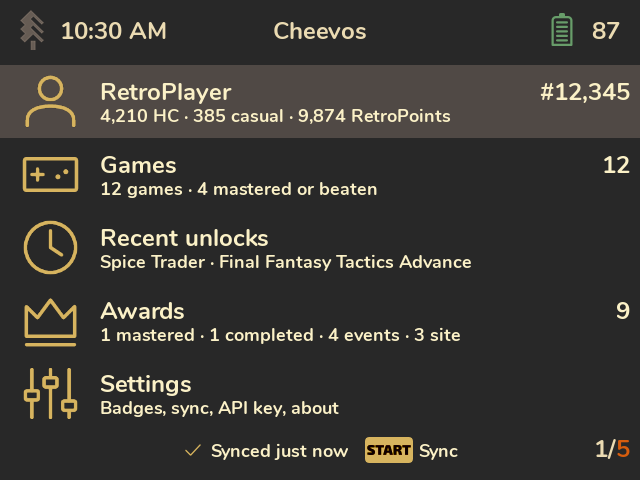
Your RetroAchievements, on your handheld. Cheevos is an app for SpruceOS that shows your RetroAchievements profile, game progress, achievements, awards and unlock screenshots, right on the device, in the look of your Spruce theme.
- Your games with progress bars, drawn the way RetroAchievements draws them: hardcore unlocks in gold, casual unlocks in grey, and a dot for mastered and beaten games.
- Every achievement of a game, as a list or a badge grid: badges, points, rarity, type tags (progression, win condition, missable) and the date you unlocked it.
- Unlock screenshots: if RetroArch saves a screenshot when you unlock an achievement, Cheevos shows it on the achievement and full screen.
- Recent unlocks across all games, and your profile's awards: mastered and completed games, events and site badges, as a carousel, a grid or a list.
- Your profile: points, rank, last played game, player stats and games per console.
- Works offline. Everything is cached on the SD card. When Wi-Fi is on, Cheevos syncs only what changed.
- Offline unlocks. If you use RAOfflineProxy, unlocks waiting to be sent to RetroAchievements show up as "Pending sync".
- Spoiler-free if you like: hide the descriptions of locked achievements, all of them or just the story ones.
- Installation: requirements, installing, updating, removing.
- Setup: your username and Web API key.
- Screens: a tour of every screen.
- Controls: buttons on every screen.
- Sync and offline play: what syncing does, offline use, RAOfflineProxy.
- Settings: every option explained.
- Themes and devices: themes, resolutions, supported devices.
- Limitations: what Cheevos doesn't do, and why.
- Troubleshooting: common problems, logs, data and privacy.
Cheevos isn't affiliated with RetroAchievements or SpruceOS. All data, badges and game icons come from RetroAchievements.org through its public Web API.