Repository navigation
Themes and Devices
Cheevos is drawn with Spruce's own UI toolkit, so it uses your theme's fonts, colours, backgrounds, highlight and button badges. Progress bars and award markers use RetroAchievements' gold and silver where they're readable on your theme, and the theme's own text colour where they aren't (on a yellow theme, for example).
| SPRUCE | MINIMAL | Pico-8 |
|---|---|---|
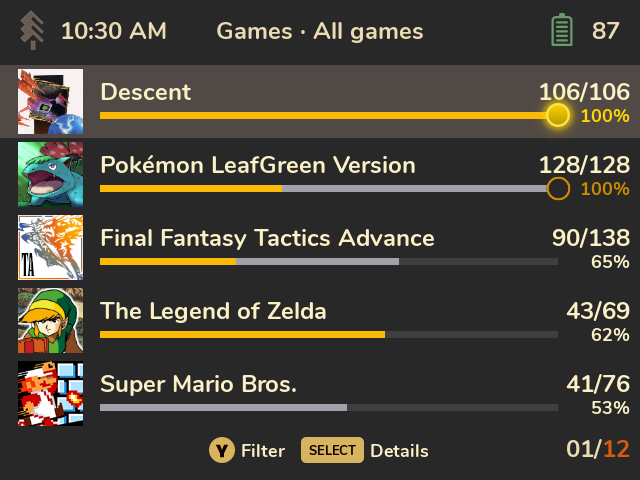 |
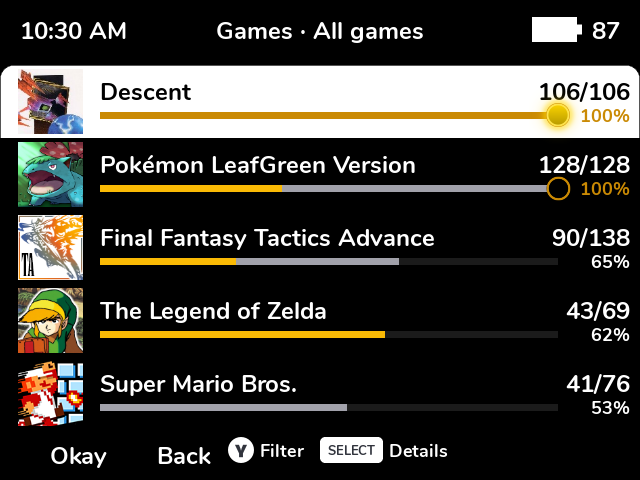 |
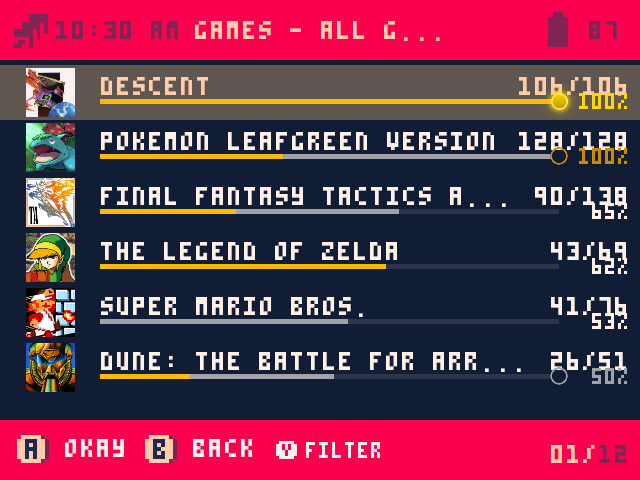 |
Themes with their own button hints in the bottom bar ("A Okay B Back") keep them; Cheevos adds its hints after them. Theme fonts don't have emoji, so emoji in rich presence texts are left out. Some pixel fonts lack accented letters; Cheevos then shows the plain letter ("Pokemon").
Every resolution Spruce's default theme supports is laid out properly: 640×480, 720×480, 752×560, 720×720, 960×720, 1024×768, 1280×720 and 480×800. Icons are drawn at whole-pixel sizes so the pixel art stays sharp.

Cheevos supports every device supported by SpruceOS. It uses Spruce's own UI toolkit and the same launcher settings Spruce uses for its UI on each platform.