Web Blocker
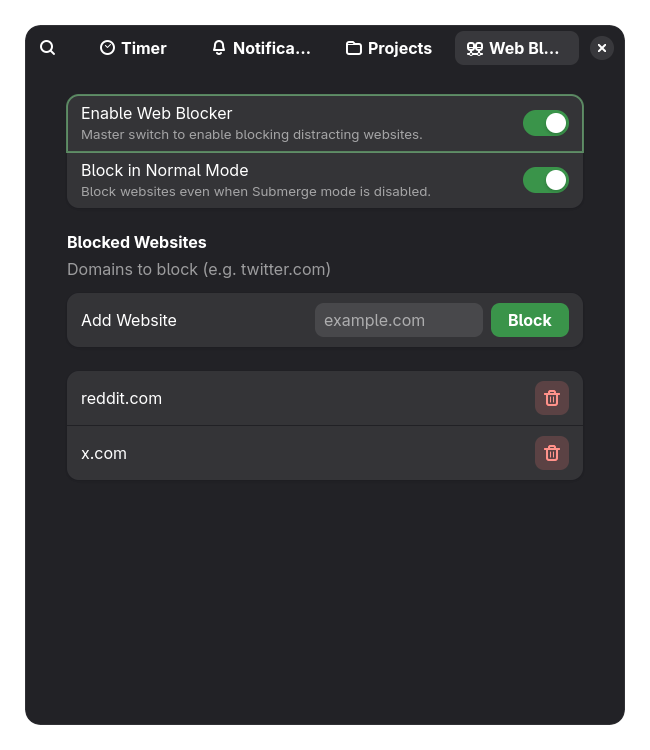
Willpower is finite. Instead of relying on yourself to not open a new tab, the Web Blocker takes the decision out of your hands. By blocking access at the system level, it ensures that even if you try to visit a distracting site, it simply won't load.
Under the hood, Deep Dive uses Polkit to safely modify your Linux /etc/hosts file. It routes distracting domains to 0.0.0.0 the second a timer starts, and instantly restores the file the second a break begins. Because it uses Polkit, you only ever have to enter your password once during setup.
- Click the hamburger menu (three dots) and open Preferences.
- Navigate to the Web Blocker tab.
- Click "Install Polkit Rule". You will be asked for your system password once to grant Deep Dive permission to edit
/etc/hostsseamlessly in the future. - Toggle on "Enable Web Blocker". You can optionally check the box to enforce the blocker even when Submerge Mode is turned off.
- Add your distracting domains (e.g.,
reddit.com,twitter.com) to the list.