Completion Sounds
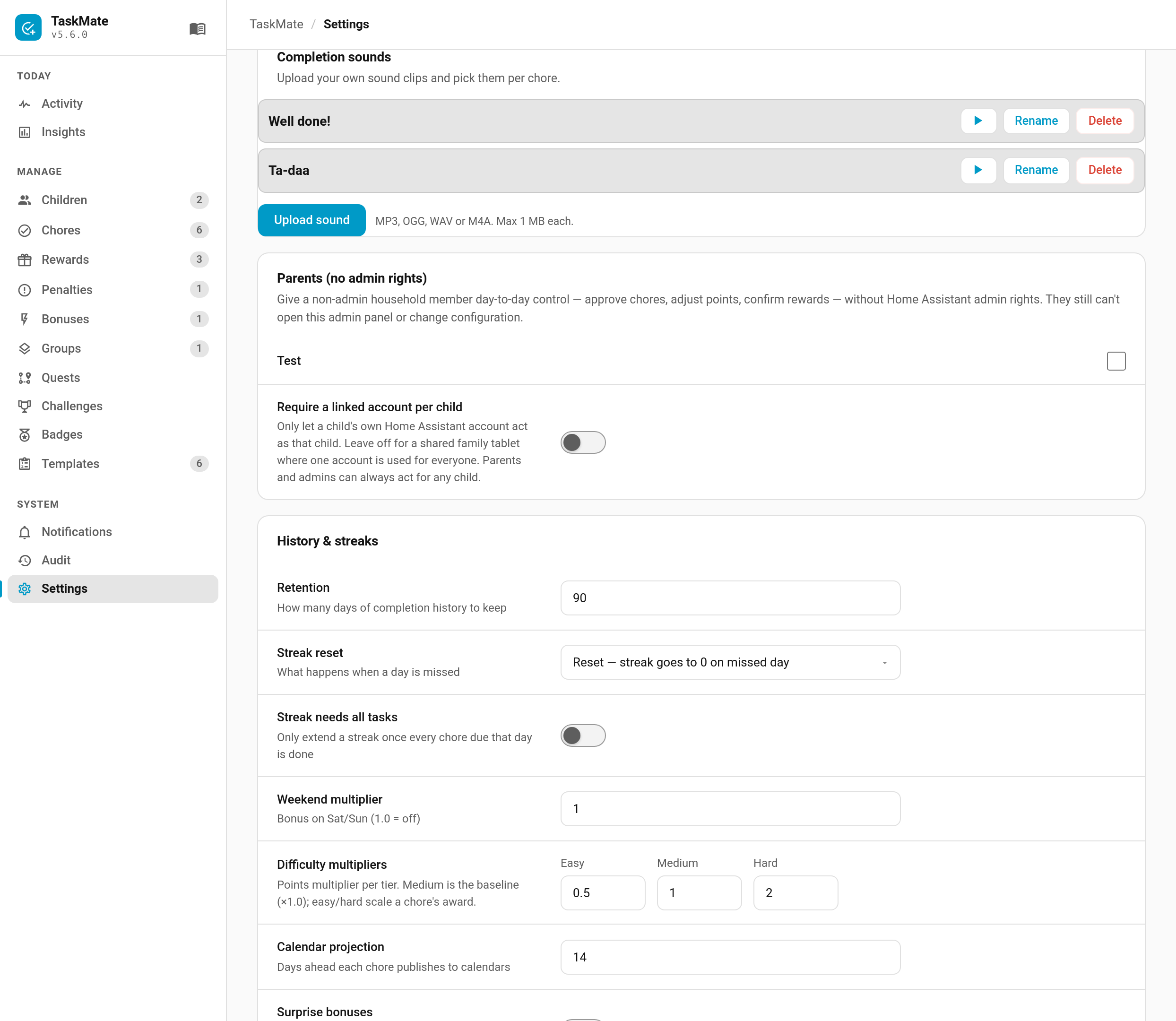
Ticking off a chore plays a sound. TaskMate ships a set of built-in effects, and from v5.6.0 you can upload your own clips and choose one per chore — a recorded "well done", a favourite game noise, whatever gets a five-year-old to do the bins.
Every chore has a Completion sound in its editor. Six of the built-ins — coin, level-up, fanfare, chime, power-up and undo — are synthesised in the browser, so they involve no files at all. The joke sounds are short clips shipped with the integration. none plays nothing. None of them need an upload.
Admin panel → Settings → Completion sounds → Upload sound.
| Formats | MP3, OGG, WAV, M4A |
| Maximum size | 1 MB per clip |
The format list is deliberately short: these are the ones every browser Home Assistant runs in can decode. A clip that stored fine but silently failed to play would be worse than a refused upload.
The 1 MB cap is about purpose rather than disk space. A completion sound is instant feedback on a tap — anything approaching a song would delay the very thing it is meant to reward.
Once uploaded, a sound can be played, renamed or deleted from the same screen.
Open any chore and pick your sound from Completion sound. Uploaded sounds appear in the same dropdown as the built-ins, under the name you gave them.
- Uploads are admin-only. Children can play sounds, not add them.
-
The file type is checked by reading the file, not by trusting its name. Renaming a document to
.mp3will not get it in. - Deleting a sound resets the chores using it. Any chore pointing at a deleted sound goes back to the default rather than falling silent, and the panel tells you how many were changed.
- Sounds are configuration, not history. Unlike chore evidence photos they are never swept automatically; they stay until you delete them.
- Browsers block audio until the page has been interacted with. The first sound after a fresh page load may not play; any tap on the dashboard is enough to release it.
The taskmate.preview_sound service plays a sound in open dashboards, which is handy when picking one:
action: taskmate.preview_sound
data:
  sound: fanfare
An uploaded sound is referenced by its stored value, which the panel shows for you; built-ins use their plain name.
- Celebrations — the bigger moments: level-ups, streak milestones, perfect weeks
- Dashboard Cards — which cards play completion sounds
- Admin Panel — where the Settings screens live