The waitlist and offers
📖 This page is auto-mirrored from
docs/user-guide/waitlist-and-offers.mdonmain. Please propose changes by pull request — direct wiki edits are overwritten by the next sync.
Audience: Member
What to do when the nights you want are full: join the waitlist, and — if a
bed frees up — accept the offer before it expires. You join the waitlist from the
booking wizard (/book) when a night is full, and you act on an offer from My
Bookings (/bookings) and the emails the club sends. The waitlist states are
in STATE_MACHINES.md.
- The nights you want show as Full in the booking calendar.
- You are happy to take a different lodge if one has room (where your club runs more than one lodge).
- You have received a waitlist offer and need to accept it before it lapses.
- In the booking wizard, choose the nights you want. If they are Full, the wizard offers to add you to the waitlist instead of booking.
- If your club runs more than one lodge, you can opt into alternate lodges — so an offer can come from another lodge that frees up, not only the one you first chose.
- Join the waitlist. Your waitlisted entry appears in My Bookings with a Waitlist status; a later offer shows as Waitlist Offered.
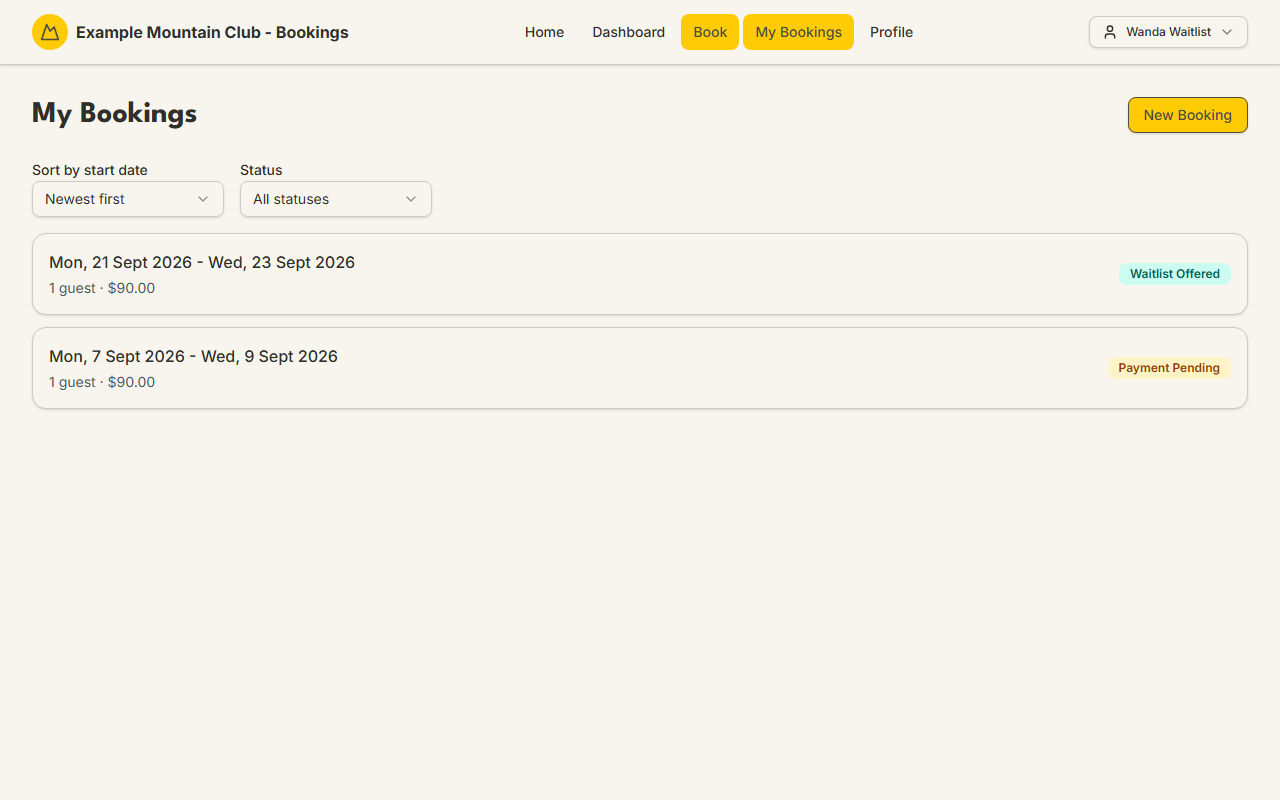
- When a bed frees up, the club offers it to you — you are emailed and the entry in My Bookings flips to Waitlist Offered.
- Open the offer and accept it before it expires. The offer states its expiry; if it lapses, the place can pass to the next person on the list.
- If the offer is for a different lodge than you first chose (a cross-lodge offer), it names the lodge and its price — which may differ from your original lodge — and asks you to confirm explicitly. Accepting books a fresh entry at the offered lodge.
- Once you accept, settle any payment due exactly as for a normal booking — see Paying for your stay.
| Thing | What to expect |
|---|---|
| Joining the waitlist | Only offered when your chosen nights are full |
| Alternate lodges | Opt in to receive offers from other lodges (multi-lodge clubs) |
| Getting an offer | You are emailed and the entry shows Waitlist Offered in My Bookings |
| Offer expiry | Each offer expires; accept before then or it may pass on |
| Cross-lodge offer | Names the lodge and its price (which can differ) and needs explicit confirmation |
| After accepting | Pay as normal; a cross-lodge accept creates a fresh booking at that lodge |
Prices are shown in dollars. The cross-lodge alternate-lodge behaviour follows the club's multi-lodge configuration.
| Symptom | Why it happens | What to do |
|---|---|---|
| Your offer will not accept | It has expired, or capacity changed again before you accepted | If it lapsed, you keep your place in line for the next opening; contact the club office if unsure |
| The offered price is not what you expected | It is a cross-lodge offer at a lodge with different rates | The offer names the lodge and price; confirm only if you are happy with it |
| You are not getting offers for other lodges | You did not opt into alternate lodges when you joined | Re-join the waitlist and opt into alternate lodges |
| The offer says a bed is needed but payment is required | Accepting an offer still needs the booking paid | Accept, then pay from the booking's Complete Payment card |
- Back to the Member & Guest Guide and the documentation hub.
- Sibling guides: Booking a stay, Paying for your stay.
- Reference: the waitlist lifecycle. Operators run the waitlist queue with the Waitlist guide.