Repository navigation
Releases: thwonp/plorpOS
Release list
plorpOS nano v1.0 (RG Nano) - Roms/ folder, arcade titles, vertical games upright

plorpOS nano v1.0 for the RG Nano does some folder organization and Arcade tweaks.
All other device builds are unchanged.
| Device | Download | Guide |
|---|---|---|
| TrimUI Brick / Brick Hammer / Brick Pro | plorpOS-brick-v1.5.3.zip |
Installing on the Brick |
| GKD 350H Ultra | plorpOS-gkd-v1.5.2.zip |
Installing on the GKD |
| Anbernic RG SP (on BaseOS) | plorpOS-h700-v1.5.2.zip |
Installing on the RG SP |
| Anbernic RG Nano (on DrUm78's FunKey-OS) | plorpOS-nano-v1.0-sdcard.zip |
Installing on the RG Nano |
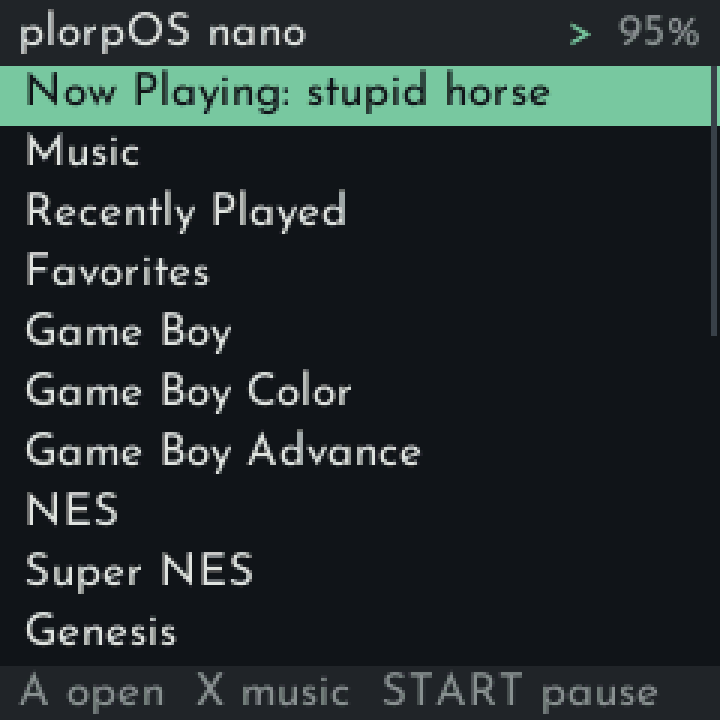
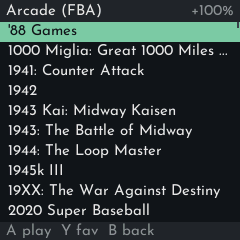
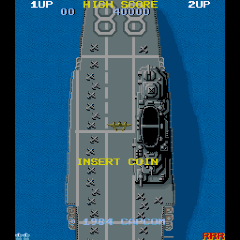
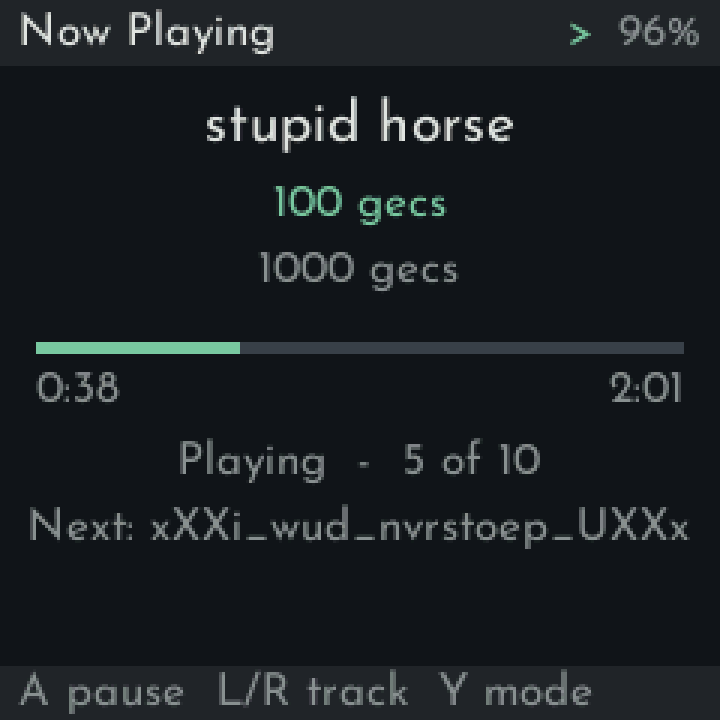
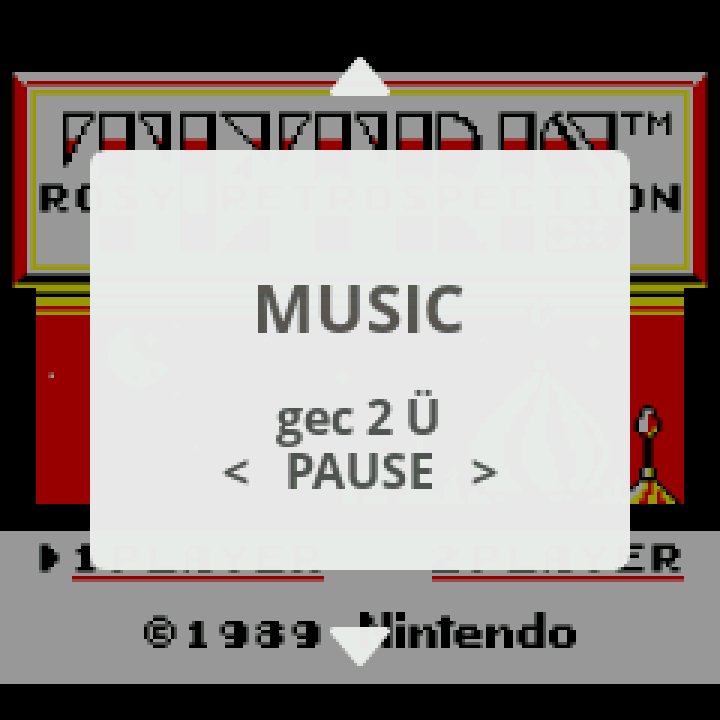
New (RG Nano only)
Roms/parent folder: every console's folder now lives inRoms/, besideSaves/andBios/. `Screenshots/' now go top-level too. Folders are now named to match the other plorpOS ports.- Arcade game titles: MAME 2000 and FB Alpha 2012 lists show their proper titles instead of filenames like
mslug, sorted by title. BIOS sets likeneogeo.zipare hidden. - Vertical arcade games upright: PicoArch now automatically rotates vertical arcade games, both in fbalpha and mame2000. Screen rotation in advanced options still turns the picture further if you want to hold the Nano sideways.
Install (RG Nano)
- Flash the extracted
plorpOS-nano-v1.0-sdcard.zipto a microSD card (Rufus or any image tool). Flashing wipes the card. - The first start sets up the card (under a minute), then the shelf comes up. Copy your music to
Music/, games toRoms/<console>/and BIOS files toBios/over USB. - Full guide: Installing on the RG Nano.
From v0.2
- Re-flash (recommended), or copy the
plorpOSfolder fromplorpOS-nano-v1.0-UPDATE.zipover the one on your card, then move your console folders intoRoms/and rename the ones listed above - inSaves/too. Recently Played and Favorites forget games from renamed folders.
From v0.1
- Re-flash. Back up your music, games, BIOS files and
FunKey/.picoarch/(saves are in itsdata/folders) first, then copy saves intoSaves/<console>/.
Known issues
- The speaker can pop on play/pause and when a USB DAC is plugged in or out (probably a hardware limitation, also existed on the base OS)
- After unplugging a USB DAC, the computer connection (adb, network) may not come back until a restart.
- Inactive shutdown can power the Nano off during a long USB copy; set it to Never in Settings while copying.
Credits and sources
Built on DrUm78's FunKey-OS and kernel (DrUm78/linux v1.0-rg-nano), rebuilt unchanged except for populated files/folders and the boot logo; mirrored at thwonp/FunKey-OS and thwonp/linux. Arcade title lists generated from the MAME 2000 and FB Alpha 2012 romset data. Sources and licences: see the guide's "Sources and licences" section.
plorpOS nano v0.2 (RG Nano) - All cores updated, flashable card image
plorpOS nano v0.2 for the Anbernic RG Nano now has all cores updated as of Oct. 2026, and ships an image for a simple flash install (DrUm78's FunKey-OS has been re-packaged with plorpOS nano's updates compiled in).
| Device | Download | Guide |
|---|---|---|
| TrimUI Brick / Brick Hammer / Brick Pro | plorpOS-brick-v1.5.3.zip |
Installing on the Brick |
| GKD 350H Ultra | plorpOS-gkd-v1.5.2.zip |
Installing on the GKD |
| Anbernic RG SP (on BaseOS) | plorpOS-h700-v1.5.2.zip |
Installing on the RG SP |
| Anbernic RG Nano (on DrUm78's FunKey-OS) | plorpOS-nano-v0.2-sdcard.zip |
Installing on the RG Nano |
Install
- Flash the extracted
plorpOS-nano-v0.2-sdcard.zipto a microSD card (Rufus or any image tool). Flashing wipes the card. - The first start sets up the card (under a minute), then the shelf comes up. Copy your music, games and BIOS files over USB.
- Full guide: Installing on the RG Nano.
New
- All 14 cores updated to current upstream - Full notes on the picoarch release.
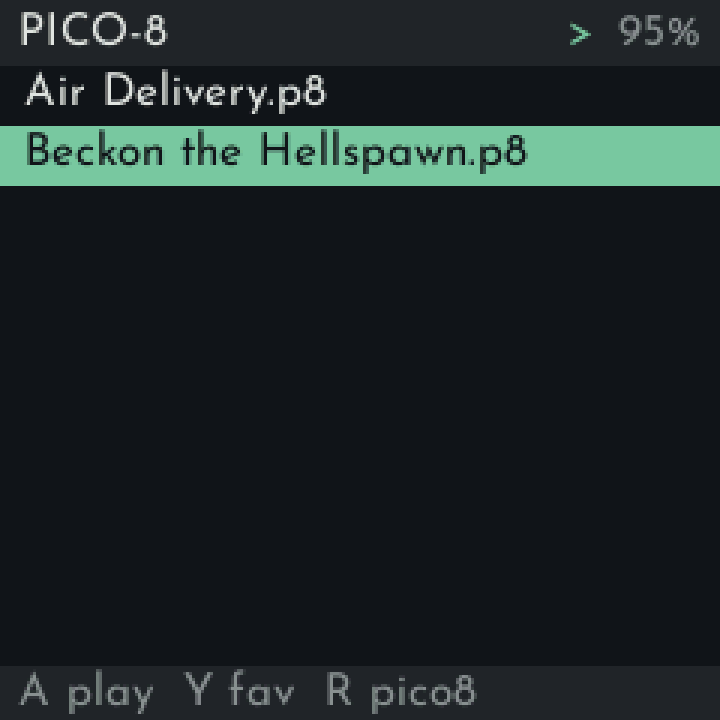
- Optional native PICO-8: put your own
pico8_dynandpico8.dat(Raspberry Pi download) inBios/; R in the PICO-8 list switches between fake08 and native. - Saves in
Saves/<console>/and BIOS files inBios/, like the other plorpOS ports. - A clean card: only plorpOS's folders, none of FunKey's menus or demo games.
- plorpOS boot logo.
From v0.1
- Re-flash. Back up your music, games, BIOS files and
FunKey/.picoarch/(saves are in itsdata/folders) first, then copy saves intoSaves/<console>/- the names already match.
Updates moving forward will be a simple folder copy the RG Nano will detect and install at boot.
Known issues
- The speaker can pop on play/pause and when a USB DAC is plugged in or out (probably a hardware limitation, also existed on the base OS)
- After unplugging a USB DAC, the computer connection (adb, network) may not come back until a restart.
Credits and sources
Built on DrUm78's FunKey-OS and kernel (DrUm78/linux v1.0-rg-nano), rebuilt unchanged except for populated files/folders and the boot logo. Sources and licences: see the guide's "Sources and licences" section.
plorpOS v1.5.3 (Brick fixes)
plorpOS is a fork of TortOS that grew into its own project. It has a slew of extra/different features and runs on a handful of different devices. If you want a more focused experience with different device support, check out upstream TortOS.
| Device | Download | Guide |
|---|---|---|
| TrimUI Brick / Brick Hammer / Brick Pro | plorpOS-brick-v1.5.3.zip |
Installing on the Brick |
| GKD 350H Ultra | plorpOS-gkd-v1.5.2.zip |
Installing on the GKD |
| Anbernic RG SP (on BaseOS) | plorpOS-h700-v1.5.2.zip |
Installing on the RG SP |
| Anbernic RG Nano (on DrUm78's FunKey-OS) | plorpOS-nano-v0.1.zip |
Installing on the RG Nano |
v1.5.3 (Brick / Brick Pro only)
A bug-fix release for the Brick. GKD, RG SP and RG Nano are unchanged: their downloads above are the v1.5.2 ones.
- Fast-forward with a shader: with any shader set, holding fast-forward did nothing. It now runs fast as it does with no shader.
- Volume in the in-game menu: opening the in-game menu put the volume back to where it was before the game, so a level you changed while playing jumped back. The menu now keeps your in-game volume (tested on speaker, headphones and USB DAC).
Updating from v1.5.2: only TortOS/tortos.elf and TortOS/diatom changed (and INSTALL.md, for the new zip name). Everything else in the zip is identical to v1.5.2.
plorpOS nano v0.1 (RG Nano) + plorpOS v1.5.2 (Bricks/GKD/RG SP)
plorpOS is a fork of TortOS that grew into its own project. It has a slew of extra/differnt features and runs on a handful of different devices. If you want a more focused experience with different device support, check out upstream TortOS.
| Device | Download | Guide |
|---|---|---|
| TrimUI Brick / Brick Hammer / Brick Pro | plorpOS-brick-v1.5.2.zip |
Installing on the Brick |
| GKD 350H Ultra | plorpOS-gkd-v1.5.2.zip |
Installing on the GKD |
| Anbernic RG SP (on BaseOS) | plorpOS-h700-v1.5.2.zip |
Installing on the RG SP |
| Anbernic RG Nano (on DrUm78's FunKey-OS) | plorpOS-nano-v0.1.zip |
Installing on the RG Nano |
New: plorpOS nano v0.1 for the Anbernic RG Nano
A super stripped down, music-first plorpOS for the RG Nano, on DrUm78's FunKey-OS. Muse plays on the shelf and through your games, with a MUSIC page in the game menu; speaker or USB DAC.
- Shelf: consoles, Recently Played, Favorites (Y), Music (artists > albums > tracks, queue, Now Playing with play modes)
- Power tap: dim to Now Playing; Inactive shutdown (default 5 min); Dimmed button lock
- Note: Now-Playing dim mode runs at the lowest power level possible. Turning off the screen entirely isn't possible (hardware limitation).
- A power-key-saved game resumes through plorpOS, music playlist position is saved
- Settings: USB gadget / ADB modes, Mount card on computer (USB mode only), Controls guide, battery in the header
Known issues: adb may not come back after unplugging a USB DAC (restart).
PicoArch fork (GPL): https://github.com/thwonp/picoarch/tree/plorpos-nano
v1.5.2 (Brick, GKD, RG SP)
This is a minor release for all platforms other than RG Nano. See the v1.5.1 notes for everything else.
- Muse: when the audio output is busy (a game or headset still holding it), Muse now stops on the current track instead of skipping through the rest of the album.
Updating from v1.5.1: only TortOS/tortos.elf and TortOS/muse changed (and INSTALL.md, for the new zip name). Everything else in the zip is identical to v1.5.1.
plorpOS v1.5.1 - USB DAC support - TrimUI Brick / Brick Pro + GKD 350H Ultra + Anbernic RG SP
plorpOS is a fork of TortOS that grew into its own project. It has a slew of extra/different features, and runs on a handful of different devices. If you want a more focused experience with different device support, check out upstream TortOS.
| Device | Download | Guide |
|---|---|---|
| TrimUI Brick / Brick Hammer / Brick Pro | plorpOS-brick-v1.5.1.zip |
Installing on the Brick |
| GKD 350H Ultra | plorpOS-gkd-v1.5.1.zip |
Installing on the GKD |
| Anbernic RG SP (on BaseOS) | plorpOS-h700-v1.5.1.zip |
Installing on the RG SP |
New in v1.5.1
- USB DAC support on every device. Plug in a USB-C DAC and all audio sources play through it within about a second. It takes priority over 3.5mm or Bluetooth. MENU > Audio Output reads
auto (USB DAC)(set it toSpeakerto skip the DAC). Volume buttons work and unplugging it pauses Muse.- Brick / Brick Pro: plug the DAC into the top USB-C port.
- Brick / Brick Pro: Wi-Fi can cause brief audio dropouts, more so on a weak signal. If you hear them, turn Wi-Fi off under MENU > Wi-Fi Services while you listen.
- Only tested using a Fiio KA13 but all USB-C DACs/headsets should work. Let me know if that's not the case.
Updating from v1.5: only TortOS/tortos.elf and TortOS/muse changed. Everything else in the zip is identical to v1.5.
New in v1.5
- Anbernic RG SP support. plorpOS as a frontend for BaseOS: BaseOS on TF1, plorpOS on TF2. This release was built and tested on BaseOS 1.3.0 (
baseos-rgsp-1.3.0). Every system, shaders, Muse, Wi-Fi, Bluetooth headphones and sleep work as on the other devices, and closing the lid puts it to sleep. Other H700 handhelds come later. - Sega 32X.
.32xgames play at full speed on every device. - Sega CD and Sega 32X get their own shelves. Put games in
Roms/Sega CDorRoms/32Xfor cards of their own, or keep them inRoms/Genesisas before. - System Sorting Options in MENU > UI Settings: Sort the systems shelf by Year (as before), A-Z, or Maker. Favorites stays first and Muse last.
- Turbo Assign. Bind it under Hotkeys, then in a game press it and a button to make that button turbo. Press it again to undo, or hold it for 2 seconds to clear them all. Lasts until the game quits.
- Date & Time in MENU > System Settings: set the clock and the time zone (pulled from upstream).
- Hold to repeat volume and brightness, in games (pulled from upstream) and native PICO-8 too.
- Muse: Loose songs move to
Music/Singles, and an album folder put straight intoMusic/is filed under its artist when its tags name one (pulled from upstream).- Also added the option to Sort by Year based on tags.
Changed
- Sega systems now run on PicoDrive (was Genesis Plus GX): This enables 32x support without adding another core to resident memory. As a bonus, Picodrive is lighter on resources.
- WARNING: Sega save-states from earlier builds will not load. In-game saves (.srm files) should carry over fine.
- Fixed turbo is gone. X and Y are no longer turbo A/B on two-button systems, and GBA's L2/R2 no longer trigger turbo L/R, so they are free for hotkeys. Use Turbo Assign instead.
- The battery disc is 50% larger and stays gray. Charging and low battery show as a green or red ring around it.
- The screen goes dark as soon as the power-off animation ends (pulled from upstream).
Performance Tweaks
- Idle screens stop drawing. Menus, settings, Muse's track list, the in-game menu and every other screen used to redraw constantly while nothing on them moved, costing 11-16% of the CPU on the GKD just sitting there. They now draw only when something changes, as the shelf already did (the GKD's in-game menu went from about 65 frames a second to 3 while idle). All devices.
- Muse over native PICO-8 no longer keeps a CPU core busy while idle.
- Faster boot. The launcher and the emulator start sooner, system cards load in the background, and the emulator gets its cores ready on a separate thread.
- Faster power-on with a big music library. The shelf appears seconds sooner (2.5 s instead of 9.4 s on a Brick with 13,000 tracks), and Muse finishes reading the library in the background.
Fixed
- After a hard reset, Wi-Fi and Bluetooth could stay off until the next boot
- With the screen off for music, connecting or disconnecting headphones didn't move the sound until the screen woke.
- Audio would sometimes not transfer to Bluetooth headphones when connected after a game launch.
- Pico-8 Native never used Bluetooth audio (Brick)
- From upstream: Muse crackled on loud recordings & a deleted album cover was never fetched again.
plorpOS Highlights
See the README for everything, but in short:
- More Systems compared with upstream TortOS. plorpOS adds Arcade + NeoGeo (FBNeo), PlayStation, PICO-8 (Native and fake-08), Sega CD, Sega 32X and PC Engine CD
- Music + Audiobooks with background playback extended to all additional systems.
- Rewind, fast-forward, quick save/load, screenshots and configurable hotkeys.
- Shaders on every device, 15 in total.
- Sleep + Suspend support.
- Scraping (inherited from TortOS) plus an optional gamelist.xml offline metadata importer.
Fresh install
Download the zip for your device below and follow INSTALL.md inside it.
- Brick / Brick Pro: copy everything inside the zip to the root of an exFAT card.
- GKD: put the service hooks on the GKD once, then copy everything inside
copy_to_sd/to the root of an exFAT card. The guide walks through both. - RG SP: download
baseos-rgsp-1.3.0.img.zipfrom BaseOS's releases and write it to the card in TF1, then copy everything inside the plorpOS zip to the root of a second card in TF2. The guide walks through both.
Updating from an earlier build
Your settings, save states, favorites, play time and achievements are kept: they live in .userdata/, which the zip doesn't touch. (Sega save states are the exception - see Changed above.)
Brick / Brick Pro:
- Turn the device off and put its card in your computer.
- Copy everything inside
plorpOS-brick-v1.5.zipover the card, replacing what's there. - Coming from plorpOS v1.1 or TortOS? Move your battery saves. Those builds kept
.srmfiles loose inSaves/; since v1.2 they live in a folder per console, named like the console'sRoms/folder -Saves/Game Boy Advance/,Saves/SNES/and so on. Move each.srminto its console's folder, creating the folder if it isn't there. A game started before its save is moved begins without it. Coming from v1.2 or later, skip this. - Eject the card, put it in the Brick or the Brick Pro and turn it on. MENU > About shows 1.5.
GKD (from plorpOS v1.0 or later):
- Turn the GKD off and put its card in your computer.
- Copy everything inside
copy_to_sd/over the card, replacing what's there. The service hooks on the GKD itself haven't changed, so there is nothing else to redo. - Eject the card, put it back in the GKD and turn it on. MENU > About shows 1.5.
RG SP: this is its first release - see Fresh install.
plorpOS v1.5 - TrimUI Brick / Brick Pro + GKD 350H Ultra + Anbernic RG SP
plorpOS is a fork of TortOS that grew into its own project. It does everything TortOS does, with some extra stuff on top.
| Device | Download | Guide |
|---|---|---|
| TrimUI Brick / Brick Hammer / Brick Pro | plorpOS-brick-v1.5.zip |
Installing on the Brick |
| GKD 350H Ultra | plorpOS-gkd-v1.5.zip |
Installing on the GKD |
| Anbernic RG SP (on BaseOS) | plorpOS-h700-v1.5.zip |
Installing on the RG SP |
New in v1.5
- Anbernic RG SP support. plorpOS as a frontend for BaseOS: BaseOS on TF1, plorpOS on TF2. This release was built and tested on BaseOS 1.3.0 (
baseos-rgsp-1.3.0). Every system, shaders, Muse, Wi-Fi, Bluetooth headphones and sleep work as on the other devices, and closing the lid puts it to sleep. Other H700 handhelds come later. - Sega 32X.
.32xgames play at full speed on every device. - Sega CD and Sega 32X get their own shelves. Put games in
Roms/Sega CDorRoms/32Xfor cards of their own, or keep them inRoms/Genesisas before. - System Sorting Options in MENU > UI Settings: Sort the systems shelf by Year (as before), A-Z, or Maker. Favorites stays first and Muse last.
- Turbo Assign. Bind it under Hotkeys, then in a game press it and a button to make that button turbo. Press it again to undo, or hold it for 2 seconds to clear them all. Lasts until the game quits.
- Date & Time in MENU > System Settings: set the clock and the time zone (pulled from upstream).
- Hold to repeat volume and brightness, in games (pulled from upstream) and native PICO-8 too.
- Muse: Loose songs move to
Music/Singles, and an album folder put straight intoMusic/is filed under its artist when its tags name one (pulled from upstream).- Also added the option to Sort by Year based on tags.
Changed
- Sega systems now run on PicoDrive (was Genesis Plus GX): This enables 32x support without adding another core to resident memory. As a bonus, Picodrive is lighter on resources.
- WARNING: Sega save-states from earlier builds will not load. In-game saves (.srm files) should carry over fine.
- Fixed turbo is gone. X and Y are no longer turbo A/B on two-button systems, and GBA's L2/R2 no longer trigger turbo L/R, so they are free for hotkeys. Use Turbo Assign instead.
- The battery disc is 50% larger and stays gray. Charging and low battery show as a green or red ring around it.
- The screen goes dark as soon as the power-off animation ends (pulled from upstream).
Performance Tweaks
- Idle screens stop drawing. Menus, settings, Muse's track list, the in-game menu and every other screen used to redraw constantly while nothing on them moved, costing 11-16% of the CPU on the GKD just sitting there. They now draw only when something changes, as the shelf already did (the GKD's in-game menu went from about 65 frames a second to 3 while idle). All devices.
- Muse over native PICO-8 no longer keeps a CPU core busy while idle.
- Faster boot. The launcher and the emulator start sooner, system cards load in the background, and the emulator gets its cores ready on a separate thread.
- Faster power-on with a big music library. The shelf appears seconds sooner (2.5 s instead of 9.4 s on a Brick with 13,000 tracks), and Muse finishes reading the library in the background.
Fixed
- After a hard reset, Wi-Fi and Bluetooth could stay off until the next boot
- With the screen off for music, connecting or disconnecting headphones didn't move the sound until the screen woke.
- Audio would sometimes not transfer to Bluetooth headphones when connected after a game launch.
- Pico-8 Native never used Bluetooth audio (Brick)
- From upstream: Muse crackled on loud recordings & a deleted album cover was never fetched again.
plorpOS Highlights
See the README for everything, but in short:
- More Systems compared with upstream TortOS. plorpOS adds Arcade + NeoGeo (FBNeo), PlayStation, PICO-8 (Native and fake-08), Sega CD, Sega 32X and PC Engine CD
- Music + Audiobooks with background playback extended to all additional systems.
- Rewind, fast-forward, quick save/load, screenshots and configurable hotkeys.
- Shaders on every device, 15 in total.
- Sleep + Suspend support.
- Scraping (inherited from TortOS) plus an optional gamelist.xml offline metadata importer.
Fresh install
Download the zip for your device below and follow INSTALL.md inside it.
- Brick / Brick Pro: copy everything inside the zip to the root of an exFAT card.
- GKD: put the service hooks on the GKD once, then copy everything inside
copy_to_sd/to the root of an exFAT card. The guide walks through both. - RG SP: download
baseos-rgsp-1.3.0.img.zipfrom BaseOS's releases and write it to the card in TF1, then copy everything inside the plorpOS zip to the root of a second card in TF2. The guide walks through both.
Updating from an earlier build
Your settings, save states, favorites, play time and achievements are kept: they live in .userdata/, which the zip doesn't touch. (Sega save states are the exception - see Changed above.)
Brick / Brick Pro:
- Turn the device off and put its card in your computer.
- Copy everything inside
plorpOS-brick-v1.5.zipover the card, replacing what's there. - Coming from plorpOS v1.1 or TortOS? Move your battery saves. Those builds kept
.srmfiles loose inSaves/; since v1.2 they live in a folder per console, named like the console'sRoms/folder -Saves/Game Boy Advance/,Saves/SNES/and so on. Move each.srminto its console's folder, creating the folder if it isn't there. A game started before its save is moved begins without it. Coming from v1.2 or later, skip this. - Eject the card, put it in the Brick or the Brick Pro and turn it on. MENU > About shows 1.5.
GKD (from plorpOS v1.0 or later):
- Turn the GKD off and put its card in your computer.
- Copy everything inside
copy_to_sd/over the card, replacing what's there. The service hooks on the GKD itself haven't changed, so there is nothing else to redo. - Eject the card, put it back in the GKD and turn it on. MENU > About shows 1.5.
RG SP: this is its first release - see Fresh install.
plorpOS v1.4 - TrimUI Brick / Brick Pro + GKD 350H Ultra
plorpOS is a fork of TortOS that grew into its own project. It does everything TortOS does, with some extra stuff on top.
| Device | Download | Guide |
|---|---|---|
| TrimUI Brick / Brick Hammer / Brick Pro | plorpOS-brick-v1.4.zip |
Installing on the Brick |
| GKD 350H Ultra | plorpOS-gkd-v1.4.zip |
Installing on the GKD |
New in v1.4
- Brick Pro support. The Brick and the Brick Pro use the same zip, and one card works in both: set it up once and move it between them, saves and all. plorpOS tells the two apart when it starts. On the Pro, the left stick is a second d-pad in menus and games, and FN1/FN2 set the brightness.
- Brick Pro hotkeys on the sticks. Either stick click can be the hotkey modifier, and the right stick's four directions can be hotkeys, with the modifier held or alone.
- Fixed (Brick Pro): freezes and reboots a few seconds after waking from sleep, with Bluetooth headphones connected.
- Fixed (Brick and Brick Pro): PICO-8 Splore couldn't download carts. The BBS list loaded, but every download failed.
- Changed (Brick and Brick Pro): Wi-Fi now starts before Bluetooth, at power-on and after sleep. The two share one radio chip, and on the Brick Pro starting them together could freeze the device. Bluetooth headphones wait until Wi-Fi has connected, or has given up after 15 seconds, so they take longer to come back after sleep. If you don't need Wi-Fi, turn it off under MENU > Wi-Fi Services, and your headphones reconnect sooner.
- The GKD build is unchanged apart from the version number.
plorpOS Highlights
See the README for everything, but in short:
- More Systems compared with upstream TortOS. plorpOS adds Arcade + NeoGeo (FBNeo), PlayStation, PICO-8 (Native and fake-08), Sega CD and PC Engine CD
- Music + Audiobooks with background playback extended to all additional systems.
- Rewind, fast-forward, quick save/load, screenshots and configurable hotkeys.
- Shaders on both devices, 15 in total.
- Sleep + Suspend support.
- Scraping (inherited from TortOS) plus an optional gamelist.xml offline metadata importer.
Fresh install
Download the zip for your device below and follow INSTALL.md inside it.
- Brick / Brick Pro: copy everything inside the zip to the root of an exFAT card.
- GKD: put the service hooks on the GKD once, then copy everything inside
copy_to_sd/to the root of an exFAT card. The guide walks through both.
Updating from an earlier build
Your settings, save states, favorites, play time and achievements are kept: they live in .userdata/, which the zip doesn't touch.
Brick / Brick Pro:
- Turn the device off and put its card in your computer.
- Copy everything inside
plorpOS-brick-v1.4.zipover the card, replacing what's there. - Coming from plorpOS v1.1 or TortOS? Move your battery saves. Those builds kept
.srmfiles loose inSaves/; since v1.2 they live in a folder per console, named like the console'sRoms/folder -Saves/Game Boy Advance/,Saves/SNES/and so on. Move each.srminto its console's folder, creating the folder if it isn't there. A game started before its save is moved begins without it. Coming from v1.2 or later, skip this. - Eject the card, put it in the Brick or the Brick Pro and turn it on. MENU > About shows 1.4.
GKD (from plorpOS v1.0 or later):
- Turn the GKD off and put its card in your computer.
- Copy everything inside
copy_to_sd/over the card, replacing what's there. The service hooks on the GKD itself haven't changed, so there is nothing else to redo. - Eject the card, put it back in the GKD and turn it on. MENU > About shows 1.4.
plorpOS v1.3 - TrimUI Brick + GKD 350H Ultra
plorpOS is a fork of TortOS that grew into its own project. It does everything TortOS does, with some extra stuff on top.
| Device | Download | Guide |
|---|---|---|
| TrimUI Brick / Brick Hammer | plorpOS-brick-v1.3.zip |
Installing on the Brick |
| GKD 350H Ultra | plorpOS-gkd-v1.3.zip |
Installing on the GKD |
The Brick Pro is not supported yet.
New in v1.3
- Shaders on the Brick - the same fifteen as the GKD, scanlines to LCD grids and Pixel Transparency, on the in-game menu's Shader row. Each console remembers its own.
- Native PICO-8 on the Brick gets an in-game menu. MENU now opens Continue, Reset, Splore and Quit instead of quitting straight to the shelf. SELECT in that menu opens Muse, the game goes quiet while music plays, and the volume and brightness keys work in-game.
- Fewer SD card writes (both devices). A few games keep their working memory in the cartridge's save RAM and change it constantly - NES Final Fantasy and Kirby's Adventure, for example. plorpOS was writing their save file to the card every second for as long as they ran. Battery saves are now written at most once a minute while you play, and always when you open the in-game menu, put the device to sleep or quit. If the device loses power or a game crashes mid-play, you lose at most the last minute.
- Fixed (GKD): a game with a shader set no longer shows its first few frames without it.
Where's the RetroAchievements sign-in? Under MENU > Wi-Fi Services > Cheevos.
Highlights
See the README for everything, but in short:
- More Systems: Arcade + NeoGeo (FBNeo), PlayStation, PICO-8 (Native and fake-08), Sega CD and PC Engine CD
- Music + Audiobooks with background playback extended to all additional systems.
- Rewind, fast-forward, quick save/load, screenshots and configurable hotkeys.
- Shaders on both devices, 15 in total.
- Sleep + Suspend support.
- Scraping (inherited from TortOS) plus an optional gamelist.xml offline metadata importer.
Fresh install
Download the zip for your device below and follow INSTALL.md inside it.
- Brick: copy everything inside the zip to the root of an exFAT card.
- GKD: put the service hooks on the GKD once, then copy everything inside
copy_to_sd/to the root of an exFAT card. The guide walks through both.
Updating from an earlier build
Your settings, save states, favorites, play time and achievements are kept: they live in .userdata/, which the zip doesn't touch.
Brick:
- Turn the Brick off and put its card in your computer.
- Copy everything inside
plorpOS-brick-v1.3.zipover the card, replacing what's there. - Coming from plorpOS v1.1 or TortOS? Move your battery saves. Those builds kept
.srmfiles loose inSaves/; since v1.2 they live in a folder per console, named like the console'sRoms/folder -Saves/Game Boy Advance/,Saves/SNES/and so on. Move each.srminto its console's folder, creating the folder if it isn't there. A game started before its save is moved begins without it. Coming from v1.2, skip this. - Eject the card, put it back in the Brick and turn it on. MENU > About shows 1.3.
GKD (from plorpOS v1.0 or later):
- Turn the GKD off and put its card in your computer.
- Copy everything inside
copy_to_sd/over the card, replacing what's there. The service hooks on the GKD itself haven't changed, so there is nothing else to redo. - Eject the card, put it back in the GKD and turn it on. MENU > About shows 1.3.
plorpOS v1.2 - TrimUI Brick + GKD 350H Ultra
plorpOS is a fork of TortOS that grew into its own project. It does everything TortOS does, with some extra stuff on top.
| Device | Download | Guide |
|---|---|---|
| TrimUI Brick / Brick Hammer | plorpOS-brick-v1.2.zip |
Installing on the Brick |
| GKD 350H Ultra | plorpOS-gkd-v1.2.zip |
Installing on the GKD |
The Brick Pro is not supported yet.
New in v1.2
The Brick catches up with the GKD: every console plorpOS supports now plays on both.
- Arcade and Neo Geo on the Brick (FBNeo), with the games' real titles on the shelf.
- PlayStation on the Brick, multi-disc games included: in-game MENU > Disc picks the disc.
- PICO-8 on the Brick, with fake-08 or the native PICO-8 (bring your own
pico8_64). In native PICO-8, MENU quits back to the shelf. - Sega CD and PC Engine CD confirmed on the Brick.
- Longer rewind on the Brick - about 30 seconds on most consoles, less on PlayStation - and the Rewind Speed setting under in-game MENU > Hotkeys.
- A Saves folder per console on the Brick, as on the GKD, so two games with the same name on two consoles no longer share a save. See Updating below.
- Fixed (both devices): starting an arcade game with missing ROM files right after another arcade game could crash the emulator.
Shaders on the Brick are planned for v1.3.
Highlights
See the README for everything, but in short:
- Music + Audiobooks with background playback and screen-off / button lock behavior (extended from TortOS).
- Rewind, fast-forward, quick save/load, screenshots and configurable hotkeys.
- Sleep + Suspend support.
- Scraping (inherited from TortOS) plus an optional gamelist.xml offline metadata importer.
- On the GKD: shaders, Pixel Transparency included.
Fresh install
Download the zip for your device below and follow INSTALL.md inside it.
- Brick: copy everything inside the zip to the root of an exFAT card.
- GKD: put the service hooks on the GKD once, then copy everything inside
copy_to_sd/to the root of an exFAT card. The guide walks through both.
Updating from an earlier build
Your settings, save states, favorites, play time and achievements are kept: they live in .userdata/, which the zip doesn't touch.
Brick (from plorpOS v1.1 or TortOS):
- Turn the Brick off and put its card in your computer.
- Copy everything inside
plorpOS-brick-v1.2.zipover the card, replacing what's there. - Move your battery saves. Older builds kept
.srmfiles loose inSaves/; v1.2 looks for them in a folder per console, named like the console'sRoms/folder -Saves/Game Boy Advance/,Saves/SNES/and so on. Move each.srminto its console's folder, creating the folder if it isn't there. A game started before its save is moved begins without it. - Eject the card, put it back in the Brick and turn it on. MENU > About shows 1.2.
GKD (from plorpOS v1.0 or v1.1):
- Turn the GKD off and put its card in your computer.
- Copy everything inside
copy_to_sd/over the card, replacing what's there. The service hooks on the GKD itself haven't changed, so there is nothing else to redo. - Eject the card, put it back in the GKD and turn it on. MENU > About shows 1.2.
plorpOS v1.1 - TrimUI Brick + GKD 350H Ultra
plorpOS is a fork of TortOS that grew into its own project. It does everything TortOS does, with some extra stuff on top.
This is the first release for both handhelds:
| Device | Download | Guide |
|---|---|---|
| TrimUI Brick / Brick Hammer | plorpOS-brick-v1.1.zip |
Installing on the Brick |
| GKD 350H Ultra | plorpOS-gkd-v1.1.zip |
Installing on the GKD |
The Brick Pro is not supported yet.
New in v1.1
- Screenshot hotkey. Bind Screenshot under in-game MENU > Hotkeys. A press saves a PNG of exactly what is on screen - at the display's own resolution, with your shader - to a
Screenshots/folder at the root of the card, named after the game and the time. "Screenshot saved" shows for a moment once it's on the card. - Rename a game. Press X on a game, choose Rename, and type a new name. It shows and sorts by that name on every shelf, Favorites included, and survives rescans and gamelist imports. Clear the name to get the original back.
- Battery percentage. Settings > System Settings > Battery Percentage puts the charge in a small disc in the top-right corner of every screen outside a game, pause menus included. Red at 10% or below, green while charging. Off by default.
- Two new shaders on the GKD: Pixel Transparency (SkyWalker541's PT, which lets the screen's backing show through bright pixels the way an unlit Game Boy panel does) and Pixel Transparency + LCD 3x. The shader list is now in alphabetical order.
Highlights
See the README for everything, but in short:
- Music + Audiobooks with background playback and screen-off / button lock behavior (extended from TortOS).
- Rewind, fast-forward, quick save/load and configurable hotkeys.
- Sleep + Suspend support.
- Scraping (inherited from TortOS) plus an optional gamelist.xml offline metadata importer.
- On the GKD: PlayStation, Arcade + Neo Geo (FBNeo), PICO-8 (native + fake-08), Sega CD on the Genesis shelf, and shaders. The Brick plays the other 11 systems - see Supported systems.
Fresh install
Download the zip for your device below and follow INSTALL.md inside it.
- Brick: copy everything inside the zip to the root of an exFAT card.
- GKD: put the service hooks on the GKD once, then copy everything inside
copy_to_sd/to the root of an exFAT card. The guide walks through both.
Updating from an earlier build
Your settings, saves, favorites, play time and achievements are kept: they live in .userdata/ and Saves/, which the zip doesn't touch.
Brick (from plorpOS or TortOS):
- Turn the Brick off and put its card in your computer.
- Copy everything inside
plorpOS-brick-v1.1.zipover the card, replacing what's there. - Eject the card, put it back in the Brick and turn it on. MENU > About shows 1.1.
GKD (from plorpOS v1.0):
- Turn the GKD off and put its card in your computer.
- Copy everything inside
copy_to_sd/over the card, replacing what's there. The service hooks on the GKD itself haven't changed, so there is nothing else to redo. - Eject the card, put it back in the GKD and turn it on. MENU > About shows 1.1.