Repository navigation
Configuration
ZedLink needs two independent controls: a trusted network route to the gateway and explicit application authorization. A working VPN or ping does not pair a device.
Open Ctrl+, in ZedLink — Patched Zed, then select ZedLink.
The important settings are:
| Setting | Meaning |
|---|---|
| Enable ZedLink | Starts the private native bridge with patched Zed |
| Private State Directory | Stores local bridge state outside the repository |
| Project Root | Limits project operations to the selected worktree |
| Start Gateway on Launch | Starts the saved gateway profile with patched Zed |
| ZedLink Manager | Points Zed to this repository's management script |
| Remote Permissions | Separately enables session creation, attachments, files, Git changes, approvals, terminals, debugger actions, and Agent settings |
Permissions apply only to explicitly exposed conversations. Disable capabilities that are unnecessary for your use.
- Install Tailscale on the Zed workstation and client device.
- Sign both into the same tailnet.
- In the Tailscale DNS admin page, enable MagicDNS and HTTPS Certificates.
- Read the certificate-transparency notice. The requested machine hostname becomes public in Certificate Transparency logs, so rename a sensitive hostname first.
- Run ZedLink: Set up / renew Tailscale HTTPS.
- Run ZedLink: Set up this project.
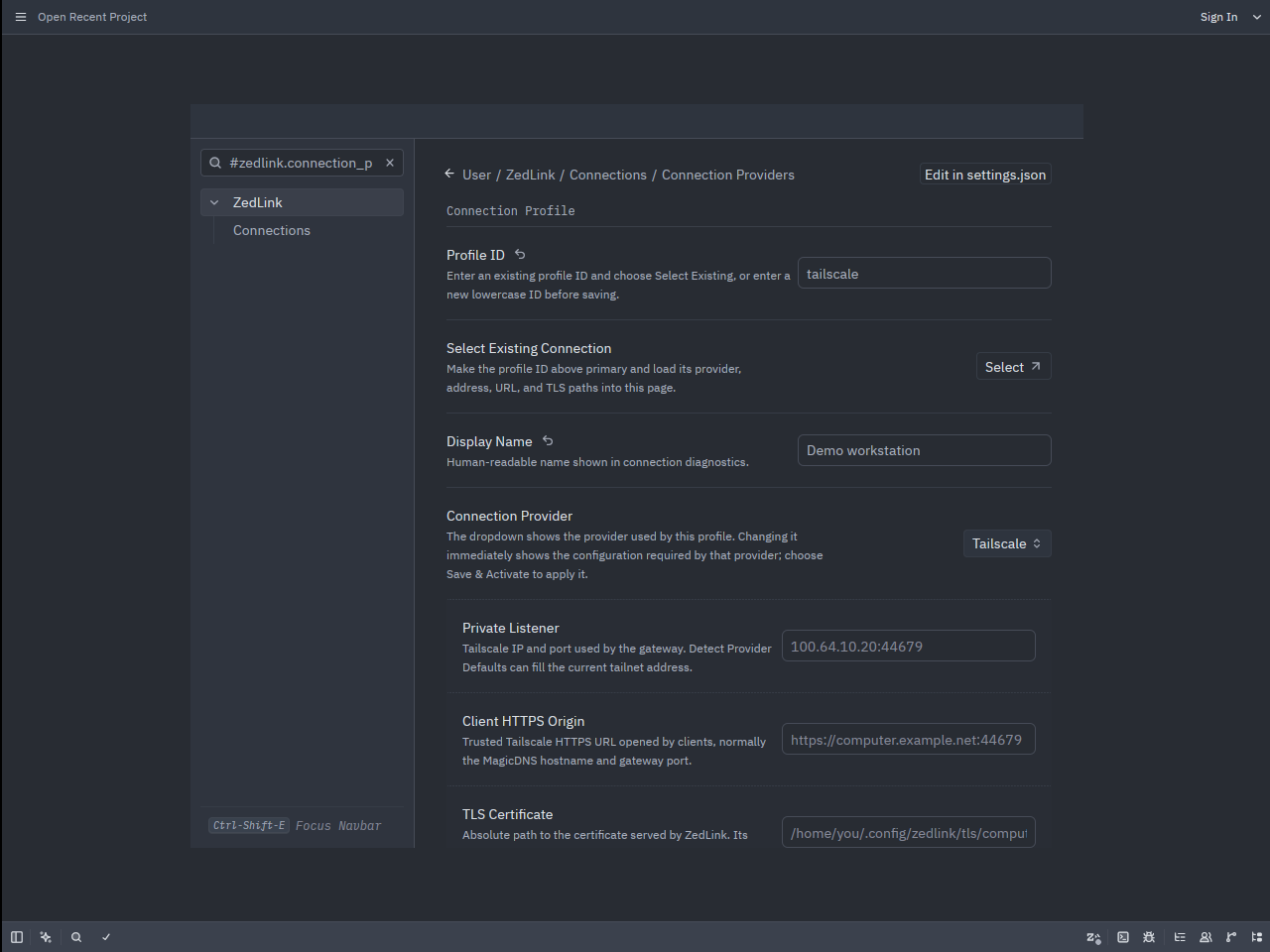
- Open Settings → ZedLink → Connection Providers, select the Tailscale profile, and choose Check Connection.
If certificate issuance needs permission on Linux:
sudo tailscale set --operator="$USER"Then rerun certificate setup. ZedLink validates hostname coverage, matching certificate and key, private-key permissions, and expiration before activation.
Normal Tailscale setup can install a systemd user timer. It checks twice daily with randomized delay and renews only when the certificate is near expiration. A validated replacement is moved into place and the running gateway reloads it without changing the gateway identity or paired devices.
Use Settings → ZedLink → Tailscale HTTPS or these tasks:
- Enable automatic certificate renewal
- Certificate renewal status
- Check certificate renewal now
Open Settings → ZedLink → Connection Providers. Each profile records a private listener, the HTTPS origin clients trust, TLS material, and provider-specific proxy rules.
Supported profiles include Tailscale, Headscale, WireGuard, NetBird, ZeroTier, Twingate, local LAN HTTPS, Cloudflare Tunnel with Access, SSH reverse tunnels, direct SSH forwarding, and custom private HTTPS.
To save a profile:
- Enter a short lowercase profile ID.
- Choose the provider.
- Use Detect Provider Defaults where offered, or enter the private listener supplied by that network.
- Confirm the HTTPS origin and TLS paths.
- Choose Save & Activate.
- Choose Check Connection and confirm the returned gateway identity.
The workstation check verifies its own route, certificate trust, listener, and gateway identity. Complete the final check on the phone by opening the same HTTPS origin there without a certificate warning.
Warning
Never disable TLS verification or silently fall back to a public endpoint. A self-signed certificate must be explicitly trusted on every client, or replaced with a certificate that client already trusts.
Clients keep authorization and drafts separate for each paired gateway. One gateway may also advertise multiple patched Zed instances. Select the intended gateway under Connections, then the intended Zed target above Sessions.
An unavailable target remains selected and visibly unavailable. ZedLink does not reroute an uncertain send to another target.
ZedLink uses the model and Agent configuration already selected in Zed. It does not store provider keys or call an LLM directly. New native Agent sessions use the current Zed model/profile. Codex, Claude Code, and other ACP agents retain their configuration in Zed.
Use these in order:
python3 tools/zedlink_manager.py status
python3 tools/zedlink_manager.py diagnose
python3 tools/zedlink_manager.py check-routes
For Tailscale-specific failures, use Check Tailscale Connection followed by Guided Tailscale Repair. The repair flow checks client state, MagicDNS, HTTPS certificates, active gateway identity, and renewal without changing unrelated Zed settings.
Continue with Pairing and first run.