FS_Forensic_Amcache
The directory forensic/amcache exists as a sub-directory to the file system root.
The directory is hidden by default. It will appear once forensic mode has been started and processing is completed, provided that an Amcache.hve registry hive was found in the analyzed memory.
The Amcache module parses the modern Windows application compatibility inventory used by Windows 10 and later. It recovers application, file, shortcut, driver and device inventory records from Amcache.hve and correlates related records by their identifiers.
Amcache records are evidence that an application, file, driver or device was inventoried or present. An Amcache file record is not, by itself, proof that the file was executed.
The files in the forensic/amcache directory are listed in the table below:
| File | Description |
|---|---|
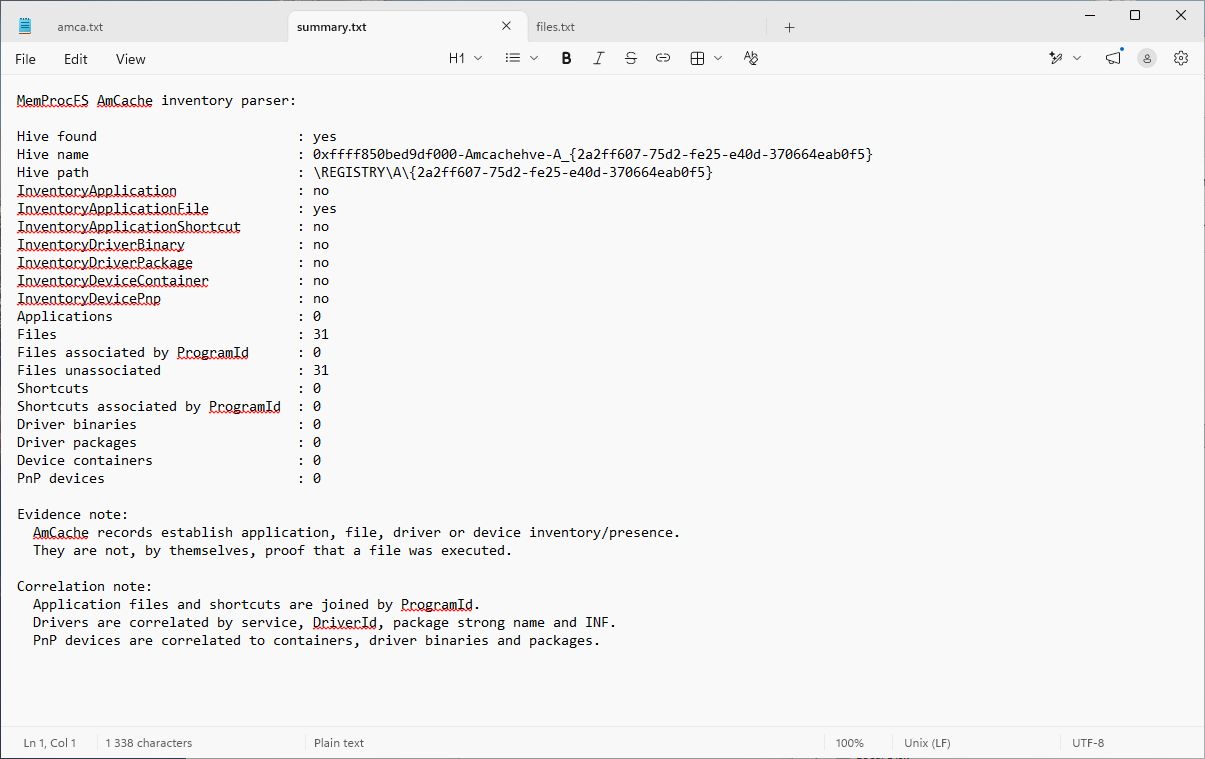
| summary.txt | Parser status, source hive, record counts and correlation statistics. |
| applications.txt | Application inventory, including publisher, version and installation path. |
| files.txt | File inventory and any matching application, with identifiers, size and path. |
| shortcuts.txt | Shortcut inventory, target paths and any matching application. |
| driver_binaries.txt | Driver binary inventory and matching driver package. |
| driver_packages.txt | Driver package and INF inventory, including provider and version. |
| device_containers.txt | Device container inventory, including manufacturer and model. |
| devices_pnp.txt | PnP device inventory and matching container, driver binary and package. |
Files in the forensic/amcache directory are read-only.
The first column in each listing is the record index. Related records refer to this index:
- Application files and shortcuts are matched to applications by
ProgramId. - Driver binaries are matched to packages by package strong name or INF, and to devices by
DriverIdor service. - PnP devices are matched to device containers by container ID.
In files.txt and shortcuts.txt, the App column contains the matching application index. The letter M indicates a successful match; ---- and - indicate that no matching application was found. The corresponding index columns in the driver and device listings work in the same way.
The module also adds the following data to the standard forensic outputs:
amcache_applications.csvamcache_files.csvamcache_shortcuts.csvamcache_driver_binaries.csvamcache_driver_packages.csvamcache_device_containers.csvamcache_devices_pnp.csv- Amcache application, file, shortcut, driver and device records in
forensic/json/general.json. - Amcache key-last-write entries in
forensic/timeline/timeline_amcache.txtand the combined timelines.
CSV files contain additional fields that do not fit in the fixed-width text listings.
The example shows the Amcache summary recovered from a Windows 11 memory image. The file inventory listing is available in the adjacent tab.
The forensic/amcache sub-directory is implemented as a built-in native C-code plugin. The plugin source is located in the file modules/m_fc_amcache.c in the vmm project.