F18A to PICO9918 Dongle Adapter
The F18A to PICO9918 Dongle Adapter Kit allows you to connect an F18A MkI VDP replacement to any PICO9918 VGA or HDMI output dongle, or a TI-99 4A No-Cut Mod.
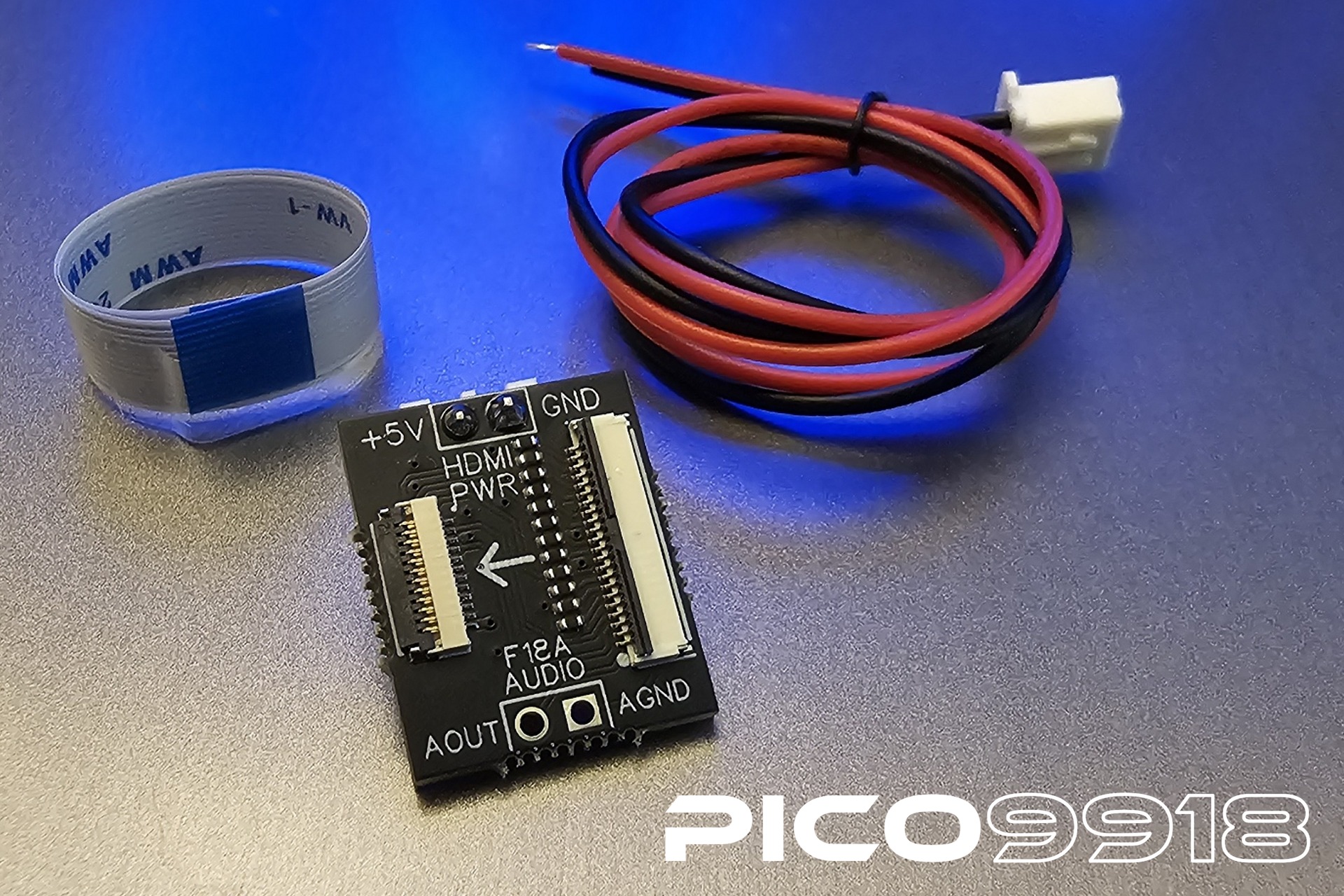
This adapter board is compatible with the F18A MkI only (the revision with a 22-pin FFC output cable).
The adapter is compatible with the following PICO9918 accessories (not included):
- VGA Dongle
- HDMI AV Dongle (with audio) — see Digital AV Dongle
- No-cut Kit (TI-99/4A) — see TI-99 4A No-Cut Mod
- 1x fully assembled F18A to PICO9918 Dongle Adapter PCB
- 1x 5V power lead (only required for the HDMI dongle)
- 1x 120mm (5") PICO9918 FFC cable
- 200mm (8") PICO9918 FFC cable
- 300mm (12") PICO9918 FFC cable
- 200mm (8") F18A MkI FFC cable
- 300mm (12") F18A MkI FFC cable
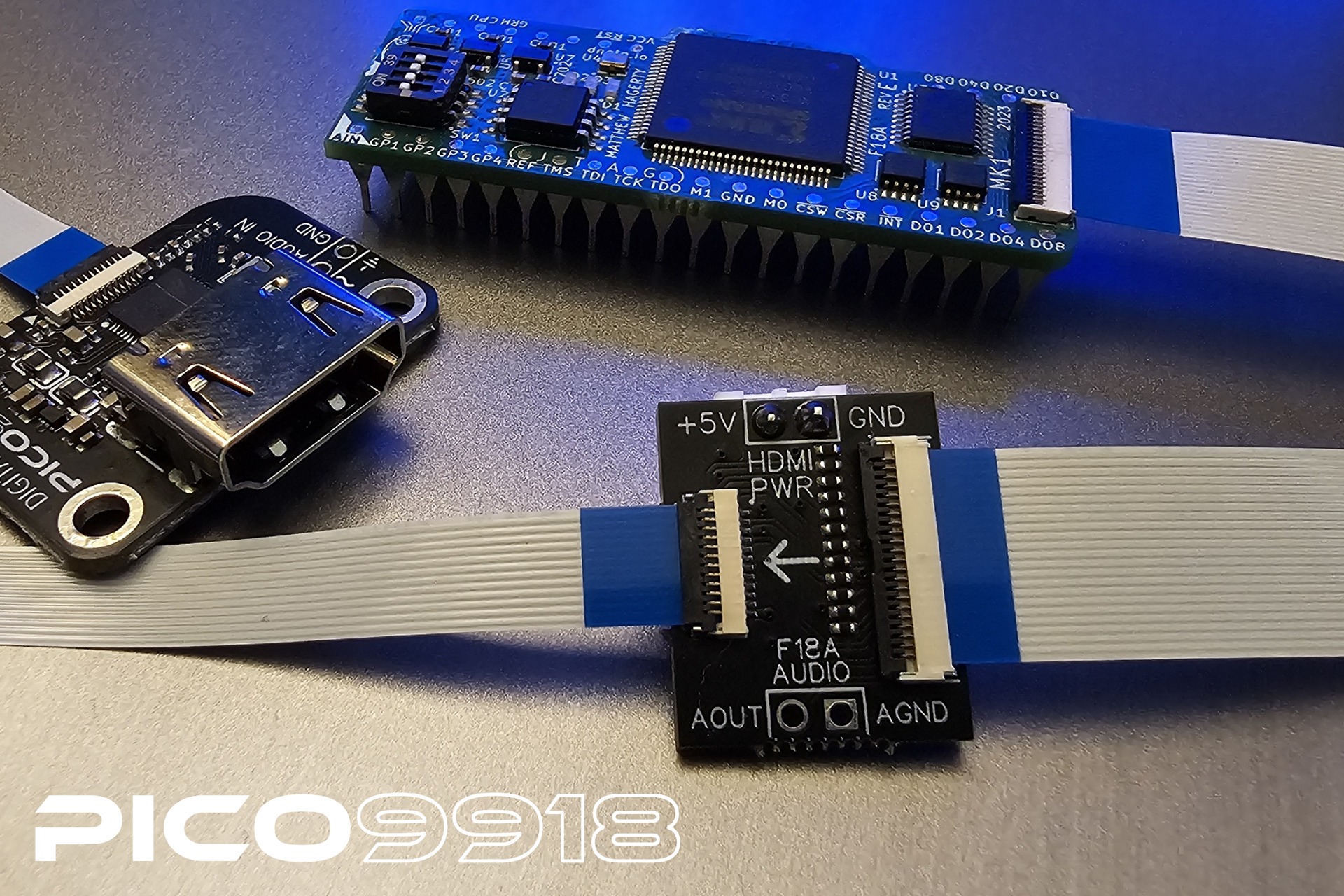
The adapter has an FFC connector on each side:
- F18A side — connects to the F18A MkI's 22-pin FFC output cable.
- PICO9918 side — connects to a PICO9918 FFC cable (12-pin, 0.5mm pitch), which then plugs into your VGA dongle, HDMI dongle, or no-cut kit.
Two additional headers are broken out on the board:
| Header | Labels | Purpose |
|---|---|---|
| HDMI power |
+5V / GND
|
Connect the supplied 5V power lead here to power the HDMI dongle. Not required for the VGA dongle or no-cut kit. |
| F18A audio |
AOUT / AGND
|
F18A audio output pass-through, for wiring to the HDMI dongle's audio input. |
- Connect the F18A MkI's 22-pin FFC output cable to the adapter's F18A-side FFC connector.
- Connect the included (or an optional longer) PICO9918 FFC cable between the adapter's PICO9918-side FFC connector and your chosen accessory — VGA dongle, HDMI dongle, or no-cut kit.
- If using the HDMI dongle, connect the supplied 5V power lead to the adapter's
+5V/GNDheader and wire the F18A's audio output to theAOUT/AGNDheader for audio pass-through. - Power on your F18A-equipped system as usual.
- Digital AV Dongle — HDMI output dongle
- TI-99 4A No-Cut Mod — no-cut installation for the TI-99/4A
- FFC Connector — FFC cable connection instructions
- F18A Programmers Reference — F18A enhanced register reference