Repository navigation
Home

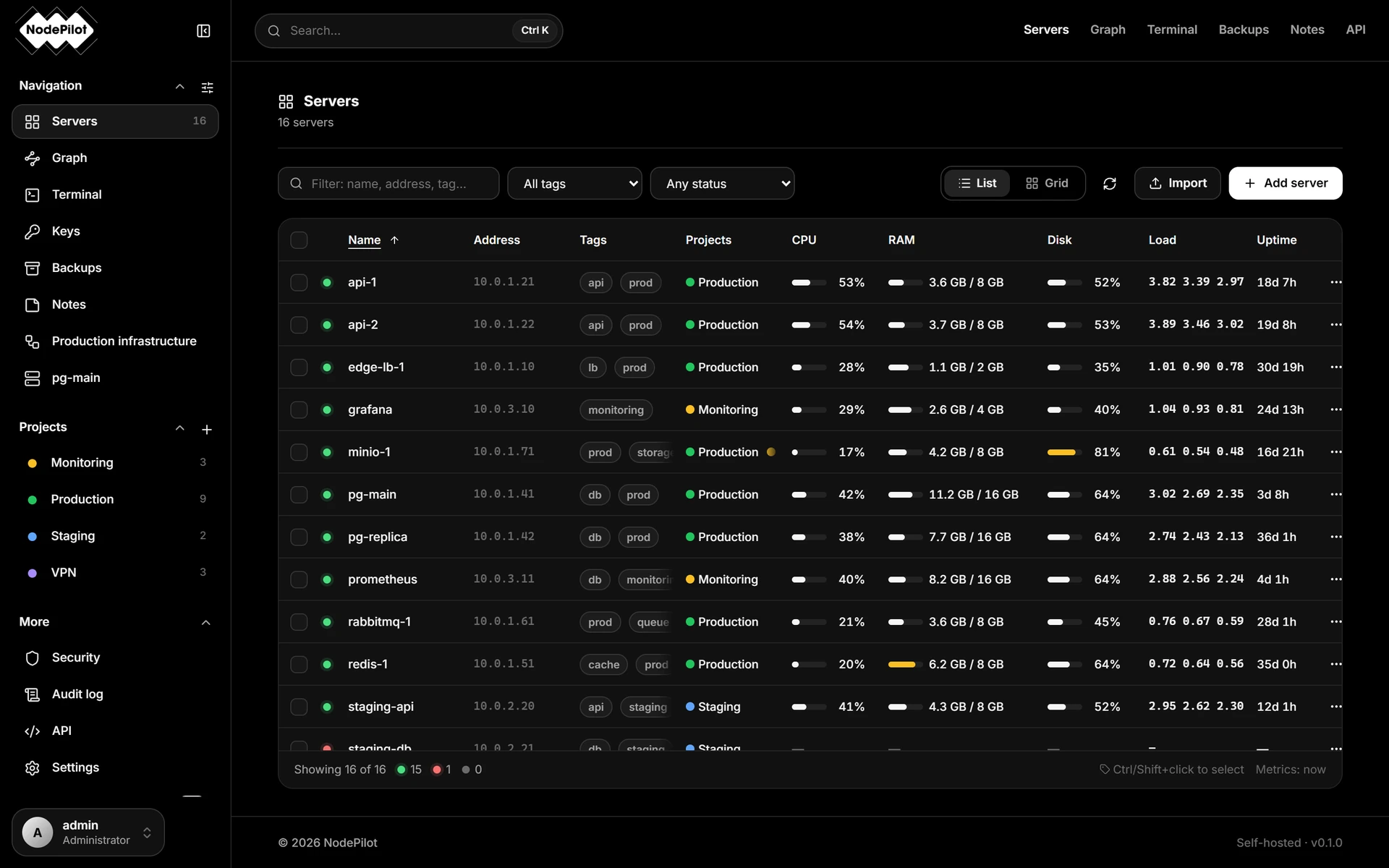
NodePilot is a self-hosted control panel for your servers. You install one binary on a host, open it in the browser and manage your whole fleet from there: stats, terminals, files, services, notes, infrastructure graphs and backups. It is built for hundreds of servers, works over plain SSH without agents, and exposes everything through a REST API and MCP, so AI agents can manage the panel and the servers within the permissions you give them.
| I want to… | Read |
|---|---|
| Install the panel on a server, a PC or in Docker | Installation |
| Add my first servers and organize them | Getting started |
| Tune ports, paths, cookies, CORS, the master key | Configuration |
| Harden the panel: 2FA, panel SSH key, TPM, audit log | Security |
| Back up files and databases, encrypt archives | Backups |
| Build my own client or automation | API |
| Let an AI agent manage servers | MCP and AI agents |
| Fix a problem | Troubleshooting |
- Servers and monitoring. Agentless stats over SSH: CPU, RAM, disks, network, load and history. The server page also has a web terminal, an SFTP file manager, processes, systemd services, and reboot/shutdown. See Servers and monitoring.
- Commands at scale. Run one command on many servers or a whole project in parallel, and keep persistent terminal sessions. See Multi-exec and terminals.
- Projects, tags and a keychain. A server can belong to several projects, and credentials are stored once and reused. See Getting started.
- Infrastructure graphs. Map APIs, databases, VPN cascades and their links, with live server status on the canvas and notes anywhere. See Graphs.
- Notes. Markdown runbooks, global or attached to a project or server. See Notes.
- Backups. Files and PostgreSQL/MySQL dumps to the panel or S3, on a schedule, encrypted with a passphrase or to an age public key. See Backups.
- Security. 2FA, a dedicated panel SSH key with rotation and emergency revoke, a master key sealed in the TPM, and an audit log forwarded to syslog or a webhook. See Security.
- API and MCP. Everything the UI does is in the API, with tokens scoped per area (read or write), and an MCP server for AI agents. See API and MCP and AI agents.
- Interface. 7 languages (including Arabic, right to left), dark and light themes, a customizable sidebar and a mobile layout. See Interface.
- Self-update from GitHub Releases with checksum and signature verification. See Updates.
Release builds are single static binaries with the web UI built in:
| Platform | Notes |
|---|---|
| Linux x86_64 / ARM64 | Static musl build that runs on any distribution. Ubuntu/Debian with systemd is the main target. |
| Windows x86_64 | No runtime dependencies. Good for running the panel on a workstation. |
| macOS (Apple Silicon, Intel) | Not notarized: clear the quarantine flag once. |
| Docker |
docker build from the repository; updates come from new images. |
Managed servers only need SSH. Stats and management commands are written for Linux (Ubuntu/Debian first).
- README · Releases
- Security policy · Contributing
- License: Apache-2.0