Repository navigation
Releases: vukkt/iglass
Release list
iglass 1.6.0: Warp support

Added
- Warp support, on macOS and Linux, requested by a Product Hunt commenter: iglass's colors as
two Warp themes (iglass Dark and iglass Light) that Warp switches with light and dark mode,
and the glass through Warp's window opacity and blur (Clear 50%, Frosted 66%, Tinted 82%,
Solid opaque; blur on macOS). Accents,--contrast,--appearance,--cursor,--font,
--opacityand--blurall apply. Warp picks the change up immediately, without a restart. - iglass edits Warp's
settings.tomlline by line and leaves every other line, comment and
setting as it was. Uninstall restores the values you had, keeps anything you changed in Warp
since, and restores the file byte for byte when nothing else changed. Settings written in a
form iglass doesn't edit (dotted keys, inline tables) stop the install instead of being
duplicated. - Before writing, iglass checks every setting against the settings schema that ships inside
the installed Warp, anddoctorreports a Warp too old to readsettings.toml, settings
changed on Warp's settings page, and whether the Linux desktop blurs behind Warp (Hyprland
does; niri can with the window rule iglass prints; KDE Plasma and GNOME don't). --terminal warp, and Warp in--terminal all,doctor,status,uninstalland
export --dir. iglass recognizes it runs inside Warp (TERM_PROGRAM=WarpTerminal).- Prebuilt Warp files in
themes/warp/. - CI downloads Warp's latest Linux release and validates what iglass writes, on Linux and
macOS, against that release's settings schema, then checks the byte-for-byte uninstall.
Fixed
- The "blur above 26 can make iTerm2 slow" warning appeared when installing only for other
terminals; it now shows only when iTerm2 is among them. - Test suites: checks written as
[[ … ]]in the middle of a test didn't fail the test under
macOS's bash 3.2, so some assertions only ran on Linux CI. They now fail everywhere.
Install or update: brew upgrade iglass (or brew install vukkt/tap/iglass), or
curl -fsSL https://raw.githubusercontent.com/vukkt/iglass/main/install.sh | bash, then
iglass install --terminal warp.
iglass 1.5.0: niri, GNOME 51 and your distro
Added
- niri and GNOME 51 blur. niri 26.04+ and GNOME 51+ blur behind apps that ask for it, which
kitty does from 0.46.2 and Ghostty from 1.4. iglass recognizes the desktop and its version and
picks Frosted where the glass is blurred, Tinted where it isn't. On niri, with a terminal that
doesn't ask yet, it prints the window rule that adds blur. - Distributions are recognized: Arch-based systems (Garuda, CachyOS, Manjaro, EndeavourOS),
Debian and Ubuntu, Fedora, and openSUSE get install hints for their own package manager, in
iglass and in the install script. doctorshows the desktop and its version next to the distribution, and says per terminal
whether the desktop blurs behind it.
Fixed
- On Ubuntu (
XDG_CURRENT_DESKTOP=ubuntu:GNOME) messages named the desktop "ubuntu"; they now say
GNOME, and KDE is called KDE Plasma.
iglass 1.4.0: kitty
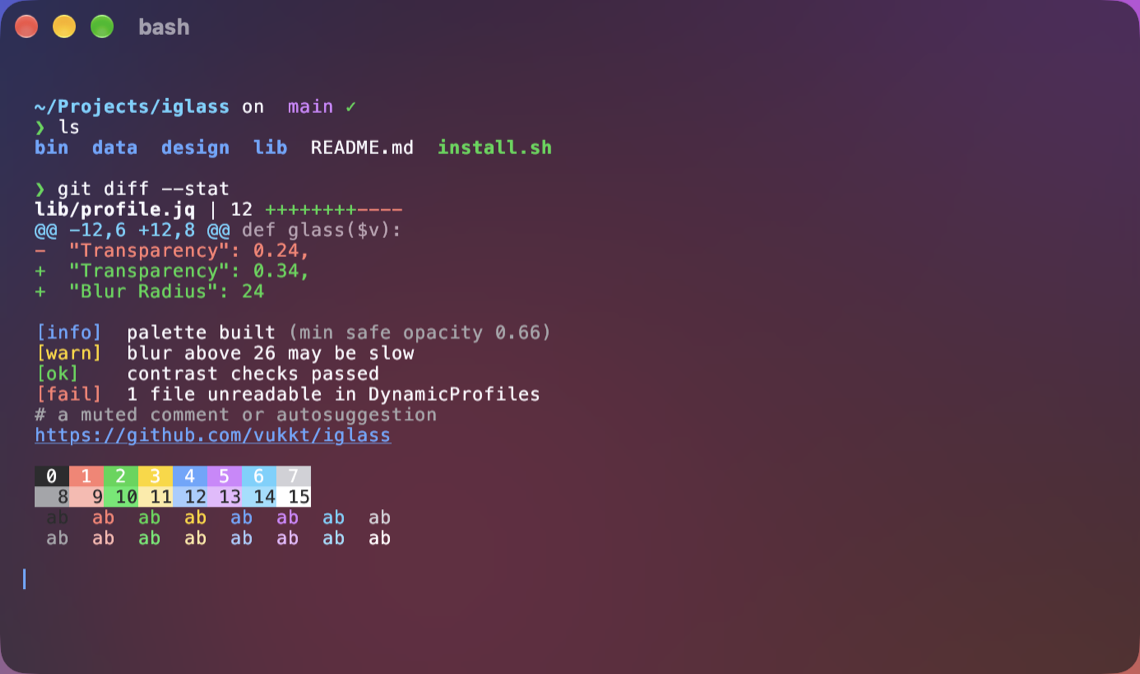
iglass now supports kitty, on macOS and Linux: the same contrast-checked palettes, four glass levels and eight accents, kitty's own blur, and a title bar that's part of the glass. Colors follow light and dark mode (kitty 0.38+).
brew upgrade iglass            # or: brew install vukkt/tap/iglass
iglass install --terminal kitty
Added
- kitty support, on macOS and Linux: the same palettes, glass levels, accents and
--appearance, with kitty's own blur (on macOS, and on Linux desktops that support it) and a
title bar that's part of the glass. Colors switch with light and dark mode through kitty's
theme files (kitty 0.38+); a user's own theme files are set aside and restored on uninstall. - iglass finds kitty's config the way kitty does (
KITTY_CONFIG_DIRECTORY,XDG_CONFIG_HOME,
~/.config,~/Library/Preferences,XDG_CONFIG_DIRS), validates every file with kitty's own
config parser before changing anything, and restoreskitty.confbyte for byte on uninstall. --terminal kitty;--terminal allnow covers every supported terminal you have installed and
skips the others.doctor,status,previewandexport --dircover kitty.- Prebuilt kitty files in
themes/kitty/, and kitty screenshots. - CI checks the generated files with the real kitty on macOS and Linux, and runs an end-to-end
install and uninstall against kitty 0.49.2 on Ubuntu.
Changed
- The status line lists only the terminals that are installed.
- Ghostty's safe config editing moved to a shared module used by Ghostty and kitty.
iglass 1.3.0: always dark (or light)
Keep iglass dark (or light) while macOS or your Linux desktop switches between light and dark mode:
brew upgrade iglass      # or rerun the install script
iglass install --appearance dark
Works in iTerm2 and Ghostty. --appearance auto (the default) follows the system as before.
Added
--appearance dark|lightkeeps iglass dark (or light) while macOS or your Linux desktop
switches between light and dark mode. The default,auto, follows the system as before.
Works in iTerm2 and Ghostty;statusshows it, and Ghostty previews follow it.
(#2)
iglass 1.2.0: Linux support
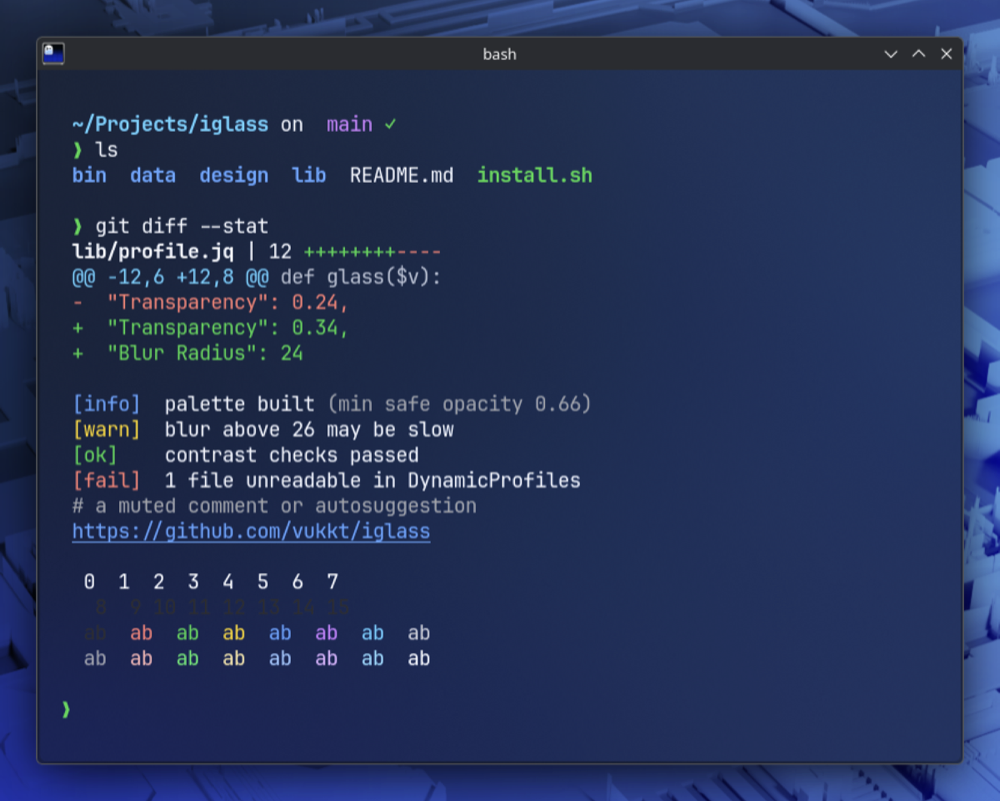
iglass now runs on Linux with Ghostty: the same contrast-checked palettes, variants, accents and live light/dark switching, with blur on KDE Plasma and Hyprland.
brew install vukkt/tap/iglass        # macOS or Linux (or: brew upgrade iglass)
curl -fsSL https://raw.githubusercontent.com/vukkt/iglass/main/install.sh | bash
iglass install
Added
- Linux support for Ghostty. The same palettes, variants, accents and light/dark switching,
with transparency and blur (blur where the desktop supports it, such as KDE Plasma). Liquid
Glass stays macOS-only, so--glass nativeis refused on Linux. install.shand the Homebrew formula work on Linux; jq is the only extra requirement.- On desktops that don't blur behind windows (GNOME and most others),
installdefaults to
Tinted, which stays readable over anything, and warns if you pick Clear or Frosted.
KDE Plasma and Hyprland keep Frosted.doctorsays whether your desktop blurs. - On Linux, fonts are checked with fontconfig, previews start Ghostty directly,
--window no-titlebarhides the GTK title bar, and GNOME's high-contrast setting suggests
--contrast high. State lives in~/.local/state/iglass. - CI runs on Ubuntu as well as macOS, including an end-to-end check against the real Ghostty.
Fixed
- Uninstalling from Ghostty emptied the Ghostty config when
awkis GNU awk (the default on
Fedora and Arch, and on Macs where gawk replaces awk): a variable name iglass used is a
reserved word there. iglass now also refuses to write the config if that step fails.
Changed
iglass statusanddoctorshow the OS and only the terminals that exist on it.- iTerm2 options (
--terminal iterm2,--app-settings,--default) explain that iTerm2 is
macOS-only when used on Linux.export --terminal iterm2still works anywhere.
iglass 1.1.1
Fixed
--app-settingsand--defaultdidn't notice iTerm2 was running when run from inside
iTerm2: macOSpgrepleaves out its own ancestors, and iTerm2 is one of them. The change
was written while iTerm2 was open (so it could be overwritten when iTerm2 quit) and iTerm2
wasn't restarted. iglass now usespgrep -a, and the tests' stand-in behaves like the real
pgrepso this can't regress unnoticed.
Upgrade: brew upgrade iglass, or rerun the install script.
iglass 1.1.0: Ghostty and real Liquid Glass
Added
- Ghostty support, with Apple's real Liquid Glass material (
macos-glass-regular/
macos-glass-clear) on macOS 26+, and classic blur elsewhere. iglass asks Ghostty's own
validator whether glass is supported instead of guessing from versions. --terminal iterm2|ghostty|all;iglass installdefaults to the terminal it runs in.--glass auto|native|blurfor Ghostty.- Ghostty edits are minimal and reversible: theme files, an
iglass.ghosttysettings file,
and one marked include line in the config Ghostty loads last. Symlinked and read-only
configs are handled; uninstall restores the config byte for byte. doctor,status,previewandexport --dircover Ghostty.- Prebuilt Ghostty themes in
themes/ghostty/. - Demo GIF and Ghostty screenshots;
tools/record-gif.shand a Ghostty mode for
tools/screenshots.sh, both over a generated backdrop.
Changed
installshows tips only on the first install, and a one-line summary when updating.
Fixed
install.shstopped with "unbound variable" when downloading a release (bash 3.2 read the
…in a message as part of a variable name).
Install or upgrade
brew install vukkt/tap/iglass        # or: brew upgrade iglass
# or: curl -fsSL https://raw.githubusercontent.com/vukkt/iglass/main/install.sh | bash
iglass install                       # sets up the terminal you run it in
Requires macOS 15+ and iTerm2 3.5+ or Ghostty 1.0+. Real Liquid Glass needs macOS 26+ and a recent Ghostty. Not affiliated with Apple Inc., iTerm2 or Ghostty.
iglass 1.0.0
First release.
Added
- Four variants inspired by Liquid Glass: Clear, Frosted (default), Tinted and Solid.
- Separate light and dark palettes built from Apple system colors; iTerm2 switches with macOS.
- Eight accent colors matching the macOS accent set.
--contrast high: an increased-contrast palette, following Apple's Liquid Glass guidance.- Contrast-checked palette build with a generated contrast report.
iglass install,preview,list,status,doctor,exportanduninstall.- Custom profile via
--opacity/--blur;--cursor,--windowand--fontoptions. - Opt-in
--app-settings(Automatic theme for a system-drawn title bar, padding) and
--default, applied safely while iTerm2 is closed and restored exactly on uninstall. - Hints for macOS Reduce Transparency and Increase Contrast.
install.sh, Homebrew formula, prebuiltthemes/for use without the CLI.
Install
brew install vukkt/tap/iglass   # or: curl -fsSL https://raw.githubusercontent.com/vukkt/iglass/main/install.sh | bash
iglass install
Requires macOS 15+ and iTerm2 3.5+. Not affiliated with Apple Inc. or iTerm2.