HomeCanvas 1.0 — a wall display for your home

The first release of HomeCanvas: a wall display for your home, running on a Raspberry Pi with a touchscreen. It's a photo frame for your own Immich library, a dashboard you arrange from your phone, and a speaker for Spotify.
Install
On the Pi, in a terminal:
curl -fsSL https://raw.githubusercontent.com/vwillcox/HomeCanvas/main/install.sh | bashThe installer walks you through the rest:
- installs what's needed and builds HomeCanvas;
- connects it to Immich;
- names it
homecanvas.localon your network; - starts it on boot and sets up the touchscreen.
Run the same command again later to update. It works on Raspberry Pi OS, Debian, Ubuntu, Fedora, Arch and openSUSE, on 64-bit ARM or Intel/AMD. INSTALL.md has the steps done by hand, and the optional extras.
What's in it
- Photos and video from every Immich album. A full-screen viewer with pinch-zoom and swipe, and video playback.
- A slideshow photo frame with fade, slide, Ken Burns or page-turn transitions. The weather and what's playing sit in the corners, drifting slowly so nothing burns in.
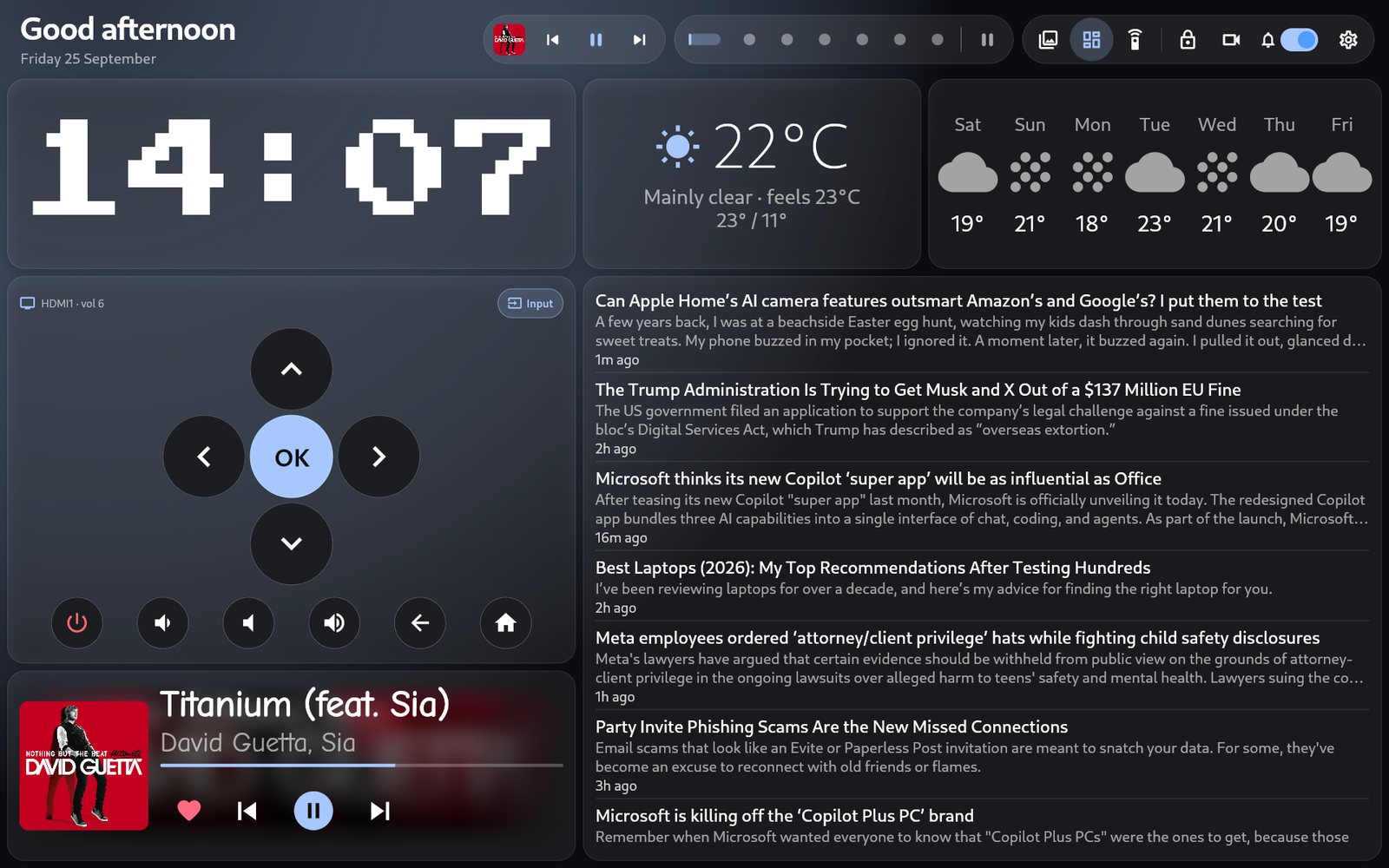
- A dashboard of 38 widgets you arrange from any browser at home: clock, weather, calendar, timers, news, trains, bin day, notes, shopping list, Home Assistant, lights, TV remote, your network and home lab, and more. It has sixteen themes and a choice of fonts.
- Music. Pair a phone over Bluetooth, or play Spotify on it as a Connect device, with a full-screen player and a visualiser.
- Sharing from your phone. A companion Android app sends photos, links and notes to the panel, end-to-end encrypted. Notes can be read aloud by a voice that runs on the Pi itself.
- Kitchen timers with a sound when done: built-in sounds or your own MP3s, and the voice saying which timer finished.
- Volumes and Do Not Disturb. Separate volumes for notifications, speech, the news reader and timers, and one switch that mutes them all.
- Built for a wall. It turns the screen off when idle and wakes on touch (or by voice, through Alexa), starts on boot and restarts itself if it crashes.
Privacy
Your photos stay on your own server. No account, no analytics, no cloud of ours. A widget contacts a public service only when you add one that needs it (the weather, trains). Details.
Needs
- A Raspberry Pi 5 or 4 with a touchscreen (or another 64-bit Linux machine with a display).
- An Immich server on your network.
Guides, every widget, the FAQ and troubleshooting: the Wiki.
Questions, ideas or photos of your setup: Discussions.