Repository navigation
Downloading Climate Suite
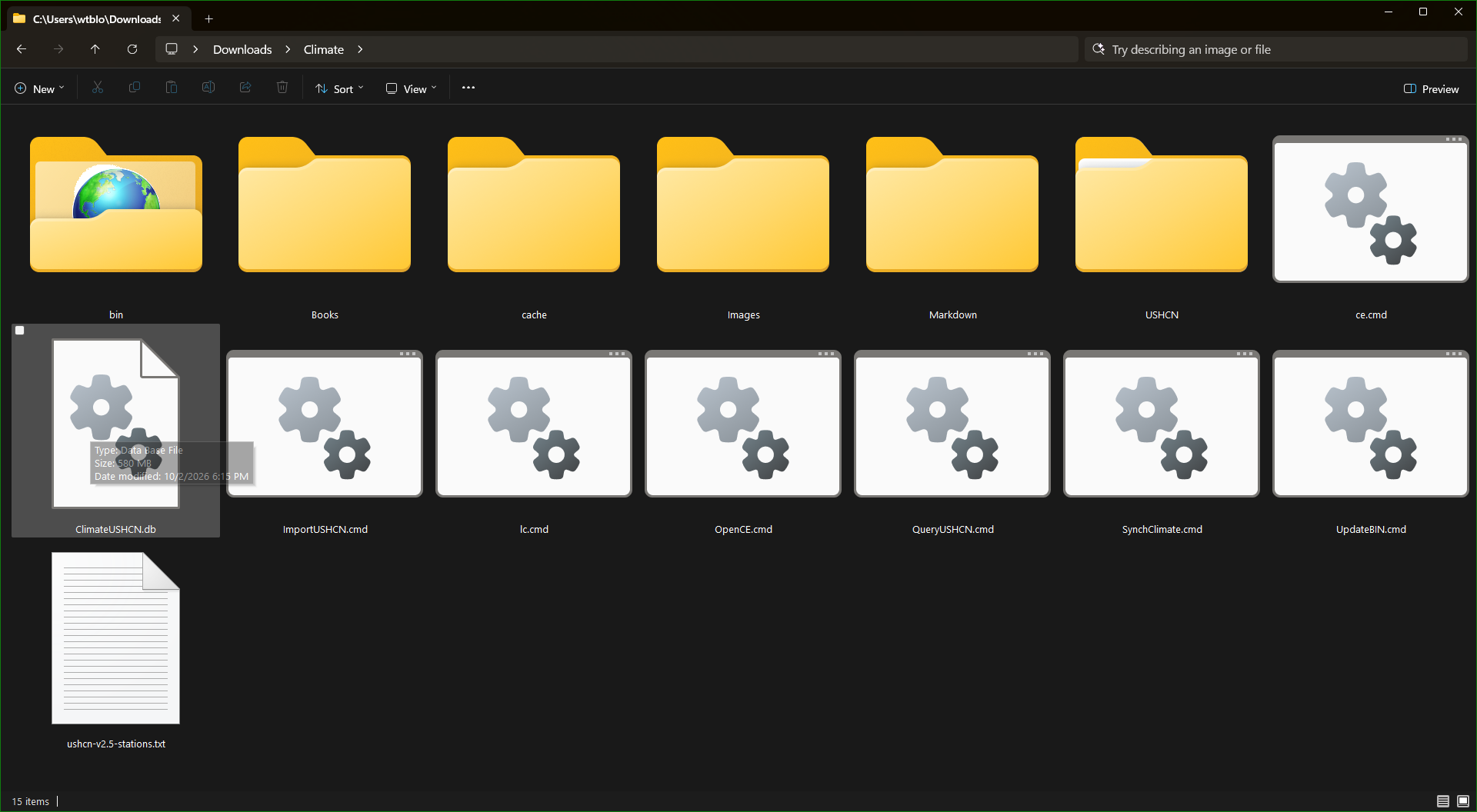
Climate Suite is released as a zip file containing a portable workspace that contains:
Climate/
    bin/
    Books/
    cache/
    Images/
    Markdown/
    USHCN/
    ClimateUSHCN.db
    ushcn-v2.5-stations.txt
    ce.cmd
    ImportUSHCN.cmd
    QueryUSHCN.cmd
    lc.cmd
    OpenCE.cmd
    SynchClimate.cmd
    UpdateBIN.cmd
Climate Suite uses a self‑contained workspace design: everything you need is included in the ZIP file, and all tools run directly from the extracted folder. There is no installation process, no registry changes, and no system configuration required. This makes the suite fully portable—easy to move, back up, or place on any drive.
For example, when a Climate Explorer references an image in your workspace, it does it using relative notation:
- ".\images\your image.png", and not
- "c:\documents\climate\images\your image.png"
If you backup your workspace to a cloud drive, SSD, or another computer, the relative notation is guaranteed to work, but there is no assurance the original path will be present in the new location.
The software is available on GitHub:

On the bottom right of the screen shot, is a link to the Climate Suite repository. Click on the link and the following page will be displayed:

On the left side of the page are folders of the original source code for the applications in the Climate Suite. On the right hand side of the page is a block labeled Releases and right below that label is a link to the Climate Suite release. Clicking on that link takes you to this page:

There is some text describing the release and below that text is a section labeled Assets. In the Assets section is the Climate.zip to download. The source code is also available as zip files to download. Click on the Climate.zip file to download it. On my computer it is downloaded into my Downloads folder:
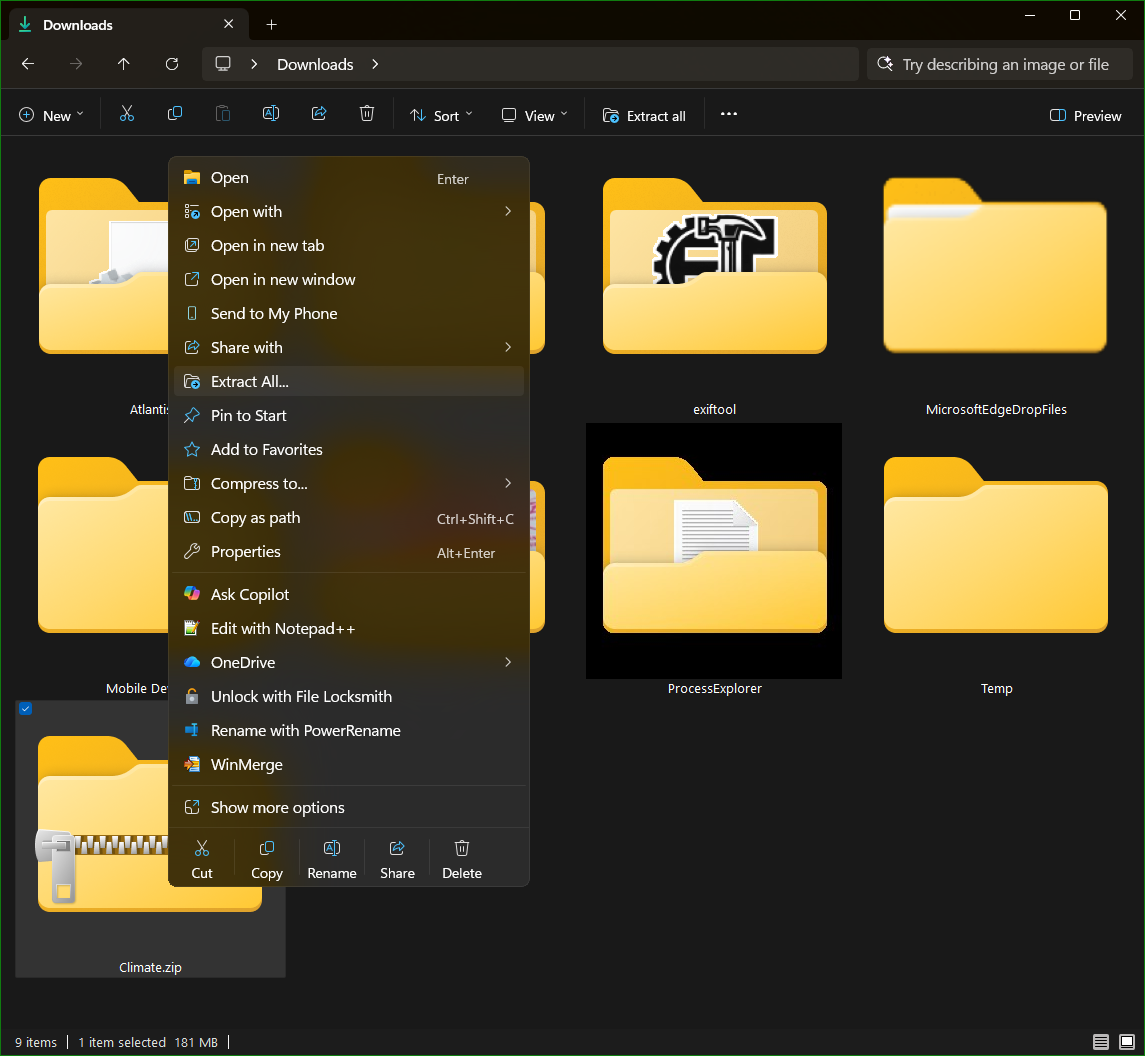
After right clicking on the Climate.zip file, select the Extract All... context menu item. Windows will display a dialog box prompting for the location to extract the file to:
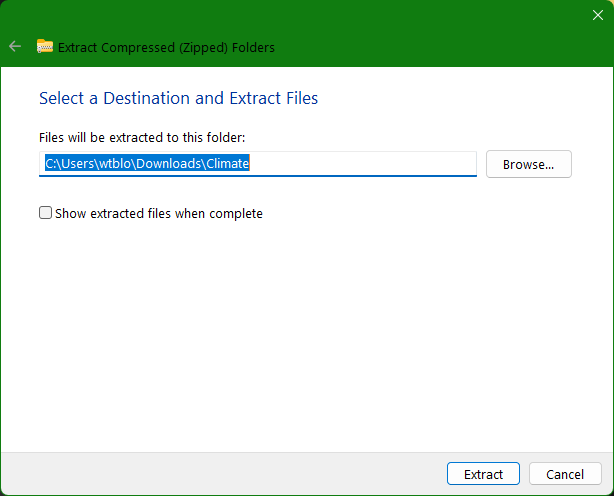
I accepted the default folder of Climate and pressed the Extract button. The release zip file contains more than the executables needed to run the Climate Suite applications. It also contains the following:
Climate\
	bin\
	Books\
	cache\
	Images\
	Markdown\
	USHCN\
		ushcn.tavg.latest.raw\
			ushcn.v2.5.5.20260706\
		ushcn.tmax.latest.raw\
			ushcn.v2.5.5.20260706\
		ushcn.tmin.latest.raw\
			ushcn.v2.5.5.20260706\
The examples in the book and the videos were built with the USHCN data downloaded on July 6, 2026, which is the reason for the folder names ending in 20260706. Those folders contain the 3,654 temperature files from USHCN. One other file, ushcn-v2.5-stations.txt, is the metadata for the climate stations. These are the files described earlier when downloading the USHCN climate data. They are not needed except for demonstration purposes because the zip file also contains the database made from those files, 'ClimateUSHCN.db`.
The climate folder created by extracting the zip file looks like this:
The following video illustrates everything discussed above: