Repository navigation
ImportUSHCN Creates the Database
In the earlier documentation, we discussed how to download the United States Historical Climate Network (USHCN) data which consists of 5,650 text files containing monthly minimum, maximum, and average data from the raw dataset of 1,218 climate stations spread over the continental United States. To take advantage of this large amount of data, converting it into a relational database is required. A relational database can be queried using the Structured Query Language (SQL) to rapidly find the information you seek.
- ushcn-v2.5-stations.txt — Metadata for all 1218 stations
- 1218 × .tmax files — Maximum monthly temperatures
- 1218 × .tmin files — Minimum monthly temperatures
- 1218 × .tavg files — Average monthly temperatures
After downloading the Climate Suite and extracting the zip file, the folder structure looks like this:
Climate/
    bin/
    Books/
    cache/
    Images/
    Markdown/
    USHCN/
    ClimateUSHCN.db
    ushcn-v2.5-stations.txt
    ce.cmd
    ImportUSHCN.cmd
    QueryUSHCN.cmd
    lc.cmd
    OpenCE.cmd
    SynchClimate.cmd
    UpdateBIN.cmd
The data downloaded from USHCN is contained in the USHCN folder. The database is also present: ClimateUSHCN.db. As a result, installing Climate Suite bypasses the two major steps of this documentation:
- Downloading the USHCN data.
- Converting that data into a database (this step)
Those two steps come into play later if you want to update the database to the more recent versions of the data. USHCN updates the data monthly.
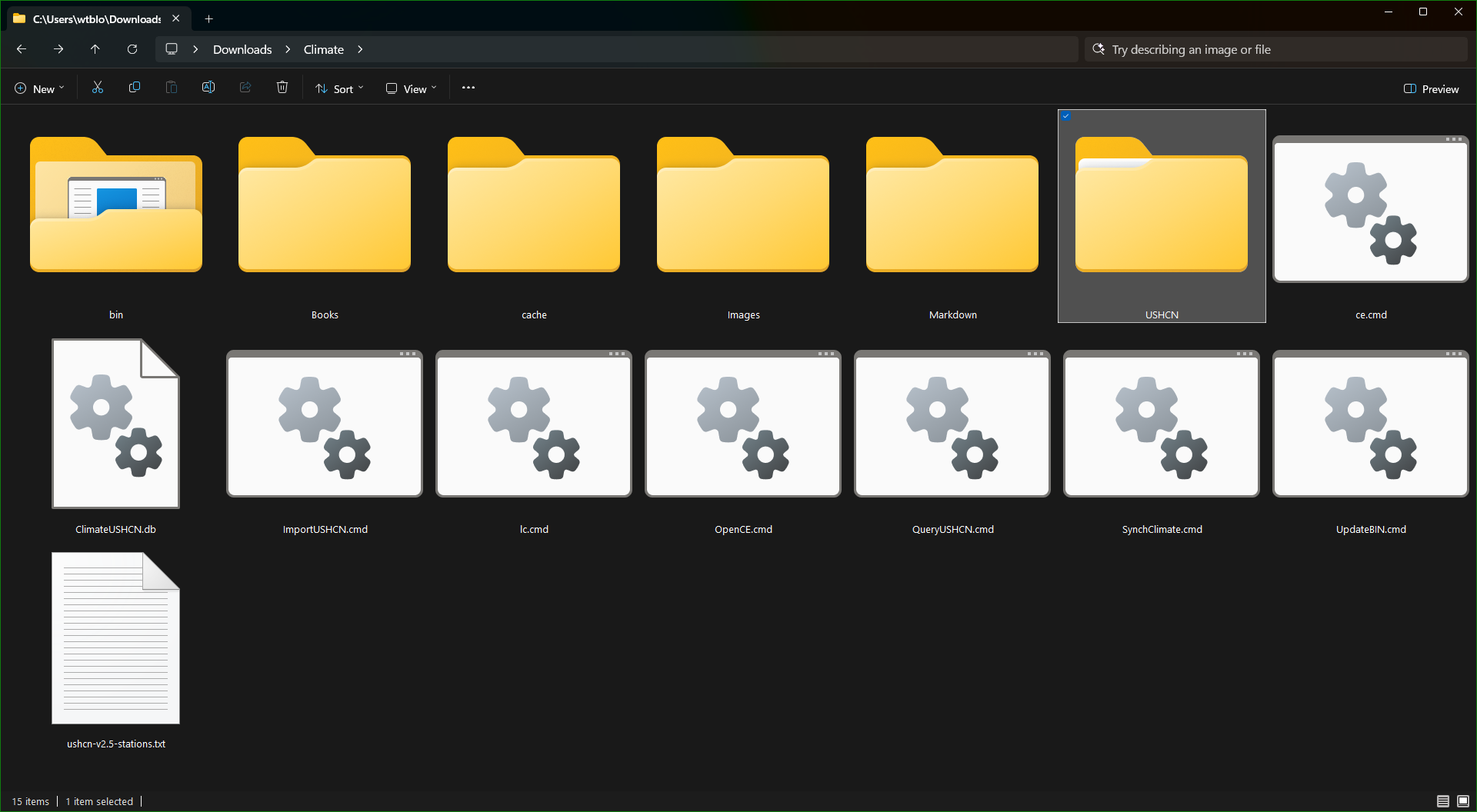
The highlighted USHCN folder is where the files are that were downloaded from the website. Entering a search string of .raw.tmax will show you all of the maximum data file located in the directory tree:

The bottom left corner of the File Explorer shows the total files located are 1,218. There are the same number of files for minimum data (TMIN), and average data (TAVG).
Executing the ImportUSHCN command script with no parameters will display some usage information:
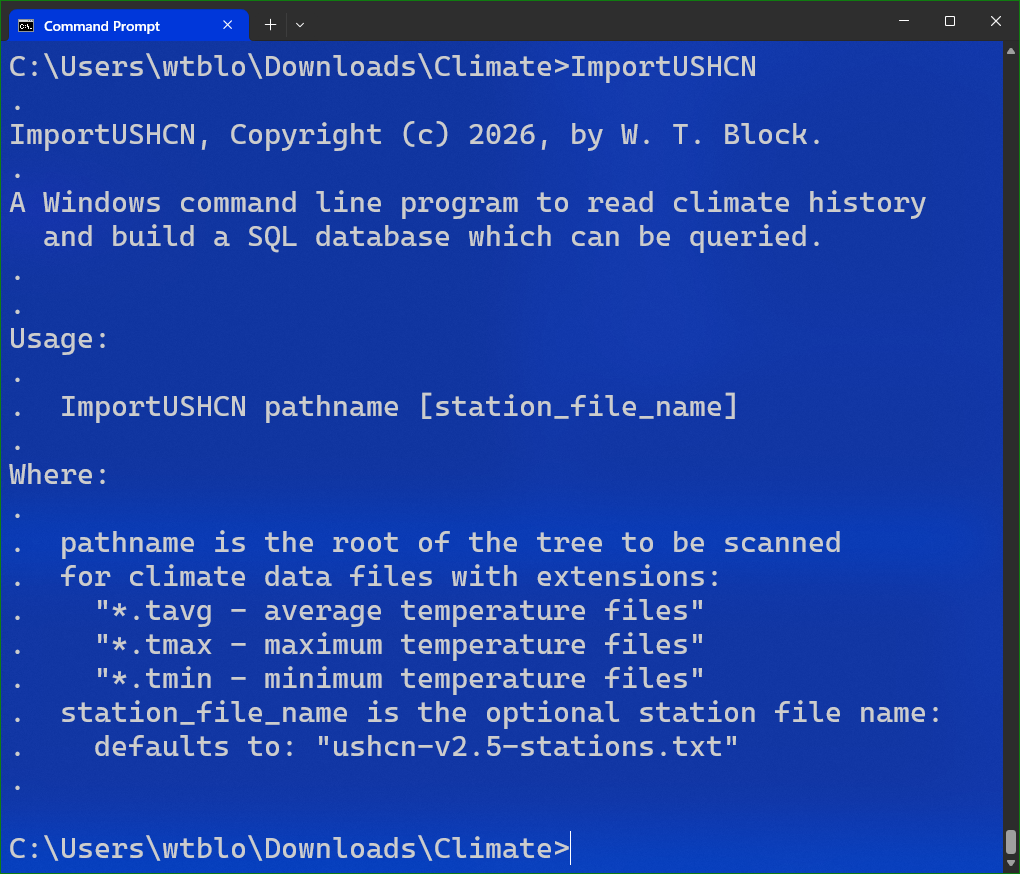
If the command prompt is open in the climate folder (C:\Users\wtblo\Downloads\Climate), the pathname can be a period to indicate the current folder. If the stations text file exists in that folder in its original name of "ushcn-v2.5-stations.txt", it is not required to be entered.
One of the files in the Climate folder is the database (608,923,648 ClimateUSHCN.db) which as you can see is over six million bytes in size. If you run the ImportUSHCN with an existing database, it will let you know the database exists and perform some simple queries. If you want to create another database, you need to rename the existing one or delete it.
Here is some of the information displayed if the database exists:
Database already exists. Skipping build.

Verification: Stations table contains 1218 rows.
Station USH00028619 (AZ): lat=31.705601 lon=-110.056900
Verification: Years table contains 445481 rows.
Verification: Months table contains 5345772 rows.
If the database is missing, the program will provide progress output letting the user know where it is at in the process:
- Processing Maximum Values
- Processing Minimum Values
- Processing Average Values
- Writing stations to the database
After completion, it will perform the same queries that are performed if the database is already present.
This is a short YouTube video demonstration everything we discussed above: