Repository navigation
Extended CE: Python Runner
The Python Script Runner lets you write and run Python scripts directly in your Overleaf project. Any files your script generates — figures, CSVs, or other outputs — are saved to the file tree and are available to use in your LaTeX document.
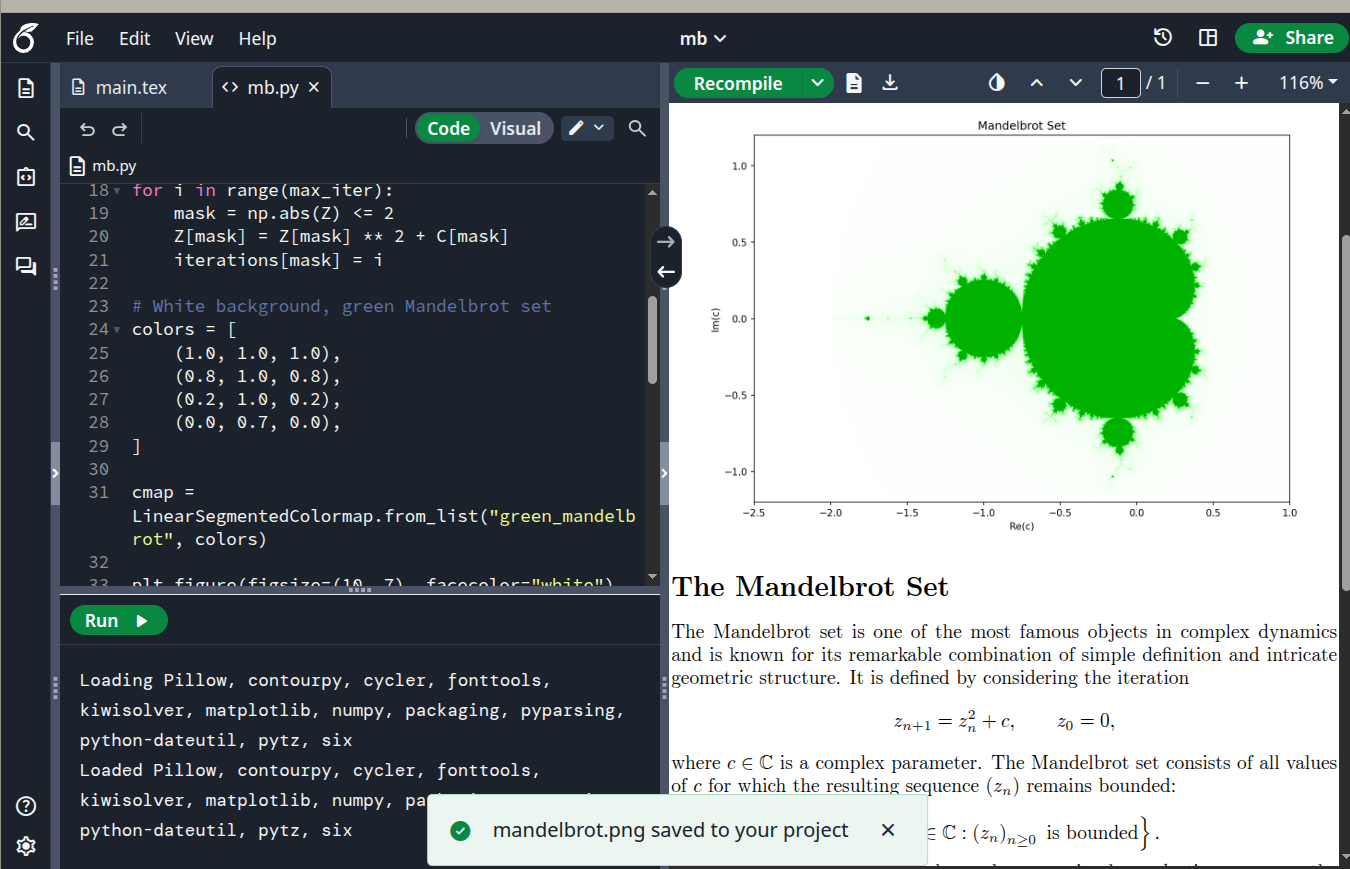
Python Script Runner
To use the Python Script Runner, open any .py file from your project's file tree. The editor switches to Python mode and a Run button appears.
If your project doesn't have a .py file yet, create one using the New file button in the file tree.
- Open a
.pyfile from the file tree. - Write your Python code in the editor.
- Select Run to execute the script.
To stop a script while it's running, select Stop.
When you run a script, the output panel opens below the editor. It shows:
-
Standard output: text printed by your script, such as the result of
print()statements -
Errors: if your script fails, the output panel shows what went wrong. There are two types:
- Environment errors: for example, a package that isn't available in the runner. Check the list of supported packages before importing.
-
Code errors: syntax mistakes or runtime errors in your script, such as a
NameErrororTypeError
Your script can read files already in your project — for example, a .csv you've uploaded:
import csv
with open("data.csv") as f:
   reader = csv.reader(f)
   for row in reader:
print(row)Any files your script writes are saved to the project file tree automatically. For example, a figure saved with plt.savefig("output.png")
will appear in the file tree and can be included in your LaTeX document using \includegraphics{output.png}.
The Python Script Runner uses Pyodide 0.29.3, which runs Python 3.13.2. A full list of supported packages is available on the Pyodide packages page.
- Scripts run in your browser using your local system resources. Large or computationally expensive scripts may be slow or cause the tab to become unresponsive.
- Only packages available in Pyodide are supported. Packages that require native code or are not in the Pyodide distribution cannot be installed.