Repository navigation
Network Tools
Finder. A zero-hop scan: it asks which nodes can hear you directly, without going through a repeater, and lists them with their signal. Good for checking your antenna and position, or finding the nearest repeater.
Signal. Live radio figures: last RSSI and SNR, the noise floor, packets sent and received (flood and direct), errors, and airtime used for sending and receiving.
Advert. Tells nearby nodes you exist (see First setup).
- T-Deck: the Advertise app.
- Cardputer: Settings > Advert for the automatic interval (Off, 3, 6, 12 or 24
hours), or
advertin the Terminal to send one now.
Sending any advert, by hand or automatically, restarts the countdown to the next automatic one.
The Cardputer has no PSRAM, so these are left out of its build.
| App | What it does |
|---|---|
| Trace | Follows a route hop by hop and shows the signal at each repeater. Also opened by Trace Repeater in the Repeaters app. |
| ChanScan | Checks the channels either side of the mesh frequency for LoRa activity, and shows how busy each one is. |
| Spectrum | A spectrum and waterfall view of the band. |
| SigGen | A signal generator, for testing. |
| PCAP | Captures received packets to the SD card for later analysis. |
| BT Foxhunt | Tracks a Bluetooth device by signal strength, beeping faster as you get closer. |
| Power | Battery history and estimated running time. |
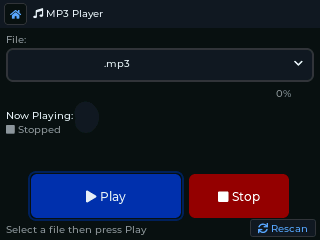
MP3 player (from the SD card), Pic Viewer, Files (file manager), and the games Snake and 2048.