3.1

Apple tries to steal our thunder with their iOS 13 release, but we stay calm, as we’re sure: AdGuard 3.1 for iOS is big news! There are many noteworthy improvements to filtering process, design and licensing system. Let’s tackle the new version one change at a time.
[Added] New content blocker — Security #1103
In v3.0 we “split up” AdGuard for iOS into five content blockers to circumvent the Safari limitation on 50k rules per ad blocker (which is a ridiculously small number). Each of the content blockers was assigned a specific role, for example, “Privacy” or “Annoyances”. But then we thought: the more content blockers, the more rules you can use at the same time, right? So why not add another one? And we didn’t have to go out of our way for that, as “Security” is a category that organically complements the rest. Previously, filters from that category were included into “Other” group.
Note that you need to enable this new content blocker in Safari settings for it to work!
[Added] “Content blockers” screen #1105
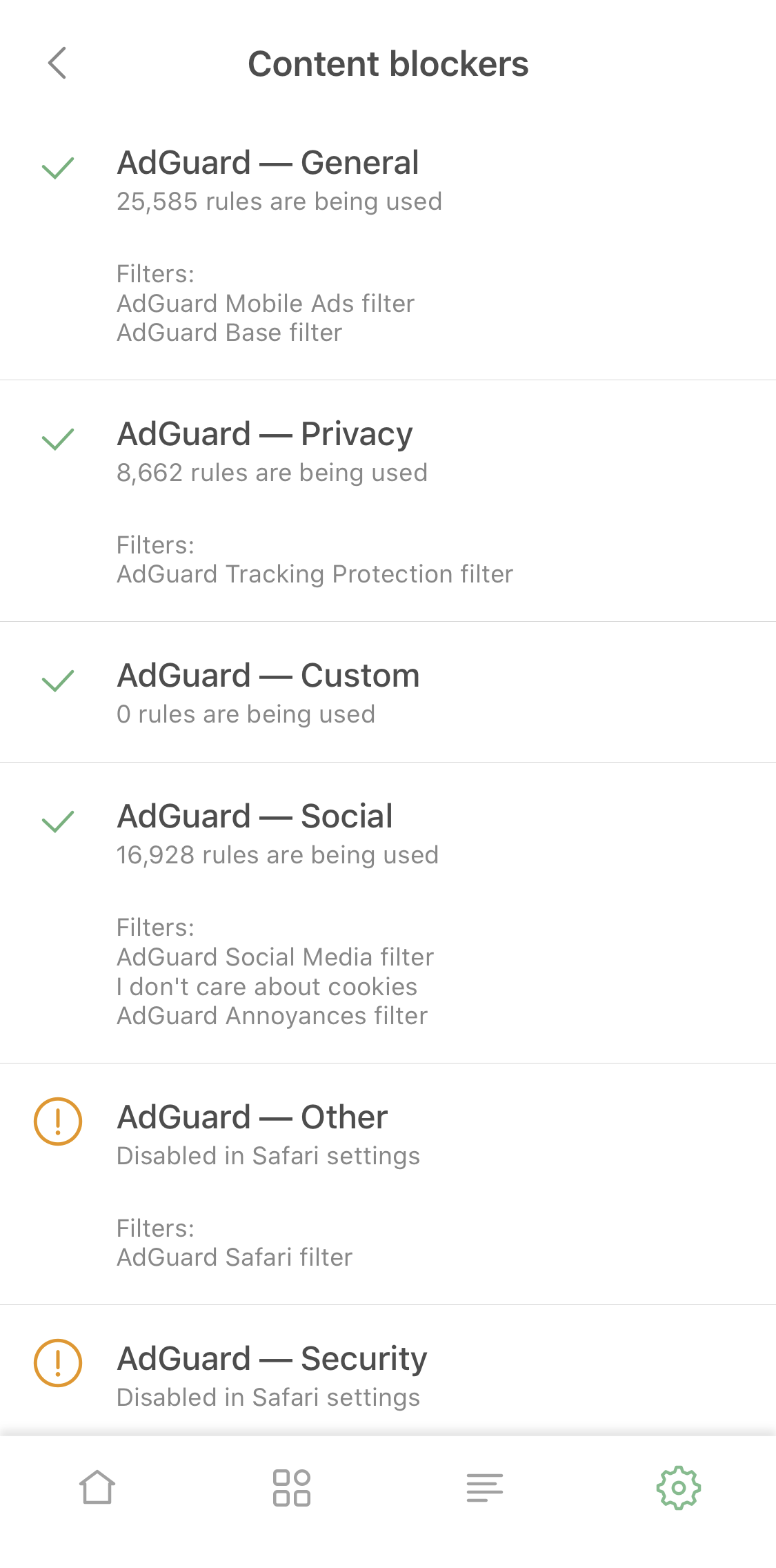
It’s surely irritating when you have to go to Safari settings to check what filter groups are enabled and what are not. We know this from personal experience. The logical solution was to add a new screen right to AdGuard settings, which we did. Go to General settings > Content blockers to see the current state. You’ll even find there what filters exactly are enabled and how many rules each content blockers has used up.
[Improved] Protection status notification on the main screen #1106
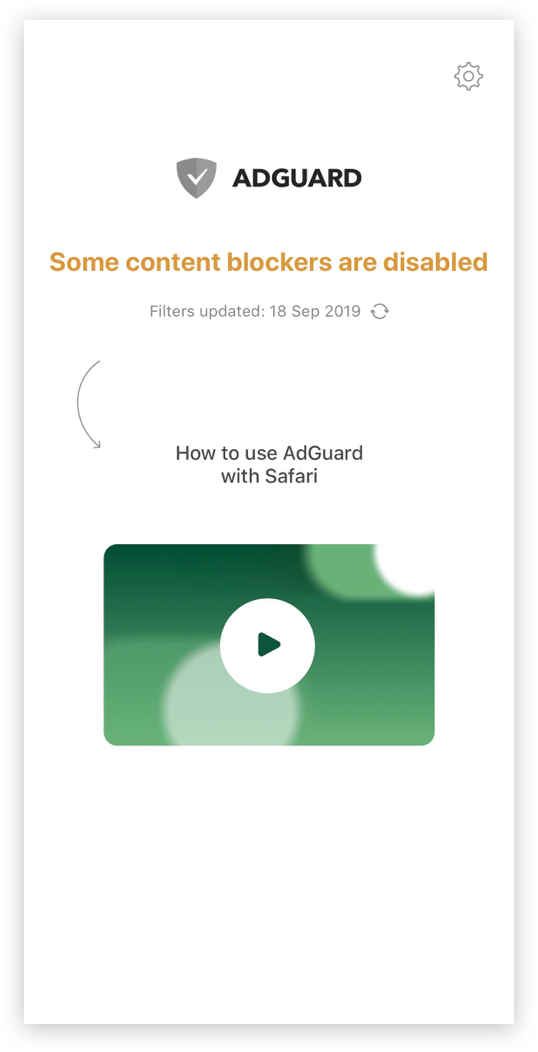
This is another change that was so easy to make that it left us wonder why we didn’t make it earlier. Before v3.1, if any one content blocker was disabled, the main screen screamed at you with a red “Protection is disabled” warning, which is of course not true. Now it will let you know in a less alarming yellow color that “some content blockers are disabled”. We care about your mental health :D
[Improved] Content blocker affinity #1104
And here’s a very important change that affects the quality of the actual ad blocking. Some filtering rules depend on each other or work better together. There’s been a problem in cases when such rules belonged to different content blockers. They weren’t always working as intended, even if both content blockers were enabled. Now that it’s fixed, the quality of ad blocking will go further up.
[Added] Lifetime subscription option #1100
As you know, AdGuard for iOS offers two ways to activate Premium features: with a license key and via App Store subscriptions. It wasn’t very fair that while license keys can be either 1-year or lifetime, there was only a 1-year subscription-based activation option. Now, if you’re enjoying AdGuard and would like to stay with us for a while, you can purchase a lifetime subscription in App Store and save some money!
[Added] Native login screen #1197
And a small treat for our users who prefer license keys to subscriptions approach. To link AdGuard for iOS to your AdGuard personal account you don’t need to jump between the app and the browser anymore. When you tap the “Log in” button, a new screen will pop up that allows you to enter the credentials right there. You can choose the “Forgot password” option or even register a new account there too, if needed.
Ad Blocking
- [Changed] The algorithm of adding a whitelist rule via the Safari action extension #1218
- [Fixed] Some URL blocking rules aren’t working #1139
UI
- [Added] “Filter details” screen #1122
- [Added] Global search to the filters settings screen #1126
- [Added] Description to the “Restart when network changes” option #1040
- [Added] “Export logs” option to the “Send feedback” menu #1102
- [Changed] AdGuard now asks for permission to push notifications #1053
- [Fixed] Notification after successful login with license key is missing #1180
Networking
- [Changed] AdGuard now makes several attempts to register a content blocker if the first one failed #1205
- [Fixed] Unexpexted logout at background fetch #1183
- [Fixed] Can’t add a custom rule when too many filter lists are enabled #1159
Other
- [Fixed] Crash after opening “Custom filters” #1185
- [Fixed] Crash when adding multiple custom filters #1035
- [Fixed] Crash when tapping on “Add rule” in User filter #1137
- [Fixed] DNS privacy status is displayed incorrectly #1178
- [Fixed] User filter doesn't work correctly #1189
- [Improved] License status is now checked on the first app startup #1198
- [Improved] User filter / Whitelist rules validation process #1174