Repository navigation
Dock and Themes
modular-av-dock is the face of Modular A/V: a Discord-like camera dock
with a voice panel, a voice and video settings window, and badges in the
player list. Without it, Foundry's own camera dock shows the call.
Manifest URL:
https://raw.githubusercontent.com/Affid/modular-av/manifests/modular-av-dock/module.json
Choose it in Modular A/V's settings: Cameras shown by (for the world, and per player) and Voice and video settings window. Plan your modules does this for you when you apply a plan with the dock in it.
The button at the top of the dock moves it:
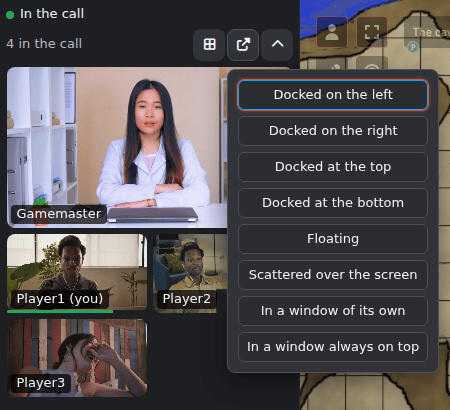
- Docked beside Foundry's sidebar, or floating, as a grid or with one player in focus.
- In a window of its own: a normal window you can drag to another monitor and put full screen with the button in its title bar. Allow popups for your Foundry site if the browser blocks it.
- In a window always on top (Picture-in-Picture), in Chrome and Edge: it stays above every other window, but browsers don't let it go full screen.
- Scattered over the screen: each camera on its own, against a corner or an edge or wherever you drag it, resized as you like, by mouse or keyboard. Foundry's sidebar, controls, hotbar and chat stay clear.
Either window closes when you close or leave Foundry's page.
A GM can save a scattered arrangement as a scene's layout for everyone. A player who moves a camera there keeps their own arrangement, and can go back to the scene's.
Each player's layout is kept per player, across devices.
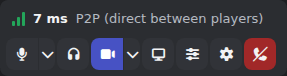
Mute, deafen, camera, screen sharing, your input level and sensitivity, and the effects other modules add: Noise cancellation and Camera background. Other voice effects, such as reverb and echo, are set in the Audio mixer, which opens from here and from the settings window's Voice tab.
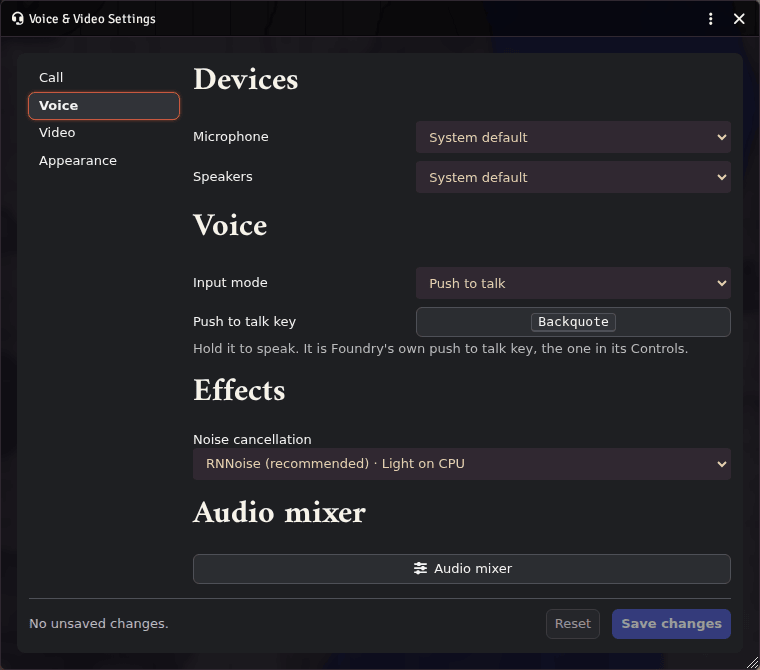
The settings button opens the voice and video settings window:
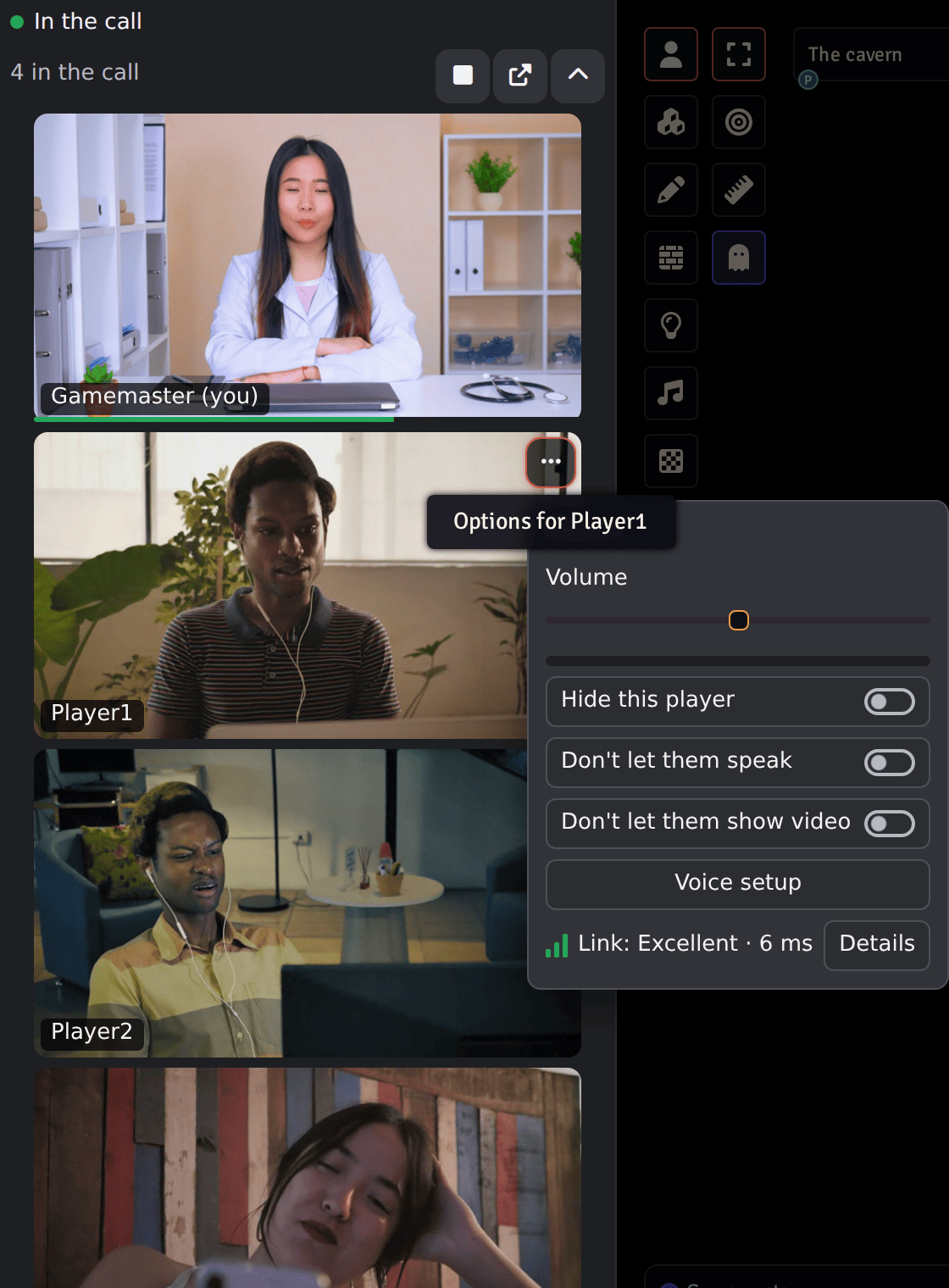
Who is speaking, muted, deafened or blocked; a volume per player; and a menu for GMs. The volume goes up to 200%, for a player on a quiet microphone: above 100% they are boosted on your computer only, through a limiter so they can't clip. A page you opened without clicking anything may play them at 100% until your first click. Deafened is what that player says of themselves: it can't be checked.
Other modules add themes. Each player picks one in Voice & Video Settings, Appearance, or follows the world's theme, which a GM sets there too. A theme only restyles the dock: mute, deafen, speaking, blocked and connection states always show.
modular-av-dock-vines puts vine leaves around each camera, growing from
the corner it sits in, with a soft green glow while someone speaks and
grey leaves while they're muted. It suits the scattered layout best, and
works in every layout. Its leaves stay still when your system asks for
reduced motion.

https://raw.githubusercontent.com/Affid/modular-av/manifests/modular-av-dock-vines/module.json
A theme is a small Foundry module that registers with the dock's API. The guide is in the repository: docs/dock-theming.md.
The dock works by keyboard and with screen readers.