Repository navigation
Jitsi
modular-av-jitsi carries calls over your own Jitsi Meet server, with
token authentication.
Manifest URL:
https://raw.githubusercontent.com/Affid/modular-av/manifests/modular-av-jitsi/module.json
meet.jit.si and 8x8's Jitsi as a Service aren't supported: meet.jit.si gives its sign-in tokens only to its own pages, and JaaS's terms for a module like this one haven't been checked.
A self-hosted Jitsi Meet (tested with docker-jitsi-meet stable-11248-2)
with the settings below. The names are docker-jitsi-meet's environment
variables.
| What | docker-jitsi-meet | Why |
|---|---|---|
| Token (JWT) authentication, no guests |
ENABLE_AUTH=1, AUTH_TYPE=jwt, JWT_APP_ID, JWT_APP_SECRET, JWT_ALLOW_EMPTY=0, ENABLE_GUESTS=0
|
Only players with a token from a GM get in |
presence_identity on the main VirtualHost |
XMPP_MODULES=presence_identity |
Tells everyone who each participant is, from their token |
| No moderator rights for players |
XMPP_MUC_MODULES=token_affiliation, ENABLE_AUTO_OWNER=0, JICOFO_ENABLE_AUTH=0
|
A moderator's client can mute or remove others |
| XMPP WebSocket reachable |
/xmpp-websocket open to players' browsers, from Foundry's address |
Players' browsers connect through it |
presence_identity isn't on in any of Jitsi's default setups. It is a
security requirement, not only a working one: it is what stops a modified
client from claiming to be another player. Without it nobody appears in
the call, and the browser console says why.
A Jitsi server with tokens makes everyone a moderator by default. The
tokens this module signs grant no moderator rights, and the console warns
when the server makes a player one anyway. Prosody still checks every
token with JICOFO_ENABLE_AUTH=0.
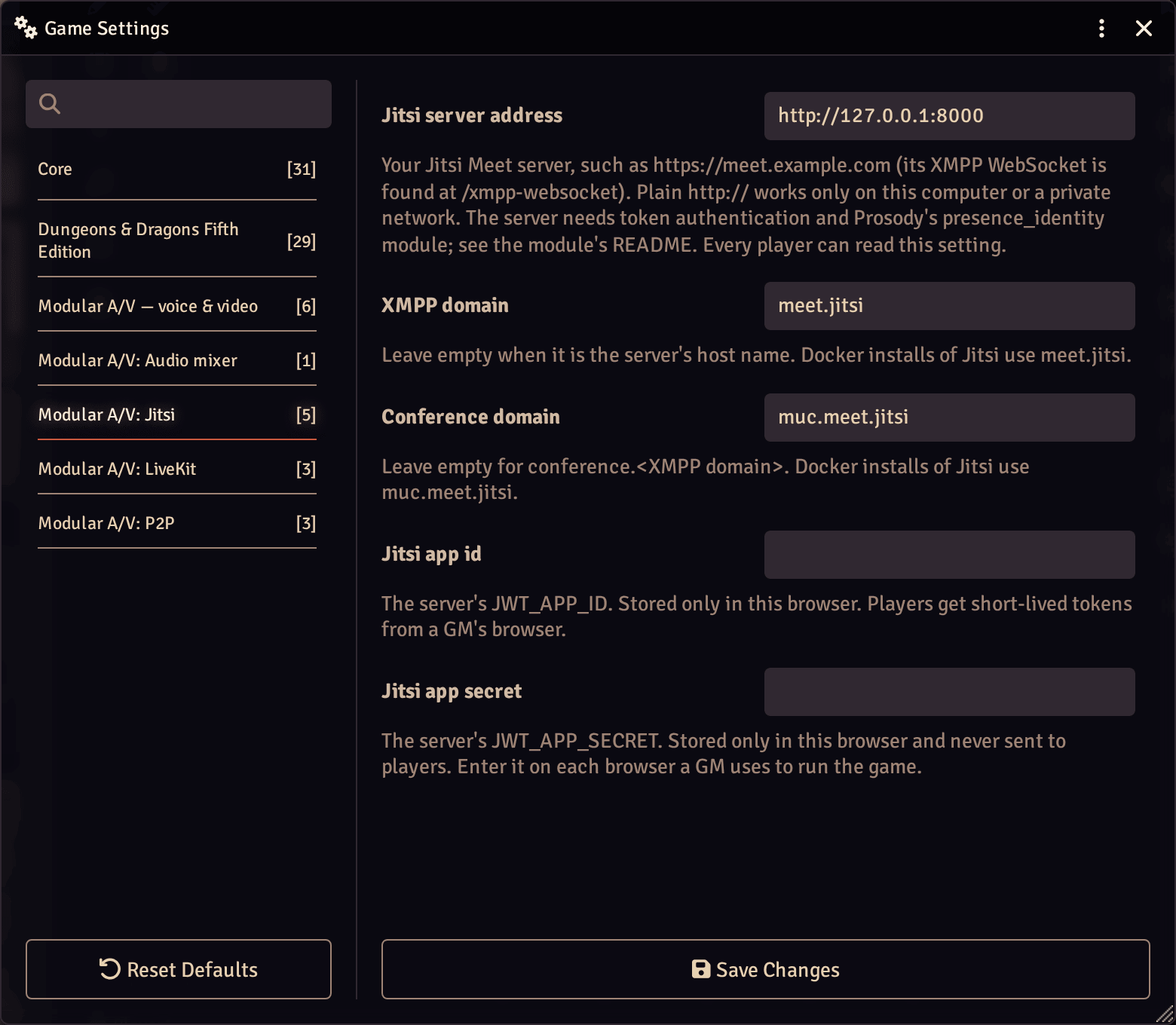
- In this module's settings, as a GM:
-
Jitsi server address (world):
https://meet.example.com. Plainhttp://works only on your own computer or a private network. -
XMPP domain and conference domain (world): leave them empty
when they follow the address (
meet.example.com,conference.meet.example.com). Docker installs usemeet.jitsiandmuc.meet.jitsi. -
Jitsi app id and secret (this browser only): the server's
JWT_APP_IDandJWT_APP_SECRET. Enter them in each browser a GM uses to run the game.
-
Jitsi server address (world):
- If the world has more than one service enabled, choose Jitsi in Modular A/V's settings (Voice and video service).
The secret never leaves the GM's browser. A player's browser asks a GM's for a token; the GM's browser signs a short-lived one for that player alone and this world's room, with no moderator rights and no name (names shown in Foundry come from Foundry). So a GM must be online for players to join or reconnect. When a token runs out during a long call, the player's browser gets a fresh one the same way, without leaving the call.
- Jitsi's tokens can't limit what a player sends, so a GM's block is enforced by everyone else's browser, which refuses that player's audio or video (and asks the server not to send it).
- Every call goes through the server, even for two players (Jitsi's own peer-to-peer mode is off).
- Who is speaking comes from each player's own voice detection, shared over Foundry.
- Screen sharing, end-to-end encryption, the lobby, recording and transcription aren't supported.
- Servers much older or newer than the tested one may not work: Jitsi publishes no rule for which versions of its client and server work together.
The browser talks only to your Jitsi server: lib-jitsi-meet's analytics, statistics and log collection stay off. Jitsi's client puts the token in the WebSocket's address, so it can show in the browser's console and in your server's logs while it is valid (ten minutes): don't log query strings on the server or its proxy.